


Author: Neha Chandelier, Co-founder of Listadum, selling on Etsy since 2020. She writes about Etsy tips and tricks, how to sell on Etsy, and growing a handmade shop.
Last updated: July 17, 2026
I still remember the week my shop crossed 100 listings. I thought it would feel like a milestone. Mostly it felt like I had taken on a second job I never applied for.
Somewhere around that size, the work quietly changes. It stops being about making things and starts being about maintaining them. I would sit down to add one tag across a batch of listings, or bump the price on a whole category, and look up an hour later still going. Open a listing, scroll, edit, save. Next one. Next one.
The edit itself takes seconds. It is doing it two hundred times that eats your afternoon, and slowly drains the reason you started. You opened a shop to design, not to do data entry.
This guide is how I clawed that time back. First, the honest version of what Etsy’s own bulk editor can and cannot do (it is better than most blogs admit). Then the moves that keep a 100-plus listing shop alive without burning out: reviving stalled listings, fixing conversion at scale, clearing your launch backlog, and putting the routine on a 30-minute weekly loop.
TL;DR
- Etsy’s native bulk editor does more than you think. It edits titles, tags, descriptions, prices, and sections across up to 100 selected listings at once. Learn it first, it is free.
- Where it runs out on a big shop: a 100-listing cap, no undo (changes are permanent), no bulk photo or variation edits, no way to create new listings, and it never tells you what to change.
- A dedicated manager picks up there: edit hundreds at once with a review-before-publish step, and pair every edit with demand data, completion scores, and issue detection so you fix the right things.
- The high-leverage plays: bulk-refresh tags to revive stalled listings, batch-fix titles and main images to lift conversion, and clean up the whole shop 10 minutes a day using completion scores.
- Clear your backlog with Bulk Create from your image folders, then stagger launches with the Scheduler instead of dumping everything live at once.
- Templates, snippets, and profiles cut the edits you need in the first place. Teams lets a VA help without your Etsy password.
- Net result: a 100-plus listing shop runs on a roughly 30-minute weekly routine, and your time goes back to designing.
In this article
- Why you keep editing (and why one-by-one is killing you)
- What Etsy’s native bulk editor actually does
- Where the native tool runs out
- Bulk-edit at scale, step by step
- Revive stalled listings: the bulk tag refresh
- Fix a conversion problem at scale
- The 11 elements of a high-converting listing
- Clean up a messy shop in 10 minutes a day
- Clear your launch backlog with Bulk Create
- Keep it running on autopilot
- Print-on-demand at scale
- A safe bulk-edit checklist
- Delegate without sharing your password
- Your weekly 30-minute routine
- FAQ
Why you keep editing (and why one-by-one is killing you)
Editing is not busywork. It is how a listing stays alive in search and keeps selling. Here are the moments that send you back in, and you will recognize every one:
- Refreshing tags to get more views. A listing has been live for weeks and views are flat. That is rarely the photos, it is the tags. The phrases you guessed at launch are not the phrases buyers type.
- Swapping titles for a season, a promo, or a test. “Mother’s Day gift” at the front of your titles in April. A sale phrase during a promo. Or a real A/B test on a set of listings.
- Reviving listings that are sinking. Older listings slowly drift down. A fresh tag set and a sharper title bring them back instead of leaving them to rot.
- Fixing conversion. When views are healthy but sales are not, the fix is the title or the images, the things that turn a click into a sale.
- Clearing the backlog. Folders of finished designs waiting to become listings “someday,” because building them one at a time is so slow you keep putting it off.
Every one of those is a smart, growth-driving reason to edit. The problem is not you. It is doing it one listing at a time.
The whole thing is one loop
Before we get into any tool, here is the shape of the job, because this is the part that makes it feel manageable. Running a big shop is not ten separate chores. It is one loop you run on a schedule.
You scan for what is weak, fix it in bulk, feed the pipeline with new listings, and set things up so they stop drifting. Then you do it again next week. Everything in this guide is one step in that loop.
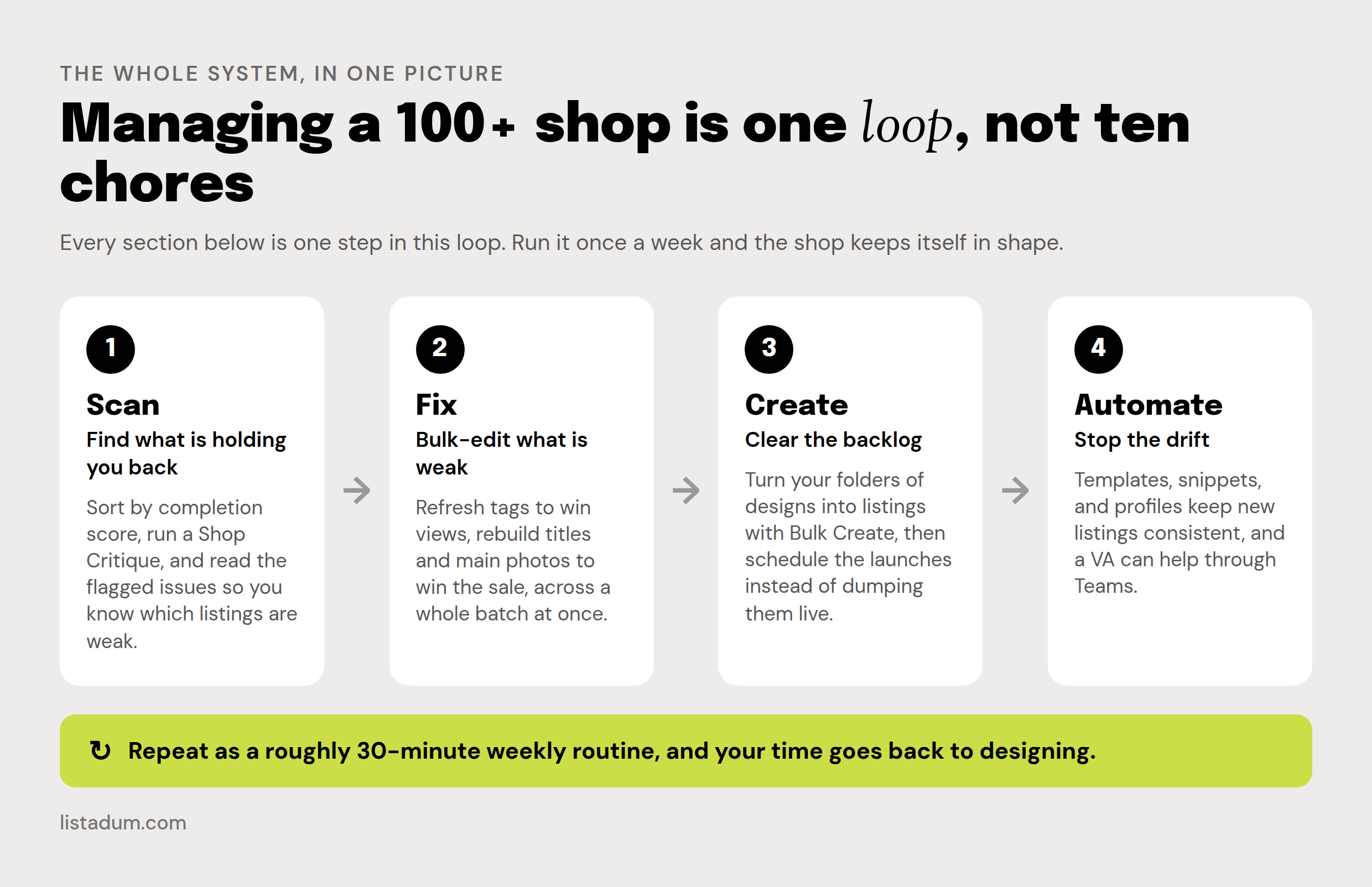
We will start with the “fix” step, because Etsy’s own bulk editor covers a real chunk of it for free, and most sellers never learn how far it goes.
What Etsy’s native bulk editor actually does
Let me clear up a myth first, because a lot of blogs get this wrong. Etsy does have a real bulk editor, and it is more capable than they let on. You do not always need a paid tool.
Go to Shop Manager, open Listings, tick the listings you want (or the box at the top to select all), and click Editing options. You get a menu like this:
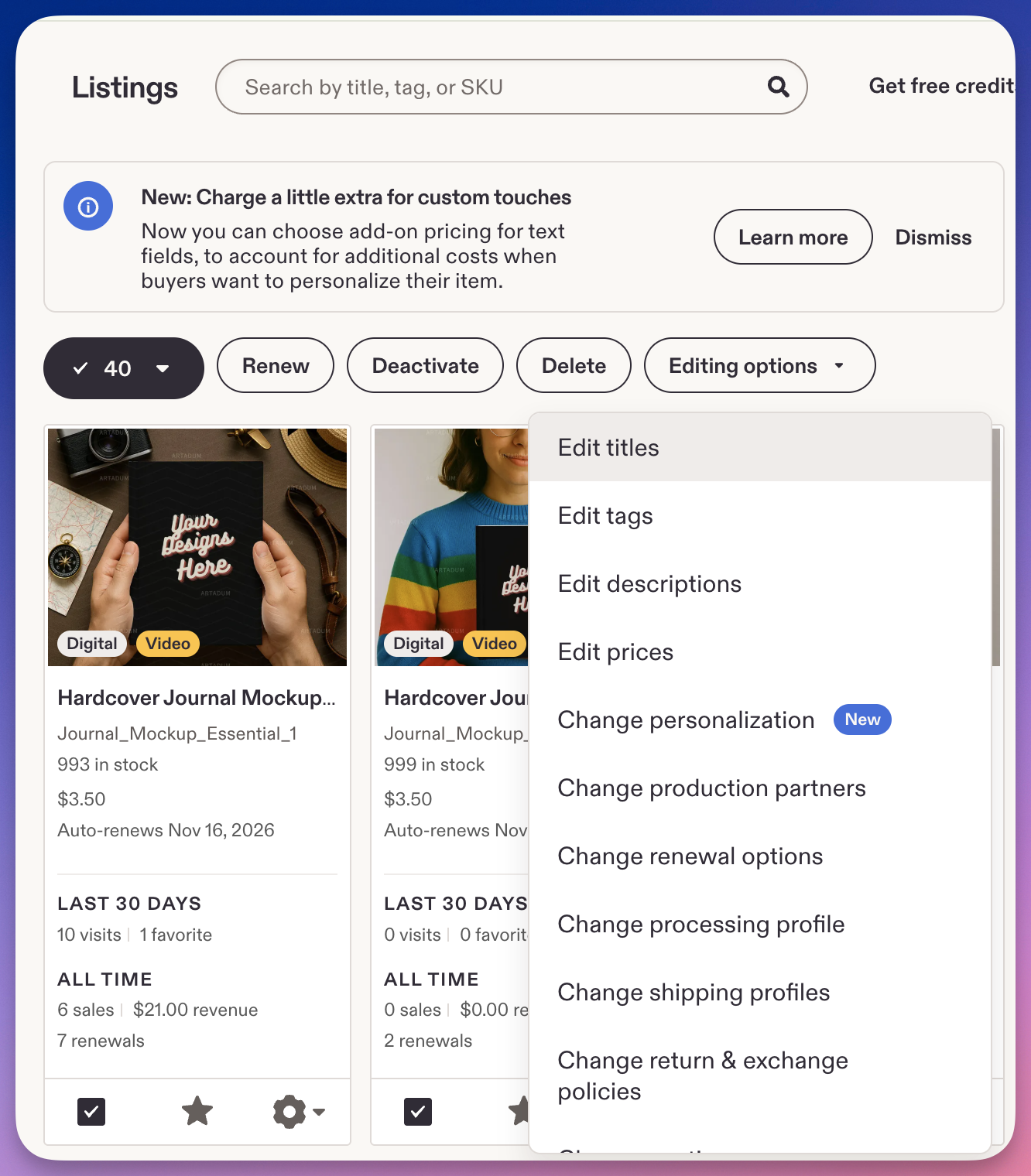
Across your selected listings you can:
- Edit titles: find-and-replace a phrase, or add text to the front or end. Find-and-replace only fires when the text is actually there, so it will not drop random words into titles that do not have the phrase.
- Edit tags: add a specific tag to every selected listing, or remove one.
- Edit descriptions, prices, sections, shipping profiles, renewal options, processing times, and production partners.
The tag editor even shows you a “Sample update” so you can see the change on one listing before you apply it:
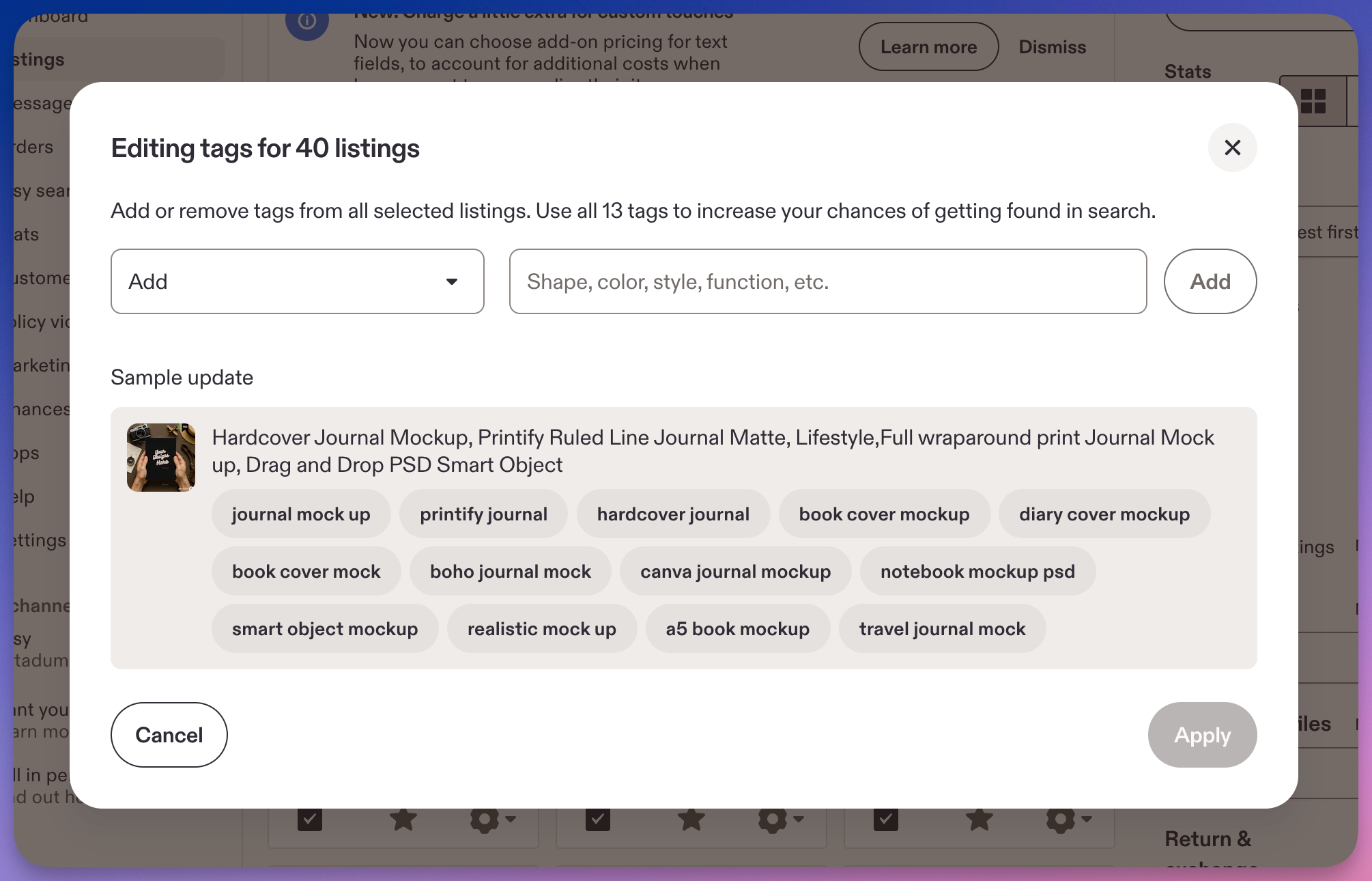
If your shop is small and you know exactly which tag to add, this is genuinely enough. Start here before you pay for anything.
Where the native tool runs out
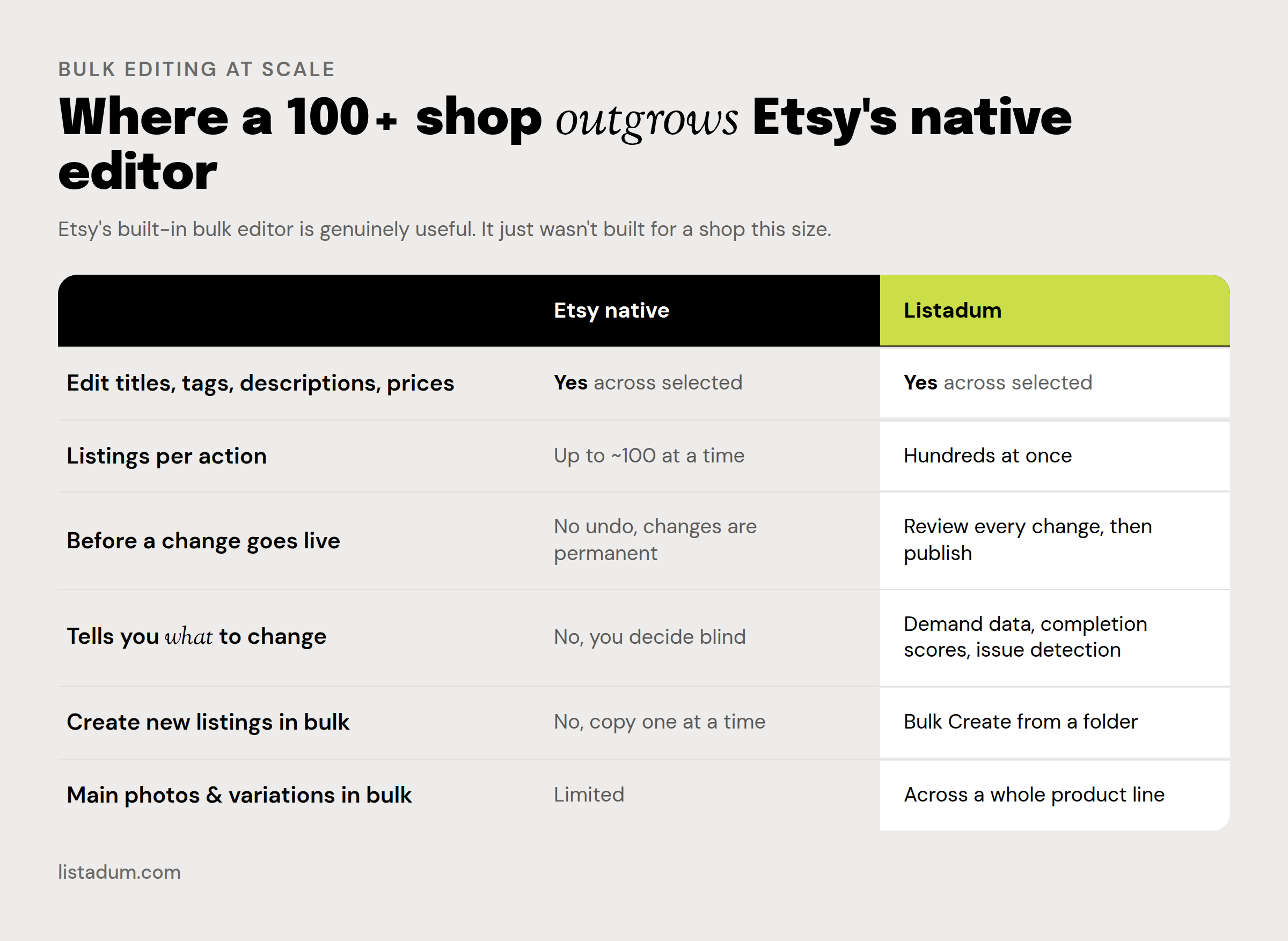
The native editor is fine for a quick, known change. It starts to hurt the moment your shop gets big and the edits get strategic. Here is where, honestly:
- It caps at about 100 listings per action. A 100-plus shop means working in chunks and losing your place.
- There is no undo. Changes apply immediately and permanently. One wrong bulk action across the shop and there is no button to take it back.
- It cannot touch main photos, and it cannot bulk-edit variations beyond price. On a shop with lots of variations, that is most of the work.
- It cannot create new listings. You still build each one, or copy them one at a time.
- Biggest of all: it never tells you what to change. The tag box is empty and waiting. It does not know which tags have demand, which listings are weak, or what each one is missing. Writing good titles, tags, and descriptions for fifty-plus listings by hand is a multi-day project, and the native tool does not help with any of it.
That last one is the real gap. Bulk editing is only half the job. The other half is knowing which listings and which fields to touch. That is where a dedicated shop manager earns its place.
Bulk-edit at scale, step by step
Bulk editing means selecting many listings and applying the same change to all of them at once. With Listadum’s Bulk Edit, the flow looks like this:
- Connect your shop and open Bulk Edit. Your live listings load in one table. No spreadsheets to export, nothing to re-upload.
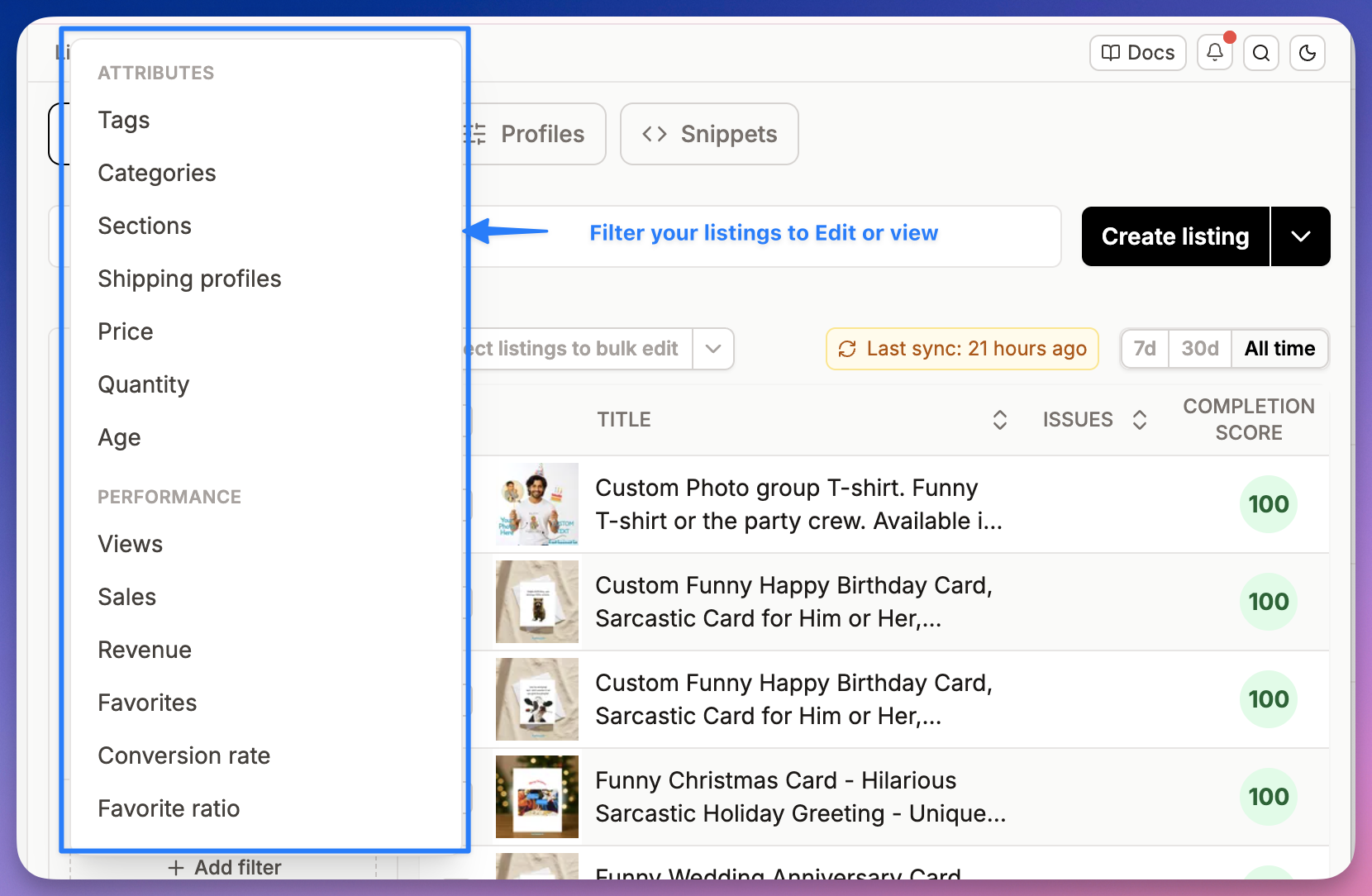
- Filter to the set you want. Narrow by section, tag, price, or a keyword in the title, or by performance like views and conversion rate, then select the whole group.
- Choose the field to change. Titles, tags, descriptions, price, sections, and more.
- Apply the change once, across the whole set.
- Review, then publish. You see every change before it goes live, then hit Publish all changes. A bulk action never has to be a leap of faith.
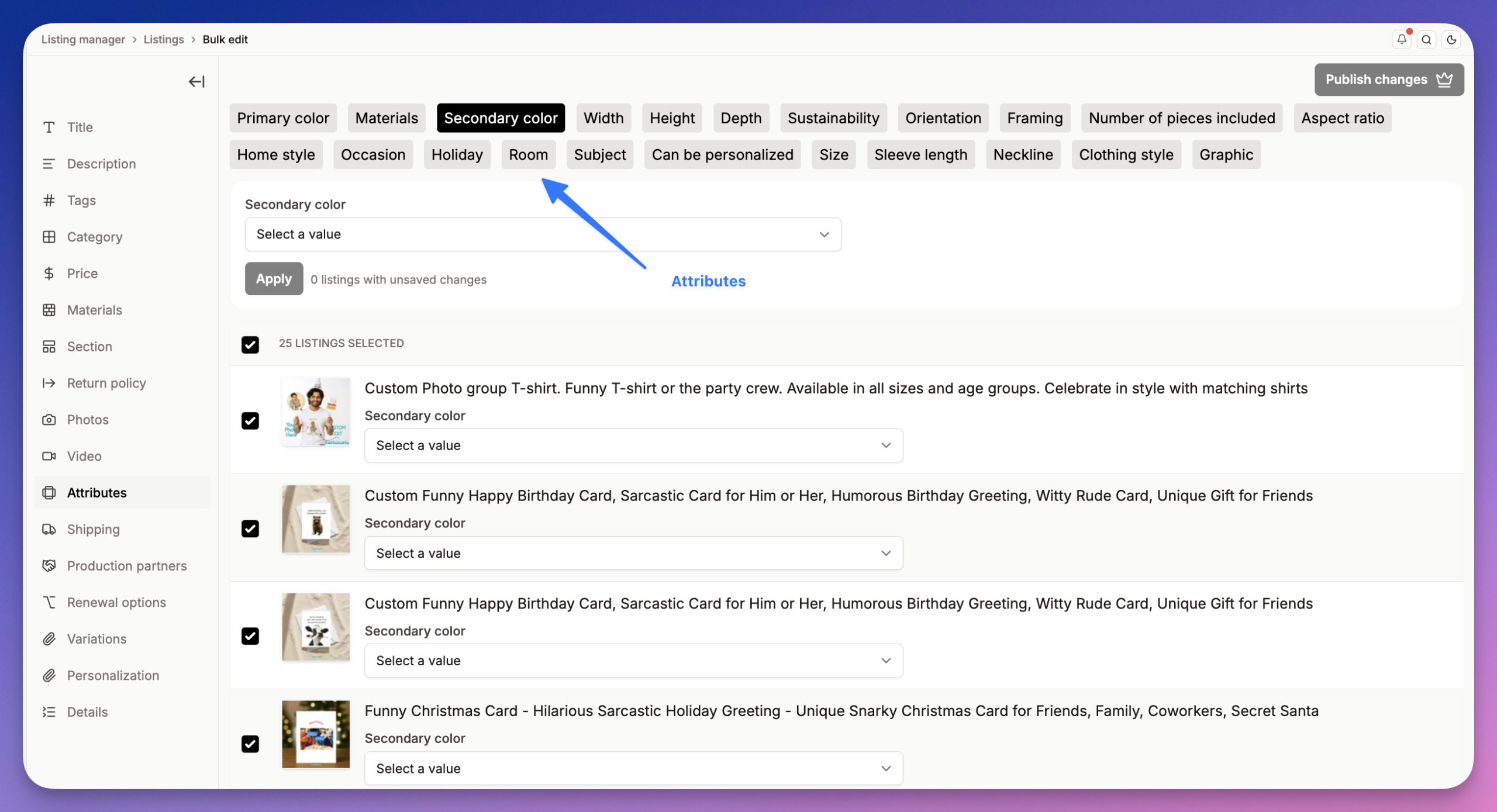
The filter step is where the time savings really come from. You can slice your shop by attribute or by performance, so you are only ever editing the exact listings that need it:
A worked example. Say you sell printable wall art and you want to test leading with “printable” instead of “digital download” on your 40 best-sellers. By hand that is 40 listings opened, edited, and saved, the better part of an afternoon. In Bulk Edit it is one filter, one find-and-replace, one review, one save. A few minutes. Then you watch views for two weeks and keep whichever wins. That is an A/B test you would never bother running if it cost you an afternoon each time.
Not sure which listings to fix first? Run a free Shop Critique. It scans your shop and flags the listings holding you back, the missing tags, the thin titles, the incomplete fields, so you walk into a bulk edit knowing what to change. No signup required.
Revive stalled listings: the bulk tag refresh
This is the most common play, so it gets its own section.
You launched a batch of listings, waited a few weeks, and the views never came. Before you write them off, refresh the tags. At launch you were guessing. Now you can replace those guesses with phrases that actually have demand.
Here is why guessing stalls a listing. These are three tags a journal seller might reach for, with the real number of listings you would be up against for each:
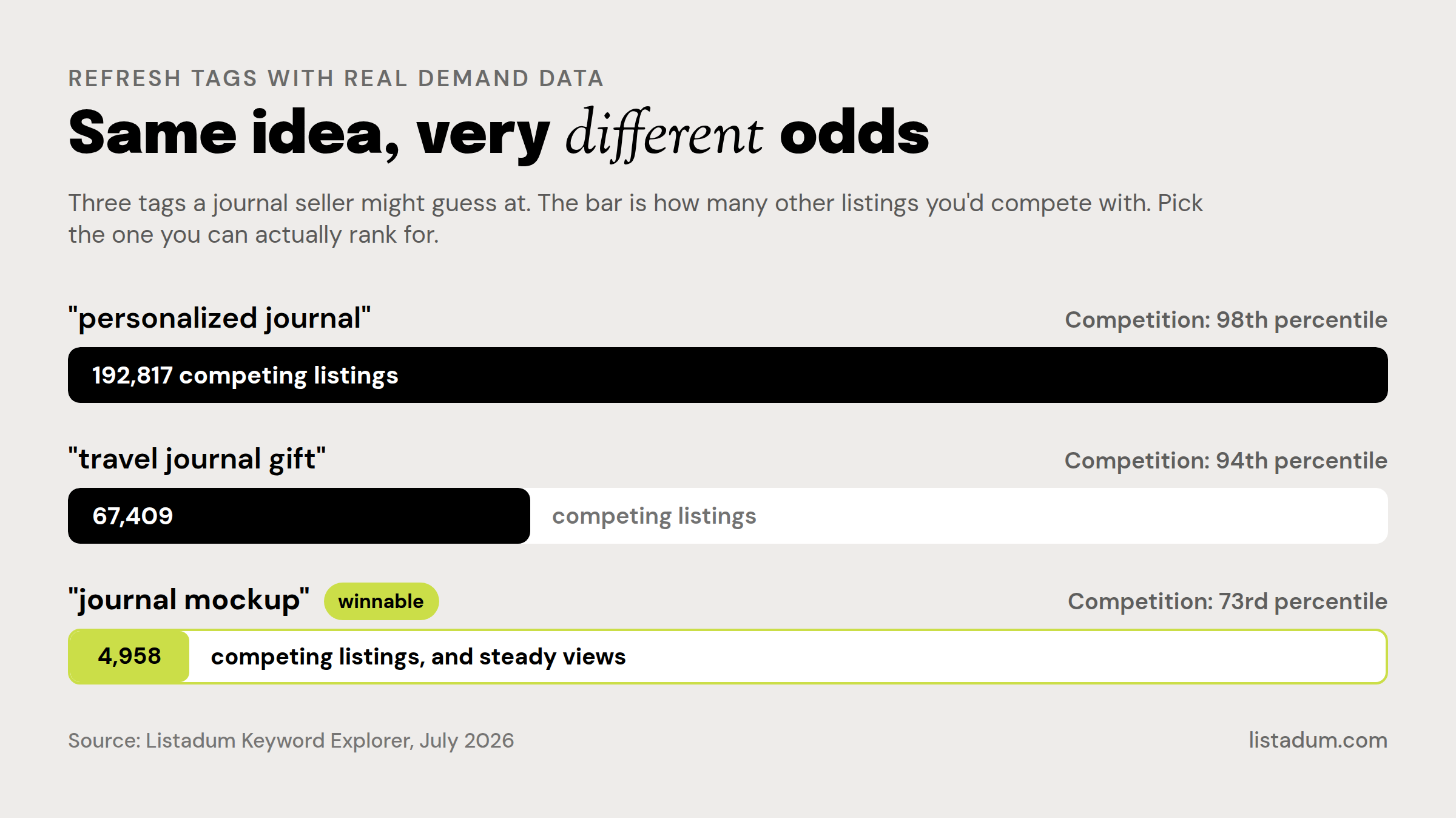
“Personalized journal” sounds great until you see you are one of 192,817 listings fighting for it. “Journal mockup” has under 5,000 competitors and steady views, a phrase a smaller shop can actually rank for. Same idea, completely different odds. You cannot see that difference by guessing, which is exactly why stalled listings stay stalled.
So do it as a batch, not a slog:
- Filter to the stalled listings (low views, older than a month).
- Pull your new tags from real demand data. Listadum’s Keyword Explorer shows demand against competition, so you pick phrases you can rank for instead of guessing again. Our guide to finding high-demand, low-competition tags walks through the method.
- In Bulk Edit, swap the weak tags for the strong ones across the whole group at once.
A stalled listing is rarely a bad product. It is usually a listing that never got found. New, demand-backed tags applied in bulk give a whole shelf of them a second chance, in an afternoon instead of a month.
Fix a conversion problem at scale
Tags get you views. Titles and images get you the sale. So when your stats show healthy views but few orders, the fix is not more tags, it is the title and the photos.
The trick is to treat conversion as a batch problem. If ten listings in a category all convert poorly, they usually share the same weak title pattern or the same flat photo style. Fix the pattern once across all ten.
In Listadum you can filter straight to the underperformers, in this case every listing converting between 0 and 1 percent, and act on the whole set at once:
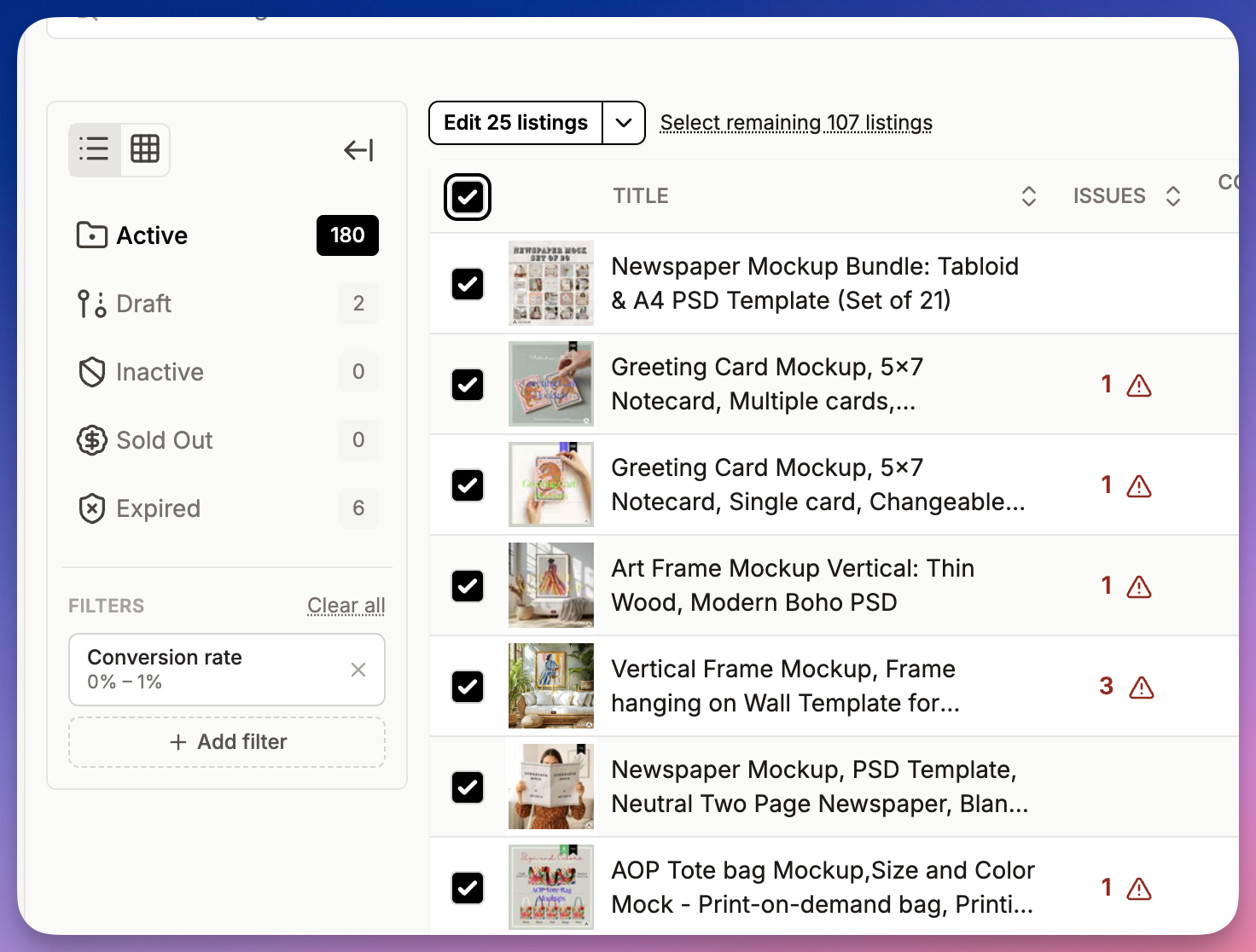
Notice two things in that view. First, it selected 132 listings in one go, well past Etsy’s 100 cap. Second, each row shows how many issues it has flagged, so you are not guessing which listings are weak, you can see it. From here you:
- Rewrite the buyer-facing front of the title across the underperformers, so it reads like something a shopper wants, not a string of keywords.
- Swap the main image on the ones with a flat first photo, since photo one is what wins the click.
One filter, one batch, and a whole category of quiet listings gets a real shot at converting.
The 11 elements of a high-converting Etsy listing
Before you can clean up a shop, you need to know what “good” looks like. This is the checklist I run on every product. The logic is simple: the first few elements get the listing found, the rest get it chosen.
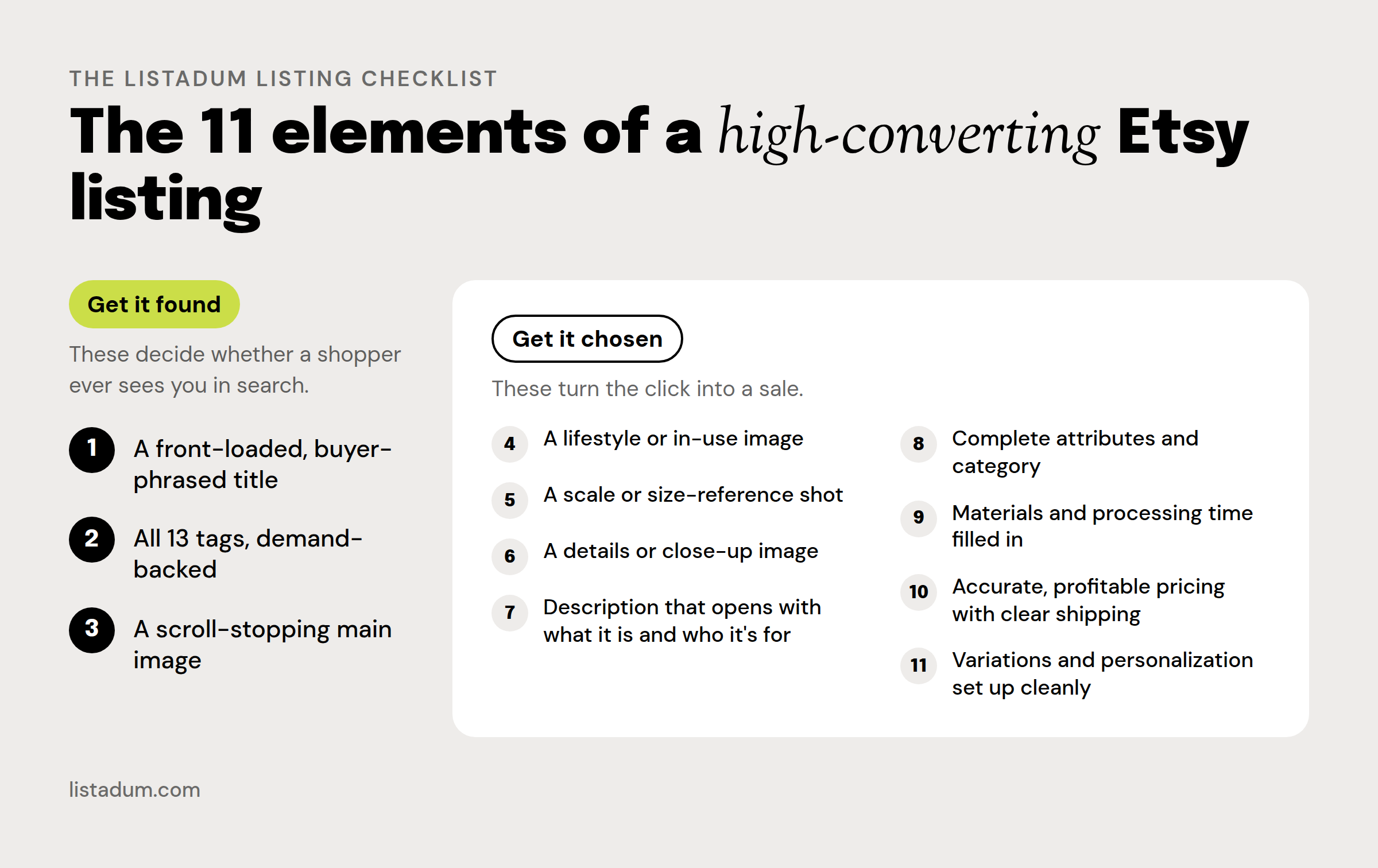
- A front-loaded, buyer-phrased title. The exact phrase a shopper would type, in the first 40 characters.
- All 13 tags, demand-backed. Every slot filled with a phrase that has real searches. No duplicates.
- A scroll-stopping main image. Photo one has one job: win the click in search results.
- A lifestyle or in-use image, so the buyer pictures owning it.
- A scale or size-reference shot, to kill the “how big is it?” doubt before it costs the sale.
- A details or close-up image for texture, finish, and quality cues.
- A description that opens with what it is and who it is for, not your brand origin story.
- Complete attributes and category. Empty attributes leave ranking on the table.
- Materials and processing time filled in. Trust signals, and Etsy reads them too.
- Accurate, profitable pricing with clear shipping. Know your margin, never surprise a buyer at checkout.
- Variations and personalization set up cleanly, so a buyer can choose without confusion.
Run any listing against those eleven and you can see in seconds what is missing. The hard part is doing it across a whole shop, which is the next problem.
Clean up a messy shop in 10 minutes a day
You do not need a free weekend to fix a drifting shop. You need a short daily habit and a way to see what is actually broken.
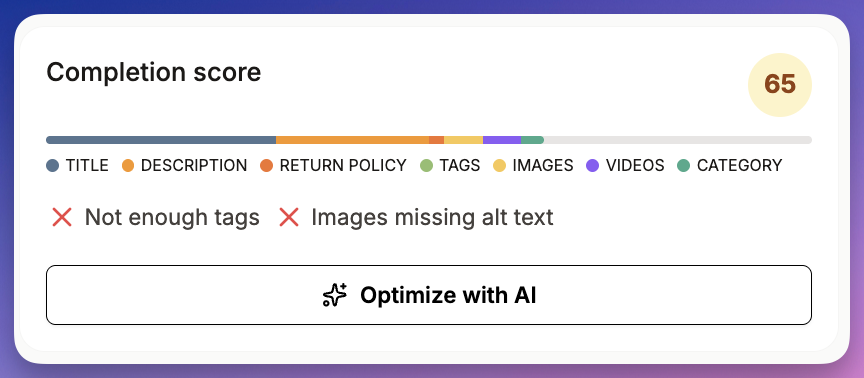
As a shop grows, listings slip out of shape: a missing tag here, a thin description there, an empty attribute you meant to fill. Etsy reads an incomplete listing as a weaker one, so those gaps quietly cost you views and sales.
Listadum’s completion scores grade every listing from 0 to 100 against that eleven-point checklist, and automatic issue detection flags exactly what each one is missing. A listing scoring 65, for example, might show four fixable issues at a glance: title missing keywords, description missing keywords, not all 13 tags used, and a category that could be more specific.
So your daily ten minutes looks like this:
- Sort by completion score, lowest first. Your weakest listings rise to the top.
- Open the bottom few and read what is flagged.
- Fix them, and where the same gap repeats across a category, fix it in bulk in one pass.
Ten minutes a day on the weakest listings, and within a couple of weeks the whole shop is complete, consistent, and pulling its weight. No marathon, no guilt pile.
Clear your launch backlog with Bulk Create
Almost every growing seller has it: folders of finished designs on the desktop, waiting to become listings “someday.” They wait because building each listing from scratch, the title, the tags, the description, the photos, the attributes, is slow. So you put it off, then launch fifteen in one exhausting weekend.
There is a calmer way.
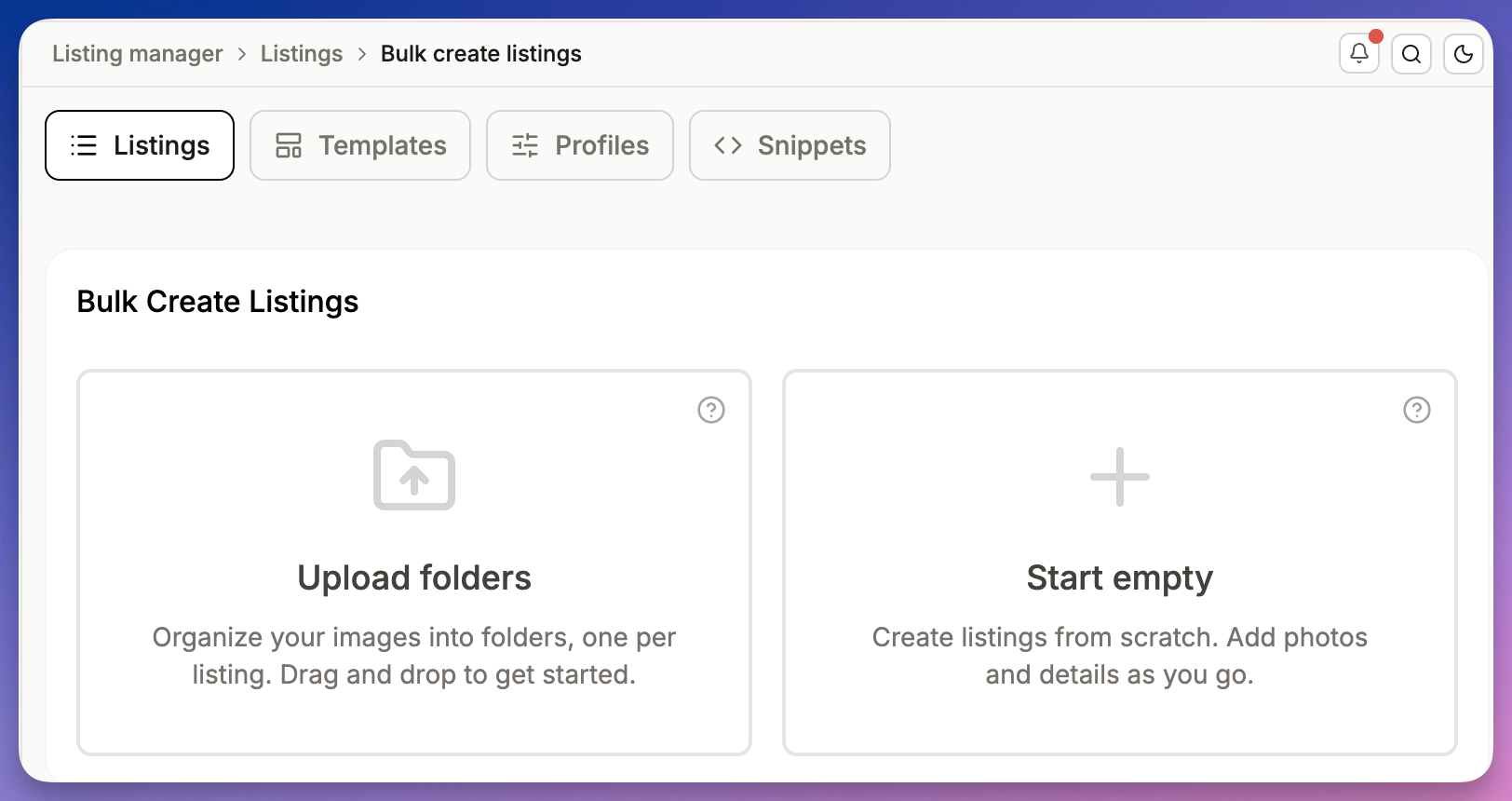
Bulk Create builds listings straight from your image folders. You bring the designs and a template, and you get draft listings in a fraction of the time, instead of starting each one on a blank form. The backlog stops being a wall.
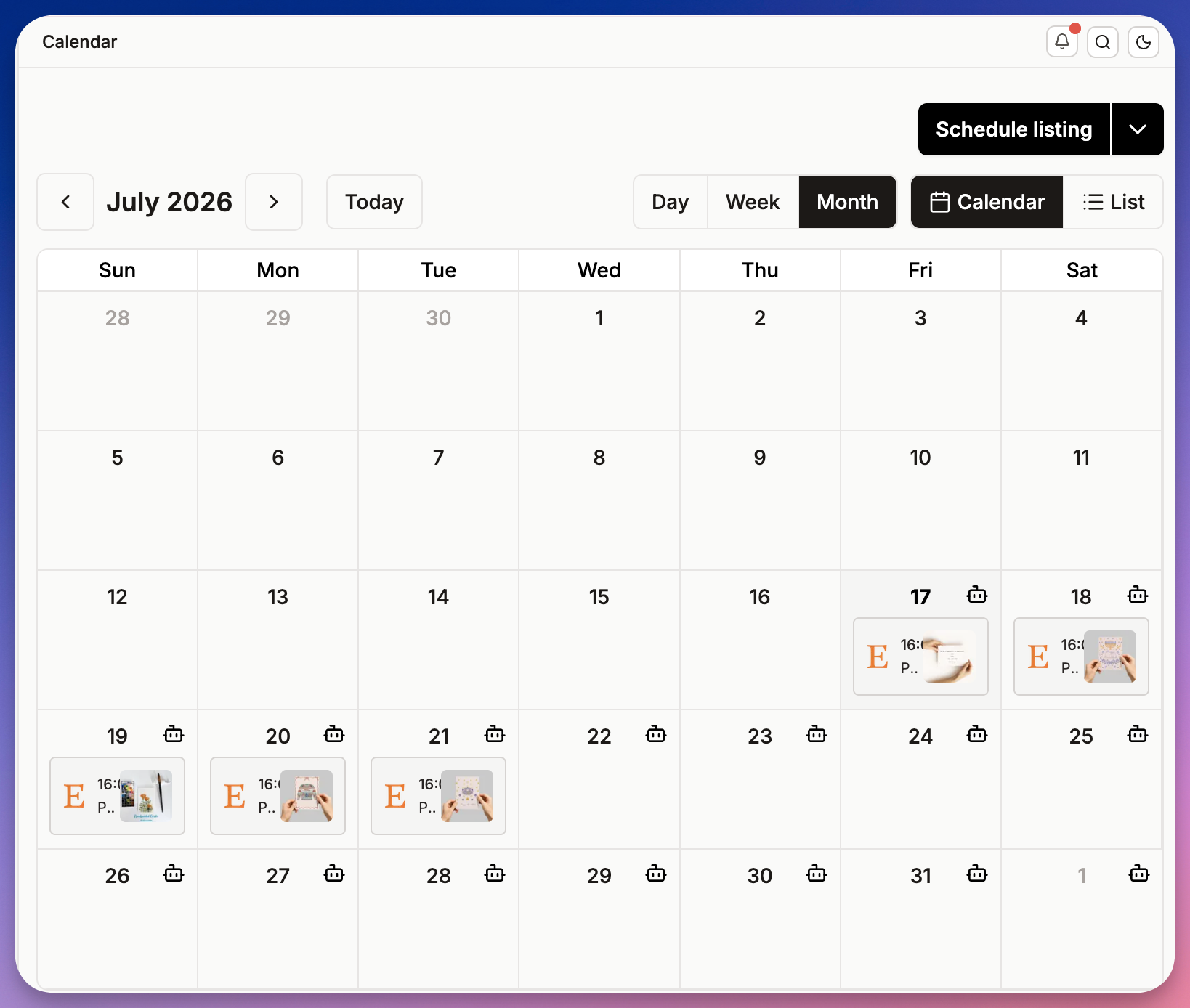
And you do not have to dump them all live at once. Use the Listing Scheduler to stagger go-live dates over the coming weeks. A steady drip of fresh listings is better for your shop’s momentum than fifteen at once and then nothing, and it is far better for your sanity.
If you sell across shops or hand work to a helper, the copy-listings guide covers the cleanest way to move listings around.
Keep it running on autopilot
The goal is not to bulk-edit harder. It is to need fewer manual edits in the first place.
- Templates pre-fill new listings with your standard tags, description blocks, and attributes, so a new listing starts most of the way done. (Templates)
- Snippets are reusable text blocks, your shipping note, care instructions, sizing guide, that you drop in instead of retyping. (Snippets)
- Profiles hold your variations and personalization so you are not rebuilding them every time. (Profiles)
- The scheduler publishes on the dates you set, so you prep in one focused block and let listings go live without you.
Set these up once and day-to-day maintenance shrinks from hours to minutes.
Print-on-demand at scale
If you run print-on-demand, you feel all of this more sharply. Your catalog is bigger, every design becomes a handful of products, and the admin compounds fast. POD is exactly where solo sellers quietly give up on keeping a shop maintained. It does not have to be that way.
First rule: never launch what the POD platform gives you as-is. When Printful or Printify pushes a product to Etsy, the listing it generates is usually rough: a generic title, a thin or repeated tag set, missing attributes, a barely-there description. That is a low completion score and a listing that will not get found. Publishing it untouched is the quiet reason a lot of POD shops get no views.
So make “edit before you launch” the rule:
- If you create your listings in Listadum (a template plus Bulk Create), they start strong. Your title pattern, tags, and attributes are already in place.
- If you create in the POD platform, push the products to Etsy as drafts, not live, then use Listadum to fix the titles, tags, and attributes in bulk, and only publish once each one is complete.
Turn one design into a full range. A single design usually deserves to be a tee, a sweatshirt, a mug, and a tote. Build the related products and their variations from that one design rather than starting each listing from a blank form. When a base price changes or you add a size, update it across the whole product line at once in Bulk Edit, instead of opening every color-and-size combination by hand. This is the single biggest time sink in POD, and the one bulk editing removes.
Watch your real margin. Profit Tracking syncs your actual costs from Printful, Printify, and Gelato, so you see true margin per order instead of guessing. That matters most in POD, where the base cost eats most of the price.
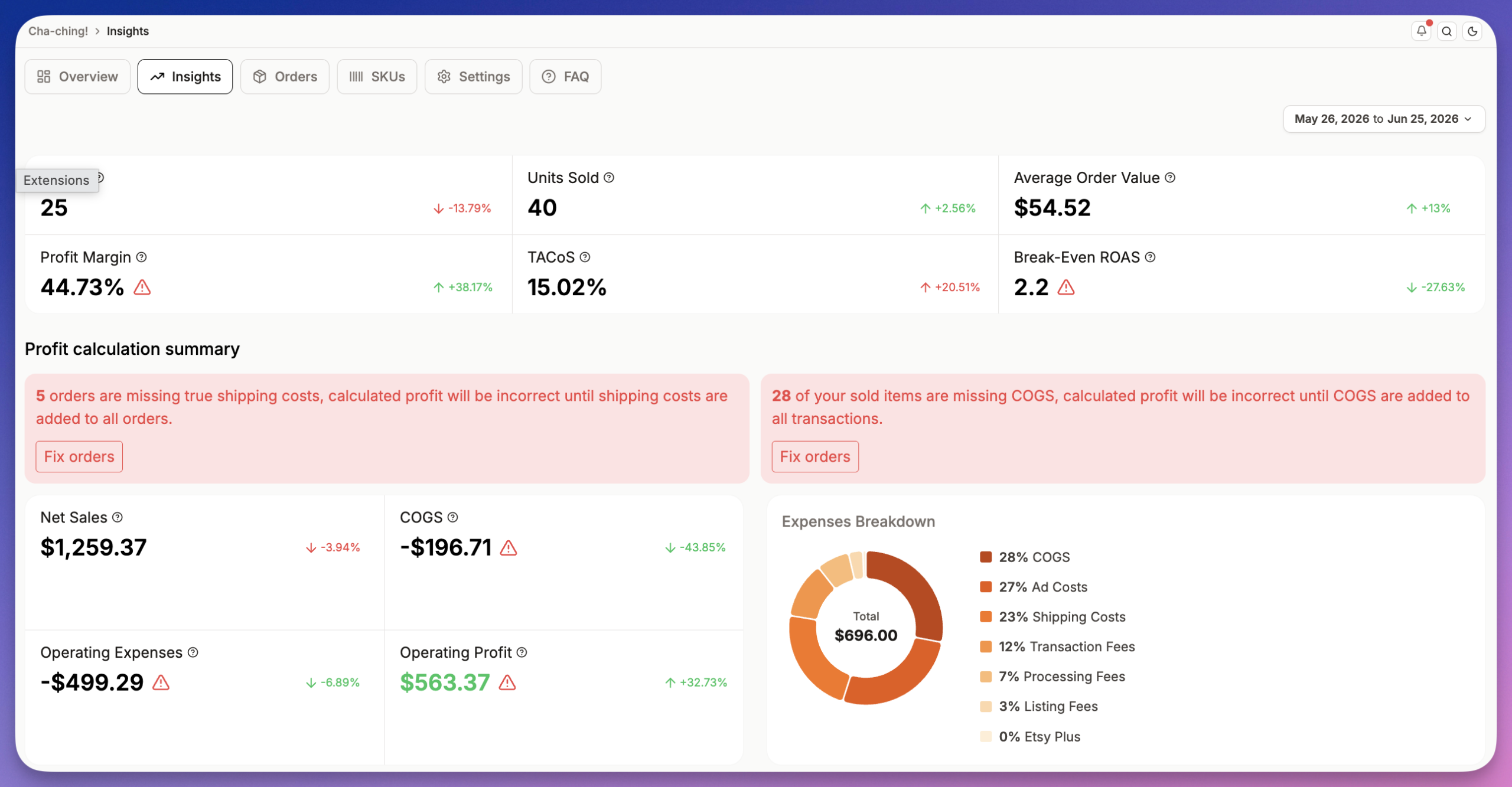
One thing that gets expensive at scale: every POD listing still needs an accurate production-partner disclosure and genuinely original design work. Templates keep the disclosure on by default, and the print-on-demand rules guide covers exactly what Etsy expects.
A safe bulk-edit checklist
Bulk power cuts both ways. One careless action can touch your whole shop, and Etsy’s native editor has no undo. A few habits keep you safe:
- Test on 5 to 10 listings first. Run the change on a small set, check the result, then apply it to the rest.
- Never touch a listing that is performing really well. If something is ranking and selling, leave it alone. A bulk edit can reset the momentum you already earned.
- Review before you publish. In Listadum you see every change before it goes live, so read the preview and confirm it does exactly what you meant.
- Change one thing at a time. Refresh tags in one pass, titles in another. If results shift, you know which change did it.
None of this slows you down much, and it saves you from the one bad afternoon where a good tool did exactly what you told it to, everywhere, at once.
Delegate without sharing your password
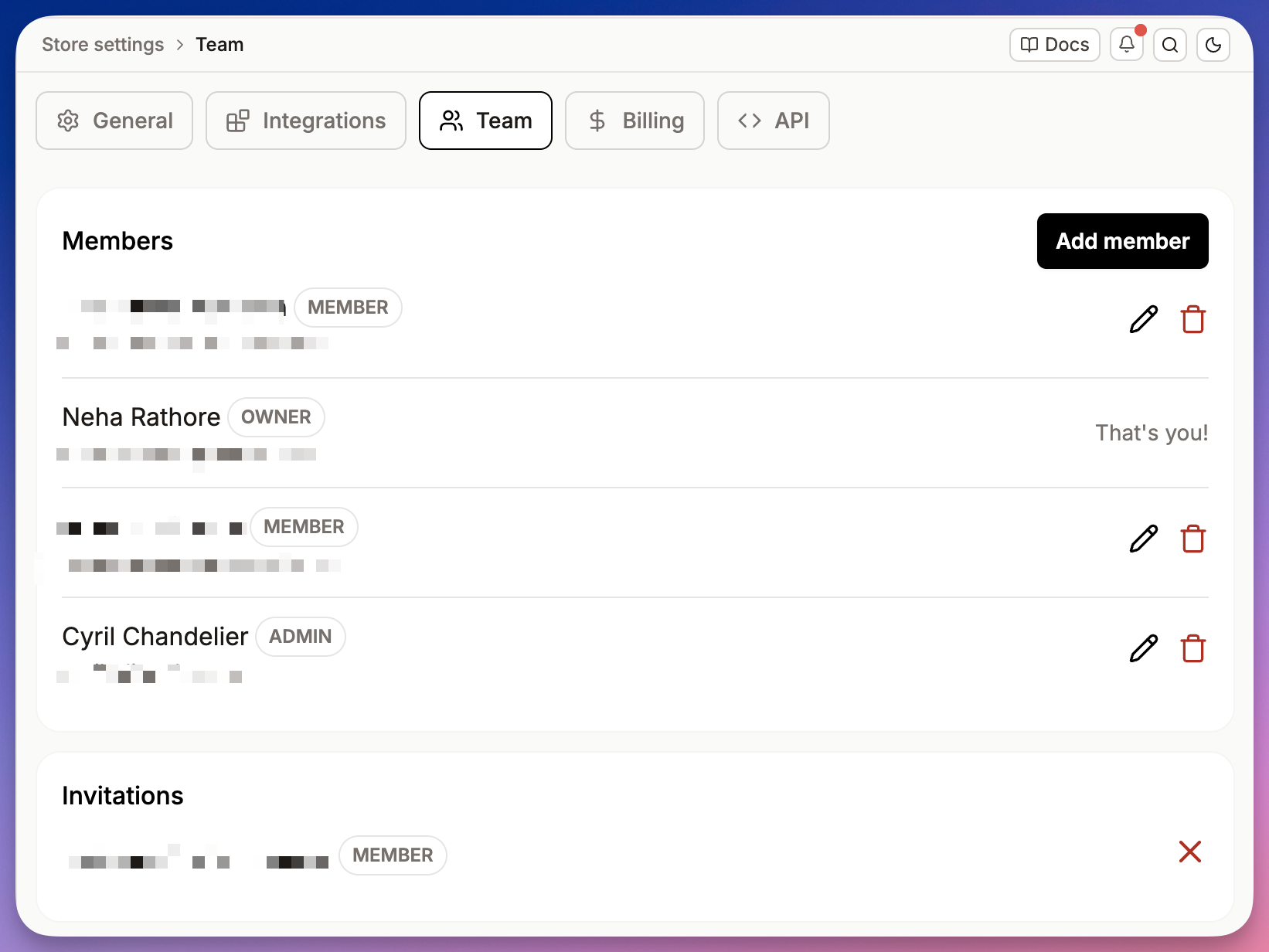
At some point the answer is help, not more hours. But most sellers hesitate, because until recently giving someone access meant handing over your Etsy login. Since September 2026, Etsy’s shared access lets up to five helpers edit and publish listings with their own Etsy accounts.
Teams lets you invite a VA or a teammate to work in your shop through Listadum without sharing your Etsy password. They do the listing work. You keep control of the account. That single change is often what finally lets a growing seller take the listing admin off their own plate.
Your weekly 30-minute routine
Put it together and shop maintenance becomes a short, calm weekly block instead of a thing that ambushes your whole week:
- Scan (5 min). Run a Shop Critique or check your performance view for listings that slipped.
- Revive (10 min). Bulk-refresh tags on the stalled set using real demand data.
- Fix conversion (10 min). Bulk-edit titles or swap main images on the high-view, low-sale listings.
- Feed the pipeline (5 min). Bulk-create a few listings from the backlog and schedule them out.
Thirty minutes, once a week. The rest of your time goes back to designing and to the calls that actually grow the shop: new products, new niches, pricing. (Still deciding how big your catalog should be? Here is our take on how many listings you should have.)
FAQ
Can you bulk edit listings on Etsy directly?
Yes. Etsy’s native editor (Shop Manager, Listings, Editing options) lets you edit titles, tags, descriptions, prices, and sections across up to 100 selected listings at once, including find-and-replace on titles and adding or removing a tag. The limits show up on bigger shops: a 100-listing cap, no undo, no bulk photo or variation edits, and no help deciding what to change. For those you use a dedicated tool like Listadum’s Bulk Edit.
How do I change tags on multiple Etsy listings at once?
Select the listings, open Editing options, choose Edit tags, and add or remove a tag across all of them. Etsy shows a sample before you apply. To go past 100 listings, choose tags from real demand data, and review before publishing, use a tool like Listadum’s Bulk Edit, which does the same job across hundreds of listings at once.
Can I bulk-edit prices on Etsy?
Yes, both natively and in Listadum. You can raise or lower prices across a selected set. In Listadum you can filter to a section first and apply a fixed or percentage change, then review every price before it goes live. Always check the preview so a category-wide change does exactly what you intend.
Is bulk editing against Etsy’s rules?
No. You are making the same edits Etsy allows, just faster and across many listings at once. Listadum works through Etsy’s official API and shows you each change before it goes live.
How do I manage hundreds of print-on-demand listings?
Lean on templates and profiles to build product ranges from one design, bulk edit to update variations and pricing across a line, and the scheduler to stagger launches. The one rule that matters most: never publish what your POD platform auto-generates. Push those products to Etsy as drafts, then fix the titles, tags, and attributes in bulk before you launch, since the auto-generated listings usually have low completion scores and will not get found.
Can a virtual assistant help without my Etsy password?
Yes. Etsy’s shared access lets a VA edit listings with their own Etsy account, and Listadum Teams lets them do bulk listing work in Listadum without your Etsy login, so you keep control of the account.
Your listings are a living thing, not set-and-forget. The sellers who grow are the ones who keep their tags, titles, and images current without it eating their whole week. Learn Etsy’s native editor first, and when your shop outgrows it, Listadum gives you the bulk tools to run a 100-plus listing shop in about 30 minutes a week, plus a free plan that connects your real shop so you can see what needs fixing first.
Free plan, no credit card, connect your real Etsy shop in minutes.
Related reading: What is Etsy SEO: the 2026 guide · Finding high-demand, low-competition tags · How many listings should I have on Etsy