


See your profit story at a glance
Last updated onThe Overview tab gives you a quick financial snapshot of your shop.
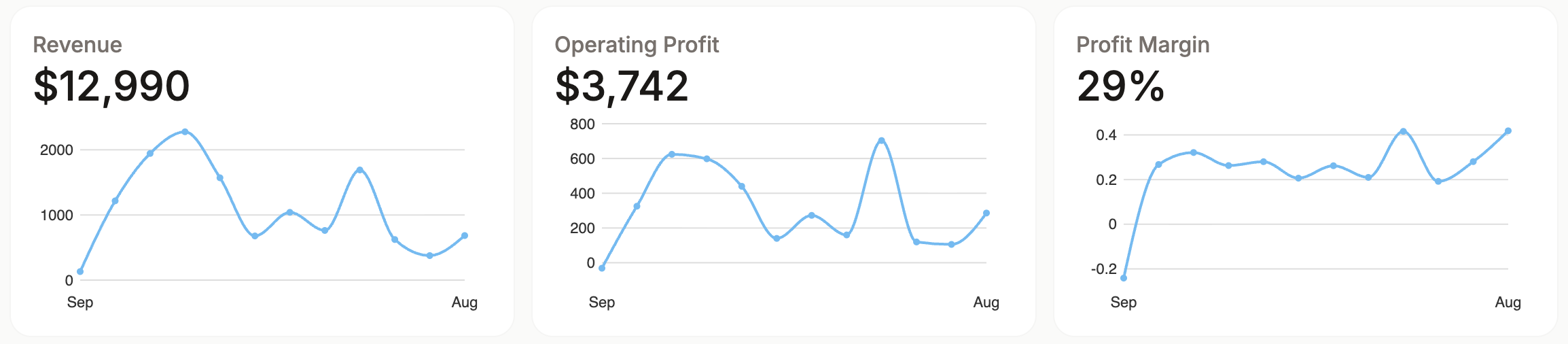
Use it to review revenue, operating profit, and profit margin trends over time. It is the best place to start when you want to understand whether your shop is becoming more profitable, whether costs are rising, or whether margin is changing from month to month.
The month-by-month section lets you compare revenue, COGS (Cost of Goods Sold), expenses, profit, and margin across recent months.
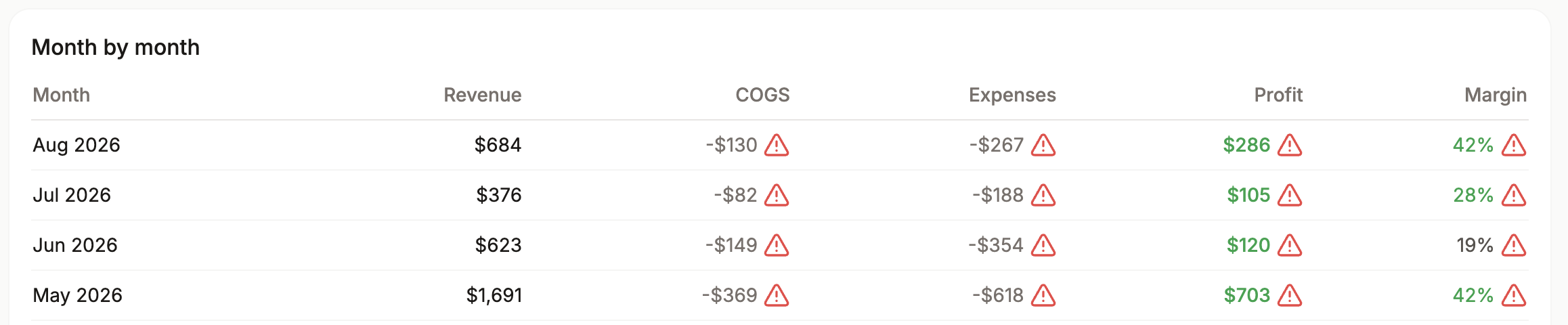
If a month looks unusual, this view helps you see whether the difference came from sales volume, product costs, expenses, or margin.
If some costs are missing, Cha-Ching may show warning icons on affected values.
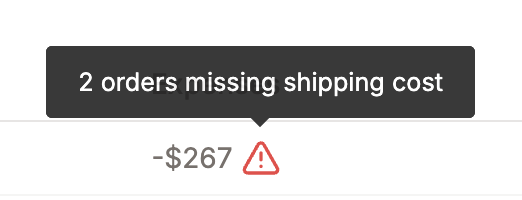
These warnings mean the profit or margin may not be fully accurate until missing COGS or real shipping costs are added.
The Insights block highlights important observations from your Cha-Ching data.
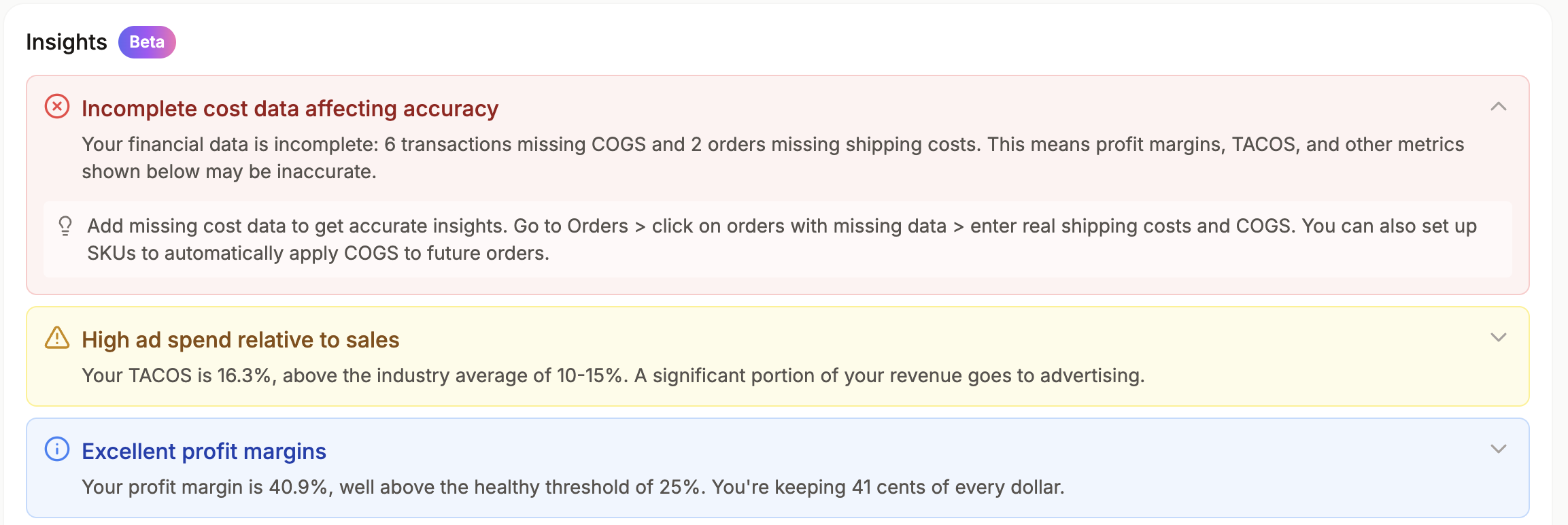
Each insight includes a short explanation and, when available, a recommendation to help you understand what to review next. Insights can point out issues, warnings, or useful patterns in your recent profit data. You can expand an insight to see more detail, and refresh the block when you want Cha-Ching to update the recommendations.