


Updating hundreds of listings with Bulk Edit
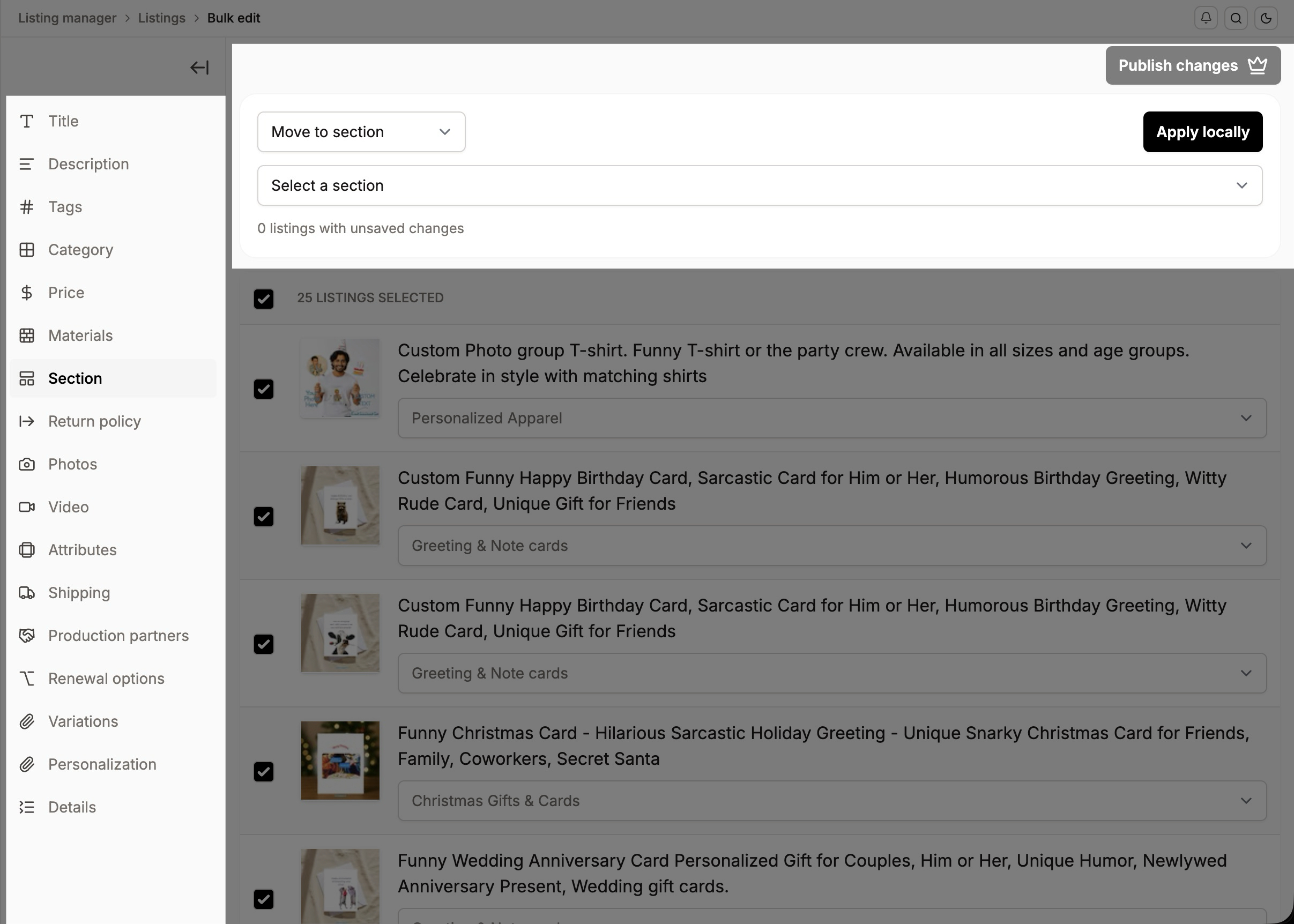
Last updated onBulk Edit lets you change one listing or hundreds in a single pass, so you're not opening each one by hand. Select the listings you want in the Listing Manager, enter Bulk Edit, and apply your changes across all of them.
What you can bulk-edit
Most aspect of your listings can be edit in bulk, including
Title
description
tags
category
price (for single price items, as well as variations based)
materials
section
return policy
photos
videos
attributes (all the attributes at the listing level including occasion)
shipping
production partners
renewal options
and the three Listadum profile types (variation, personalization, and details profiles).
How to do it
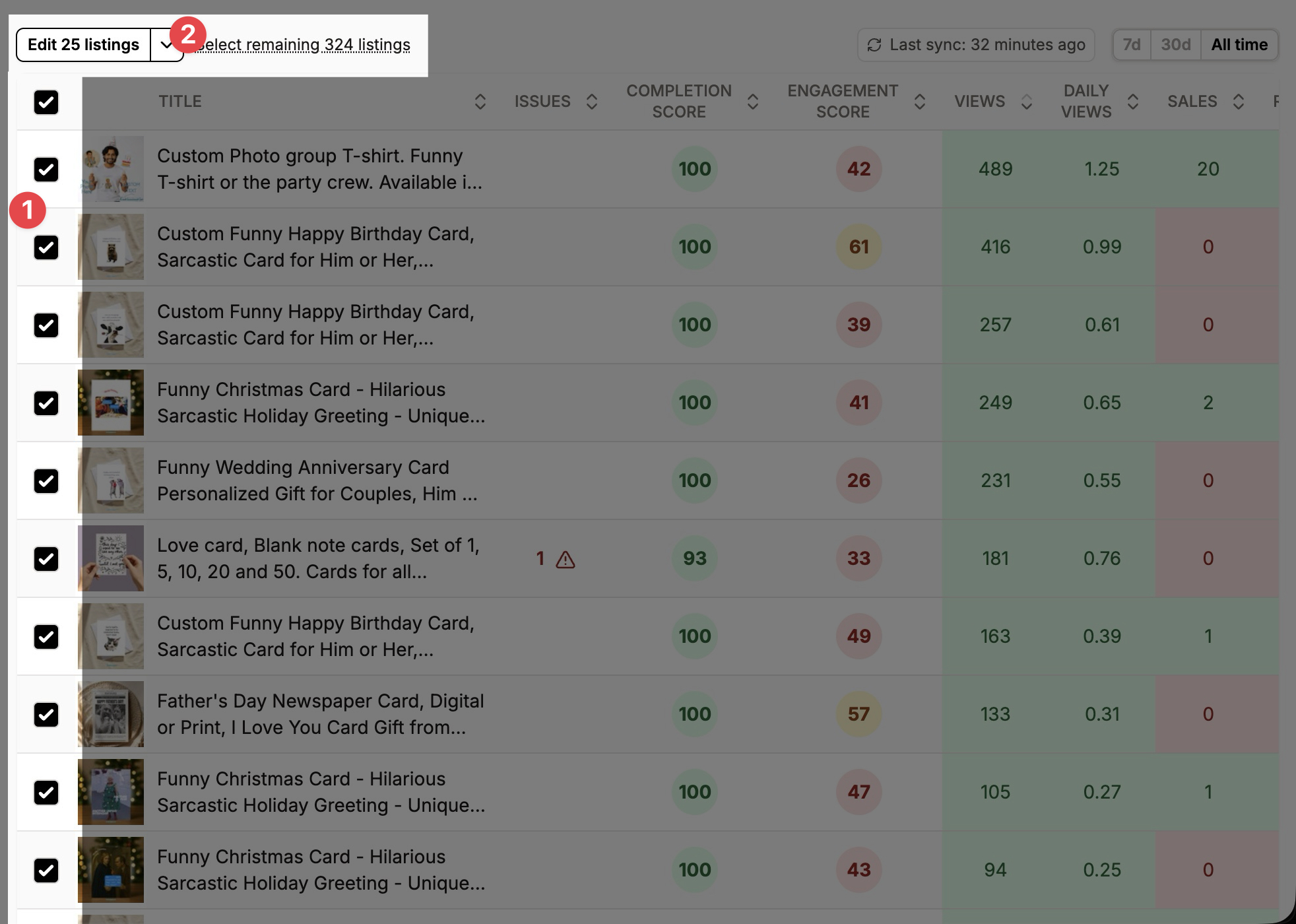
Select your listings in the Listing Manager with the checkboxes
Click "Edit N listings" to enter Bulk Edit mode
Make your changes in each category, and apply them, applied changed are not saved to Etsy just yet, you can continue and apply more changes to your listings before publishing
Once you are done with all the changes, click "Publish all changes"
A note on how many at once
There's no hard cap, but some edits are heavy and get slow or unreliable on very large selections. For the smoothest results, keep your selection between 1 and 250 listings at a time.
Frequently Asked Questions
Can I bulk edit the "occasion" attribute in my listings?
Yes, you will find the "Occasion" field in the "Attributes" section of the Bulk Edit mode.
Bulk Edit is available in the Growth plan and above.