


Scheduling listings with the Listing Scheduler
Last updated onThe Listing Scheduler takes a draft listing and publishes it automatically at the date you choose. Useful when you want a product to go live at a specific moment (a launch, a seasonal drop) without being at your computer.
How it works
Set a publish date on a draft. The draft is created in your Etsy shop and stays a draft until that date, then publishes automatically.
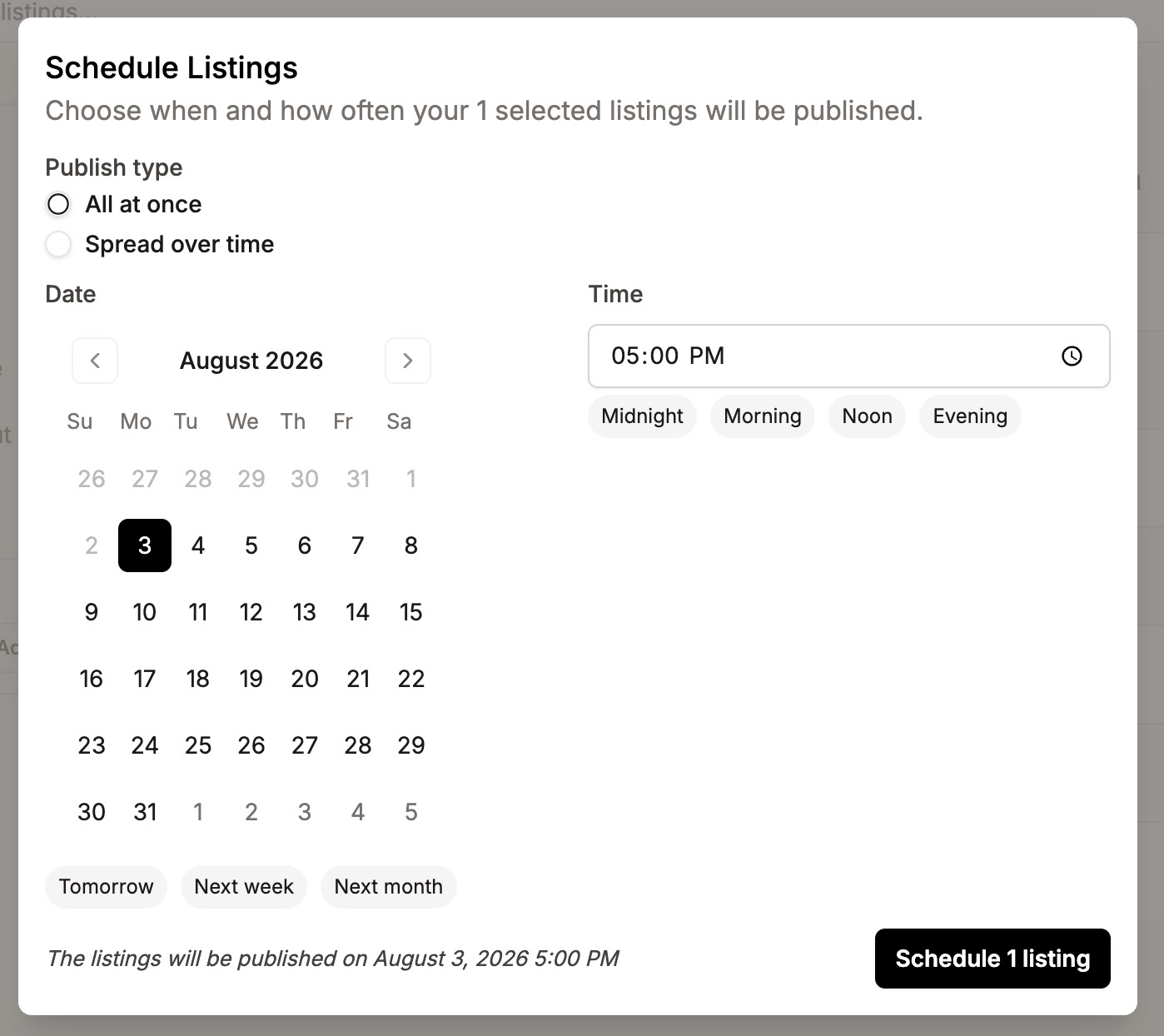
That's the whole feature: draft now, publish later, automatically.
When the listing publishes, Etsy's standard $0.20 listing fee applies, the same as any listing you publish yourself.
Where to find it?
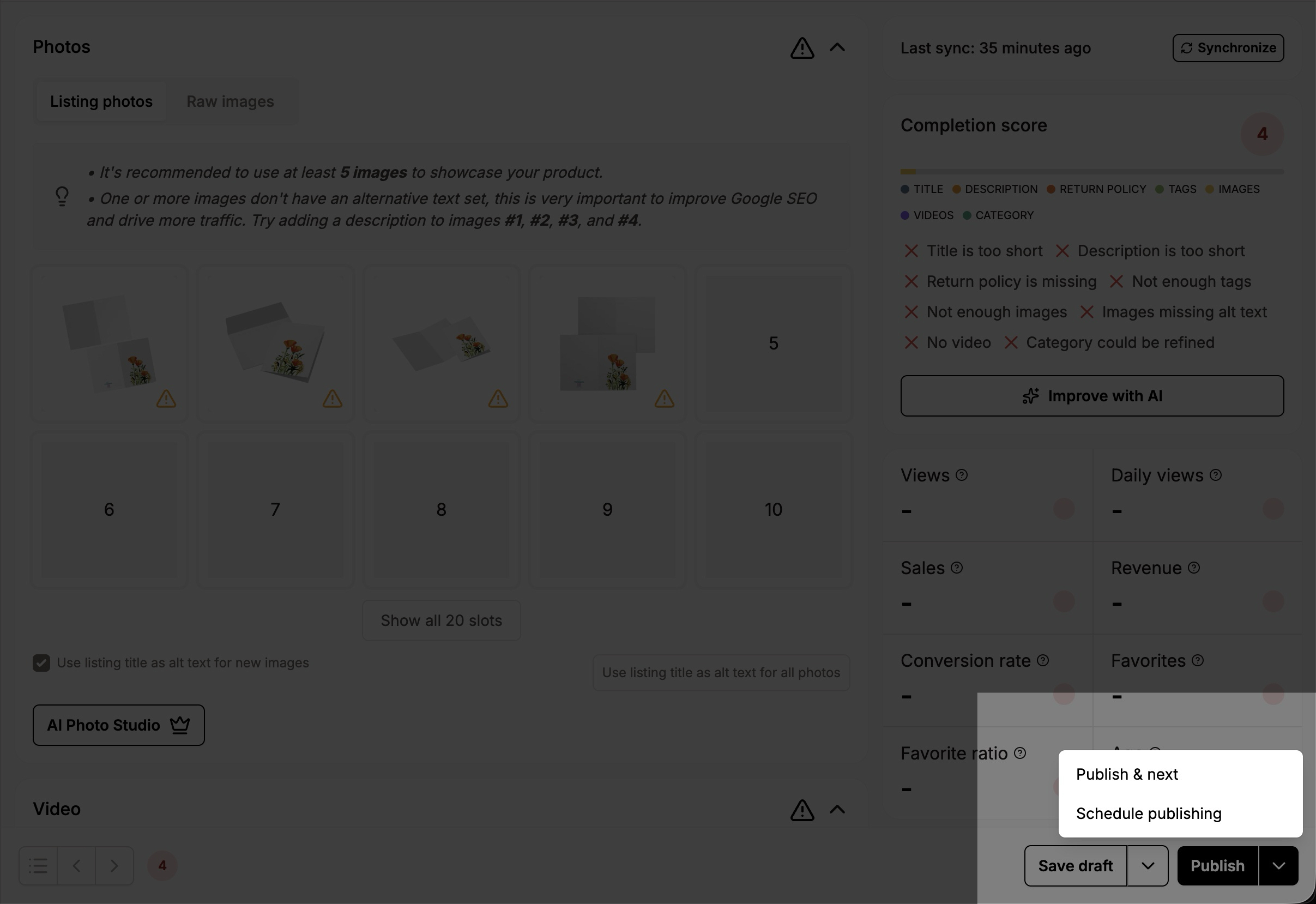
You can schedule a draft to be published at a later date from the listing editor, in the bottom right corner, click the arrow next to the "Publish" button and select "Schedule publishing".
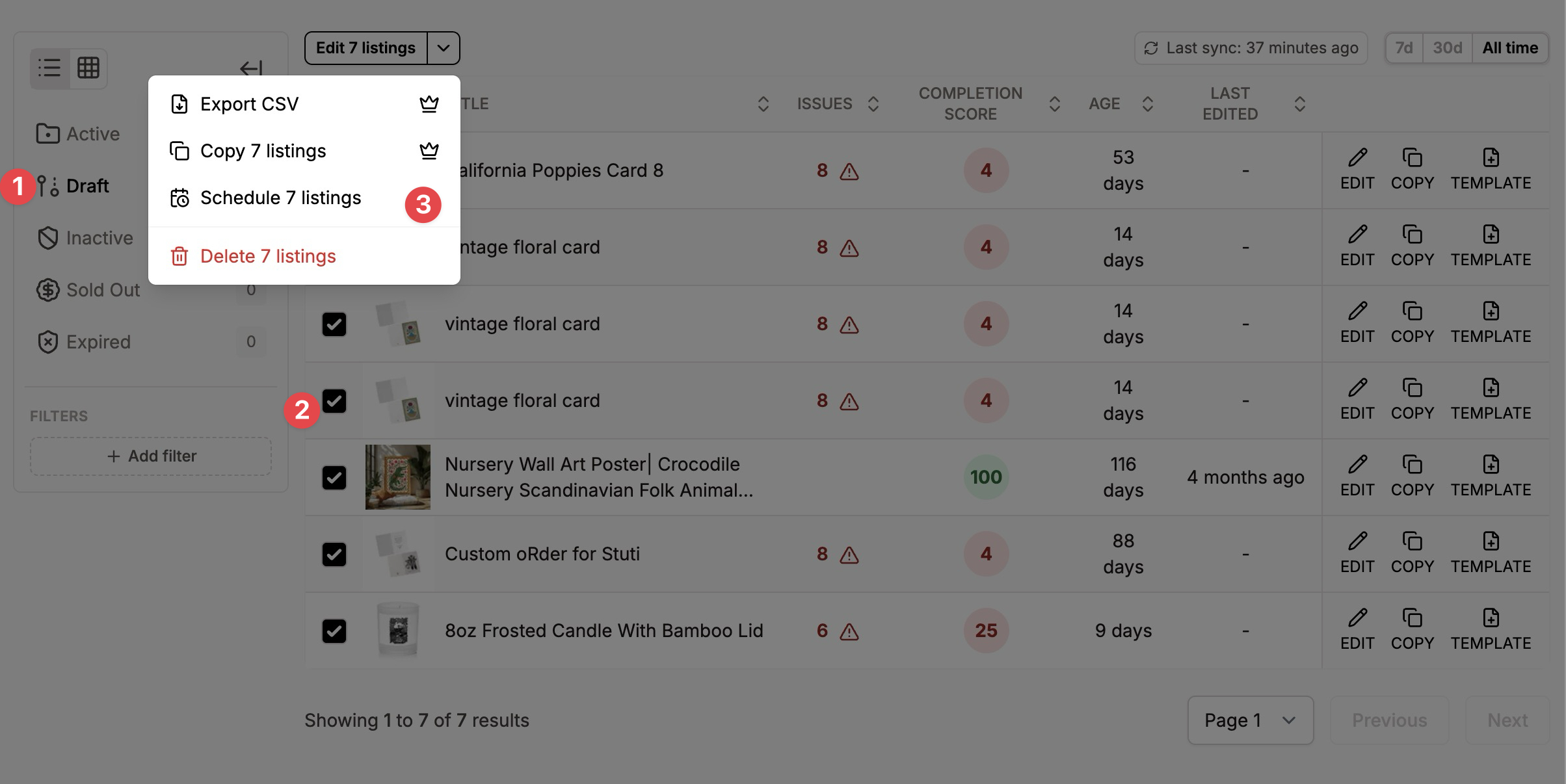
It is also possible to schedule a batch of listings directly from the listing editor by filtering on drafts, selecting one or more drafts from the list, clicking the arrow in the action button and selecting the "Schedule N listings" button.
Available on the Growth plan and above.