


You can open an Etsy shop in under an hour. That is the honest truth, and it is also the reason so many new shops go quiet and stay quiet.
The setup is the easy part. Etsy walks you through it. What actually decides whether you make sales is the work you do before you ever click “Open your shop,” and the patience you bring after you publish.
I have been selling on Etsy since 2020, and I have watched hundreds of new sellers do this. The ones who succeed almost never rush. So this guide covers the full picture: what to sort out first, how to open the shop step by step, how to build listings that get found, and what is normal in those quiet early weeks. Setup takes an hour. Treat the rest like the real business it is.
Table of contents
- First, be honest about what you are selling
- Set clear goals and realistic expectations
- Get your inventory and images ready before you open
- What it actually costs to start
- Prepare your shop copy and settings before you list
- Step by step: open your Etsy shop
- Build listings that actually get found
- After you hit publish: what is normal
- The beginner mistakes that keep new shops quiet
- Your first 30 days
- FAQ
1. First, be honest about what you are selling
Before the shop name, before the logo, before a single photo, three things decide whether your shop has a chance. Get these right and everything after is easier. Skip them and no amount of pretty branding saves you.
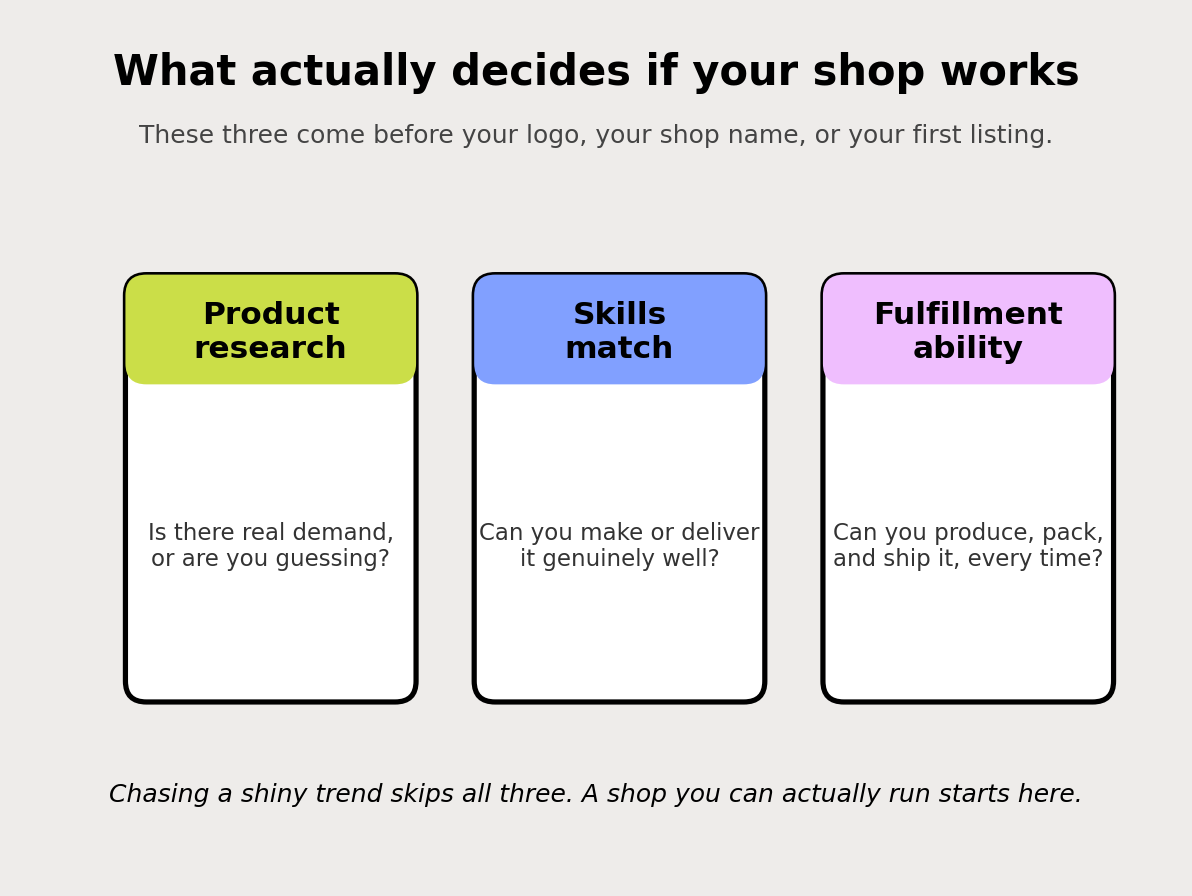
Product research: is there real demand, or are you guessing? The most common way new shops fail is falling in love with a product nobody is searching for. Do a quick gut-check on Etsy first. Search your product idea. Do you see shops with hundreds or thousands of sales for similar items? That is demand, and demand is the number one thing that decides if an item sells. If the search comes back thin or full of shops with no reviews, that is a warning worth listening to. (We go deep on this in the #1 factor that determines if an item will sell: demand.)
Skills match: can you actually make or deliver this well? Play to what you are genuinely good at. A product you can make beautifully and consistently will always beat a trendy one you are faking your way through. Buyers can tell.
Fulfillment ability: can you produce, pack, and ship it every time? A shop does not die on the orders it cannot get. It dies on the orders it cannot fulfill. Before you commit to a product, be honest about whether you can make ten of them in a week, or fifty in December, without burning out or running late.
Then the honest question underneath all three: are you chasing a shiny object, or do you have something you can actually do better? Trends feel exciting because everyone is talking about them, which is exactly why they are crowded and hard to break into as a new shop. You do not need a completely original idea. You need a real one you can execute well.
2. Set clear goals and realistic expectations
Name your goal before you open, because it changes every decision after it. “A little side income from a hobby I love” and “replace my full-time salary in a year” are different businesses. They need different volume, different pricing, and different amounts of your time.
Then set honest timelines. Here is the part most guides skip: your first sale can take weeks, sometimes a couple of months. That is normal. It is not a sign you failed or that your product is bad. New shops start with no reviews, no sales history, and no ranking, and all three take time to build.
If you expect sales in week one and do not get them, you quit right before the momentum starts. If you expect a slow, steady climb, you keep going, and keeping going is most of the game.
3. Get your inventory and images ready before you open
This is the prep that separates shops that gain traction from shops that sit empty. Do it before you open, not after.
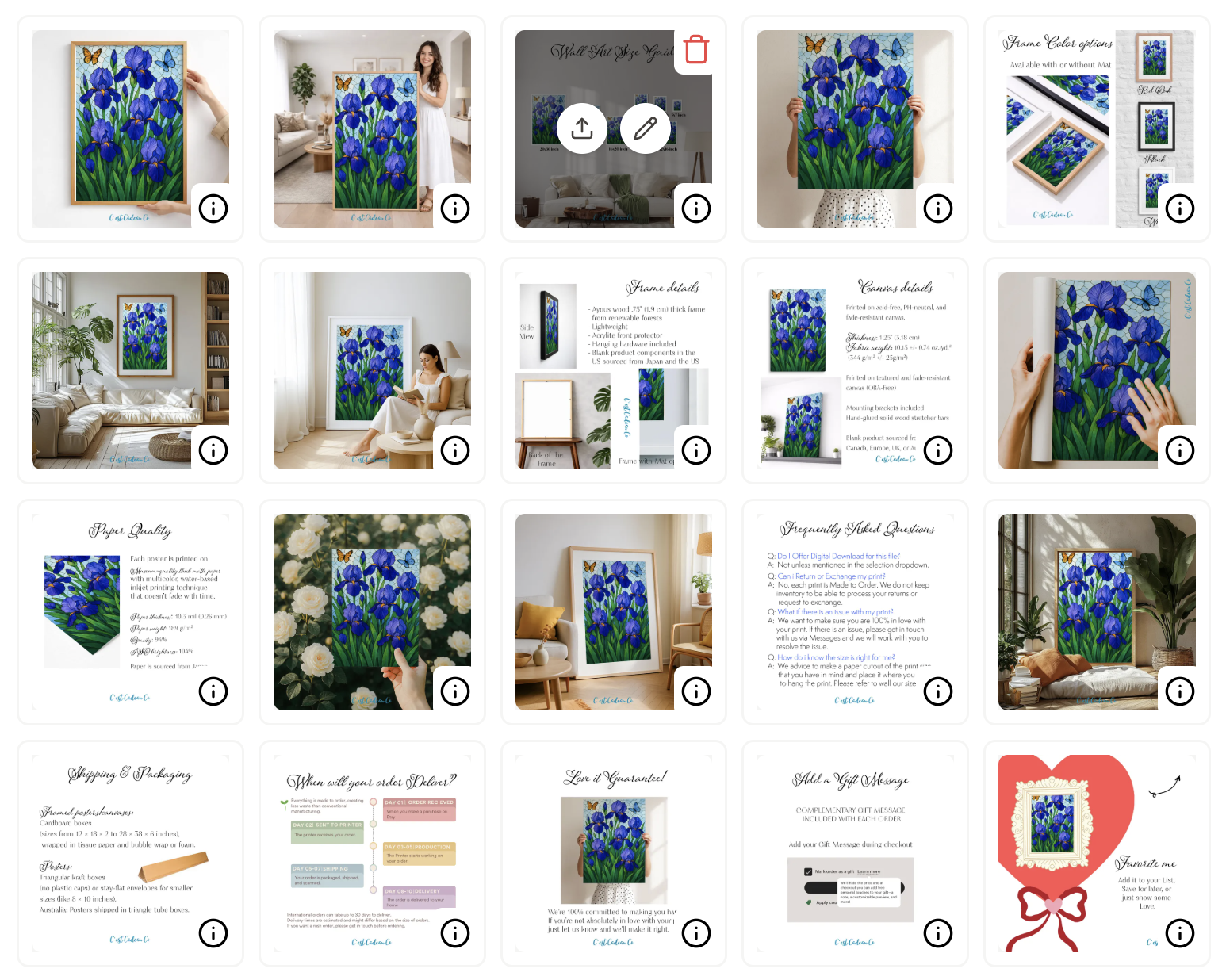
Aim for 20 to 40 listings ready to go. Not one. A near-empty shop reads as risky to buyers (“is this even a real business?”) and gives Etsy’s search almost nothing to work with. More quality listings means more chances to get found, more entry points into your shop, and more signals for the algorithm. You do not need hundreds. You need enough to look established and give search something to rank.
Nail your images before you upload anything. Your photos are the product, because shoppers cannot touch what you make. The first photo especially does one job: win the click in a crowded search grid. If it is grainy, dark, or confusing, it does not matter how good your SEO is, because not enough people will click to find out.
Get your photography right before you list. Multiple angles, good light, clean backgrounds, and a first image that pops as a small thumbnail on a phone. Our free Etsy Listing Image Playbook walks through the exact shots that work, so grab that and shoot your whole batch before you open.
Shoot a video for each listing too, or at least your top ones. Etsy favors listings that include a short video, and buyers trust a product more when they can see it move. A quick 5 to 15 second clip of the item from different angles, or in use, is enough.
4. What it actually costs to start
Most guides gloss over the money. Here is the honest breakdown so nothing surprises you.
| Fee | What it is | Amount (2026) |
|---|---|---|
| Shop setup fee | One-time, charged as you open (some sellers/regions) | Shown before you finish; recently ~$15 to $29 |
| Listing fee | Per item you list, active 4 months or until it sells | $0.20 |
| Transaction fee | On each sale, includes the shipping you charge | 6.5% |
| Payment processing | Per sale, through Etsy Payments | 3% + $0.25 |
| Offsite Ads | Only if a sale comes from Etsy’s off-site ads | 15% (optional for most; required past a sales threshold) |
| Currency conversion | If your listing currency differs from your bank’s | 2.5% |
The one to know about going in is the shop setup fee. Etsy may charge a one-time fee when you open, depending on your location. You will see the exact amount before you complete setup, so it is not a hidden surprise, but budget for it. Sellers have recently reported it landing somewhere around $15 to $29.
The good news: beyond that setup fee and your $0.20 listing fees, you do not need money upfront. You can open a real shop for the cost of a couple of coffees. To see exactly what a sale nets you after fees, run your numbers through our free Etsy Fee Calculator before you set prices.
Prices change. Confirm current fees on Etsy before you rely on them.
Free download: Grab the Etsy SEO Checklist and keep it open while you build your first listings.
5. Prepare your shop copy and settings before you list
Here is what almost every new seller skips. They pour everything into listings and leave the shop settings half-empty: no announcement, a blank About, no policies, default everything. It feels optional. It is not. A complete, polished shop looks trustworthy to buyers and feeds Etsy the signals it uses to judge shop quality, and that quality follows every listing you publish.
So write this copy and make these decisions now, before you upload listings. Keep it all in one document, then paste it in during setup instead of scrambling. Here is everything you need ready.
1. Your shop title (the tagline under your name)
A short line (up to 55 characters) that says exactly what you sell. It shows under your shop name and helps you show up in search.
Formula: [what you make] + [style or who it is for].
- Indian Art-Inspired Home Decor, Cards, Apparel & Gifts
- Hand-Poured Soy Candles for Cozy Homes
- Personalized Dog Mom Gifts & Keepsakes
Write yours: keep it specific, use a keyword a buyer would search, skip vague words like “unique” or “quality.”
2. Your shop announcement
A short welcome that greets shoppers and sets expectations. Cover who you are, what you sell, current processing or shipping notes, and any live offer. Keep the important part in the first line, the rest gets cut off on mobile.
Template:
Welcome to [Shop Name]! We make [product] for [who]. Orders ship in [X] business days. [Any current offer, e.g. “Free shipping on US orders over $35.”] Questions? Message us anytime, we love to help.
3. Your thank-you messages to buyers
These are the messages Etsy sends automatically after a purchase. Most new sellers leave them blank and miss an easy moment to build loyalty, ask for a review, and point buyers to your socials. Write two.
Message to buyers (shown on the receipt page and in the confirmation email for every order):
Thank you so much for your order! I hope you love your [product]. Every order means a lot to a small shop like mine. If anything is not perfect, message me first and I will make it right. If you have a moment after it arrives, a review helps more than you know. Follow along for new work: [Instagram], [Pinterest].
Message to buyers for digital items (shown on the Downloads page for digital orders):
Thank you for your order! Your files are ready to download on this page and in your Etsy account under Purchases. If you have any trouble downloading, printing, or need a different size, message me and I will help. I want your final print to look great.
Keep them warm and specific. Set expectations, invite a review, and open the door to a message instead of a bad review.
4. Your About section (your shop story)
This is your trust builder. New shops with a real story convert better than faceless ones. Draft it in four short beats:
- Who you are. Your name and what you make.
- Why you started. The honest reason. This is what buyers connect with.
- How you make it. Your process, materials, or where you source, in a sentence or two.
- What buyers can expect. Quality, care, communication, timelines.
Then add visuals: a photo or two of you, and a short behind-the-scenes video of you or your process. A clip of how your work is actually made builds real trust and makes a new shop feel human. Stuck on wording? Our free Etsy About Page Generator gives you a first draft to edit.
5. Your policies (decide these before you list)
Buyers check these, and blank policies read as risky. Decide and draft:
- Returns and exchanges. Even “no returns, but message me with any issue” is far better than blank. Offer returns where you reasonably can, it lifts buyer confidence.
- Cancellations. Whether buyers can cancel, and your window.
- Privacy policy. Etsy requires one, so every shop needs it. Draft yours fast with our free Etsy Privacy Policy Generator.
- Selling to the EU or UK? You may have extra obligations (14-day withdrawal rights, GPSR safety info). Decide whether you will sell there and prepare accordingly.
6. Your shop options (quick decisions)
Under Settings, Options, decide each of these up front:
- Custom order requests: enable if you take custom work.
- Gift wrapping: enable and set a price, or leave off.
- Gift note: offer it, it is an easy win for gift buyers.
- GPSR (EEA and Northern Ireland): if you sell physical items there, you may need to add manufacturer and safety info, or choose not to sell to those regions.
- Automatic listing translation: enable it so your listings surface to buyers in other languages.
- Shop timezone: set it to your own, so your processing and ship-by dates are accurate.
7. Your shipping settings
Prepare these before you list so every listing can attach a profile:
- Processing time and processing profiles. How many business days you need to make and ship an order. Etsy turns this into the buyer’s ship-by date, so set it realistically and save it as a reusable processing profile.
- Processing schedule. The days you actually process orders (say Monday to Friday) and any holidays, so ship-by dates stay honest.
- Shipping profiles. Reusable shipping prices and delivery times you apply across listings. Build one or two now.
- Free shipping guarantee. In the US, free shipping on orders over $35 gets a search boost. Decide if you can build it into your prices.
8. Languages and translations
If you want buyers in other countries, add manual translations for your key markets. Translated listings feel trustworthy to those shoppers and can be found using the right keywords in their language.
9. Production partners (if someone helps you make it)
If a print-on-demand supplier or any outside partner helps produce your items, Etsy requires you to declare them as a production partner and add them to those listings. Set this up before you list so you are compliant from day one.
10. Your storefront look and links
Your Shop Home is the first impression. Prepare:
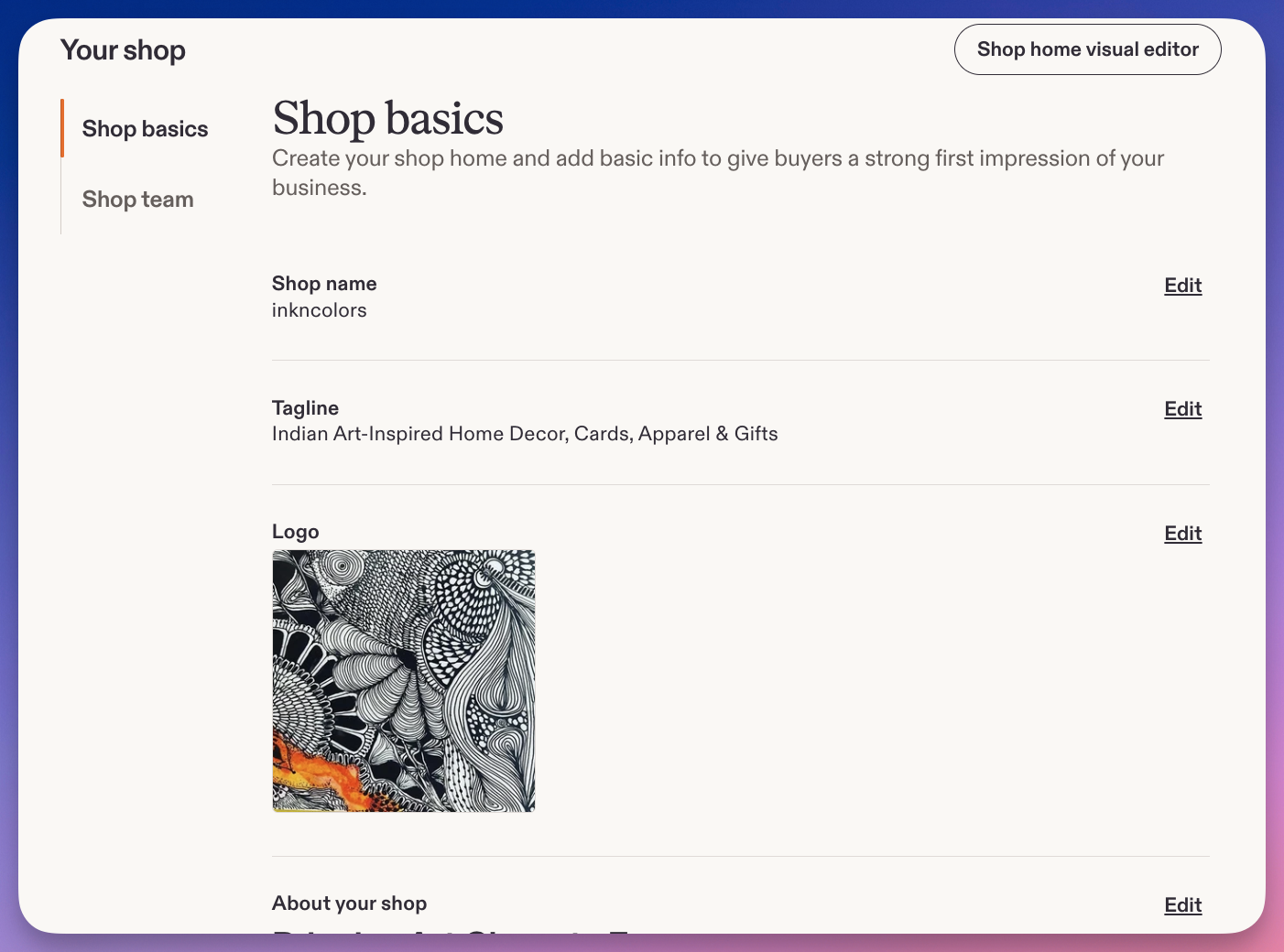
- Shop icon: your logo or a clean product shot.
- Banner or cover photo: on-brand, readable on a phone.
- Color theme: one that matches your brand.
- Featured video and featured photos: a short video and a few real photos (you, your studio, your process) make the shop feel human. Prepare these.
- Featured listings and sort order: put your strongest items first once you have a few.
- Order receipt banner: a small image that appears on order receipts. Prepare one if you want the extra branding.
- Social and website links: add your Instagram, Pinterest, Facebook, and website so shoppers can follow you. Have the handles and URLs ready.
Design specs (so nothing gets cropped):
| Element | Size | Notes |
|---|---|---|
| Shop icon | 500 x 500 px | Square. Your logo or a clean product shot. |
| Cover photo (big banner) | 3360 x 840 px recommended (1200 x 300 px minimum) | Keep text and logo in the center 60%, the edges crop on phones. |
| Mini banner | 1600 x 213 px (1200 x 160 px minimum) | The slimmer banner option. |
| Order receipt banner | 760 x 100 px | .jpg, .gif, or .png, under 2 MB. Appears on order receipts. |
| Listing photos | 2000 to 3000 px on the shortest side | Square (2000 x 2000 px) is safest. Keep files under Etsy’s limits. |
Keep every image file under about 1 MB (2 MB for the receipt banner) so uploads do not fail.
Get all of these drafted and saved before you move on. Then setup is just pasting, and your shop opens looking established instead of empty.
6. Step by step: open your Etsy shop
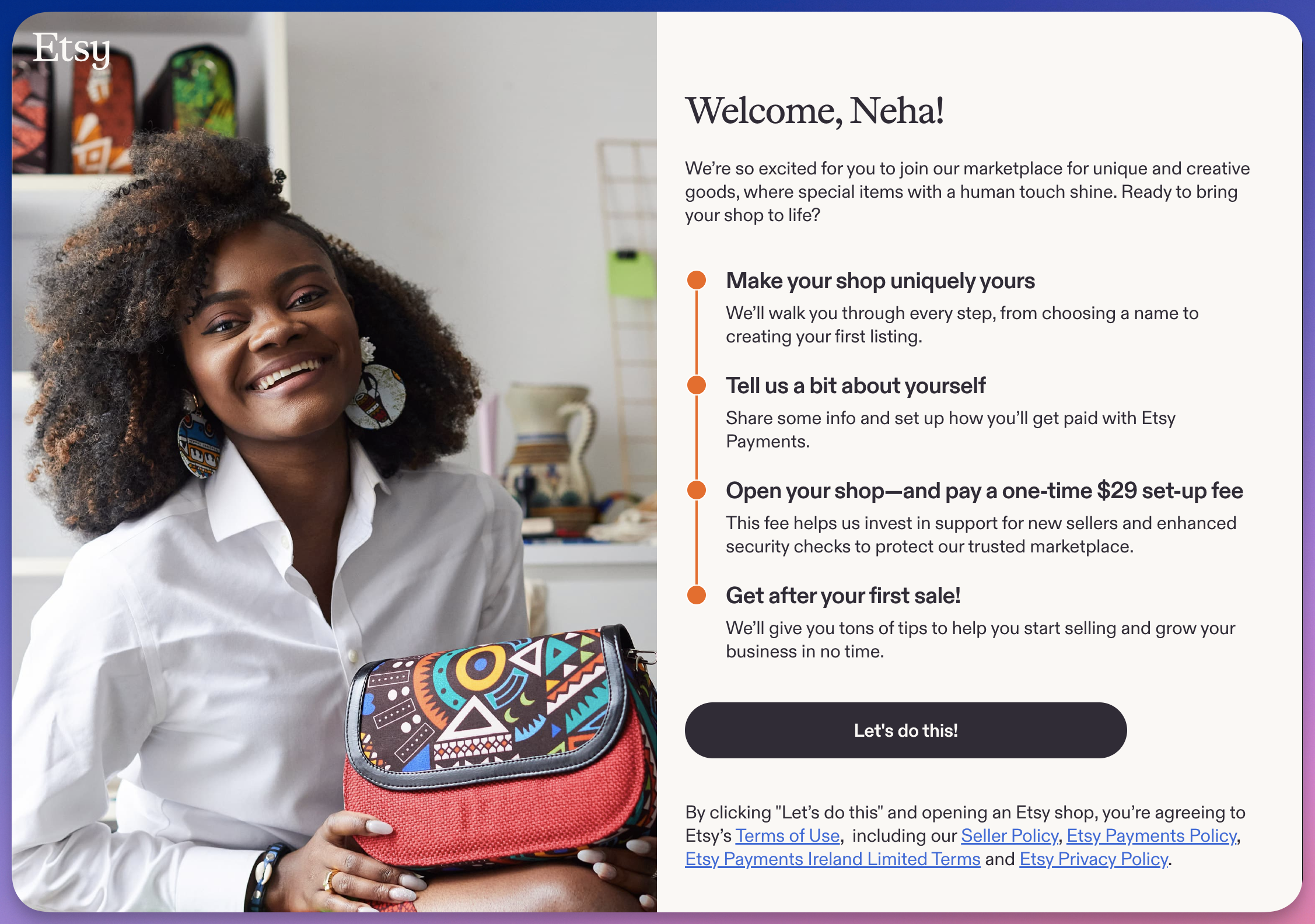
You have your products, photos, and a plan. Now the actual setup. The order matters, and it surprises people: Etsy makes you set up payments, verify your identity, and pay the setup fee before it will let you add a listing, and you need at least one listing to open. So the real flow is: create an account, set your shop preferences, name your shop, set up payment and verification (and pay the fee), add your first listing, then open. Here is each step, with the things beginners trip on.
Start at etsy.com/sell and click Open your Etsy shop.
Step 1: Create your Etsy account. If you do not already shop on Etsy, register with your email, name, and a password (or use Google, Facebook, or Apple sign-in). Confirm through the verification email. If you already have a buyer account, you can open a shop on that same account.
Heads up: Etsy now runs identity verification on new sellers through a partner called Persona. You may be asked to confirm your identity with a government ID during or shortly after setup. It is normal, it is a fraud-prevention step, so have an ID handy.
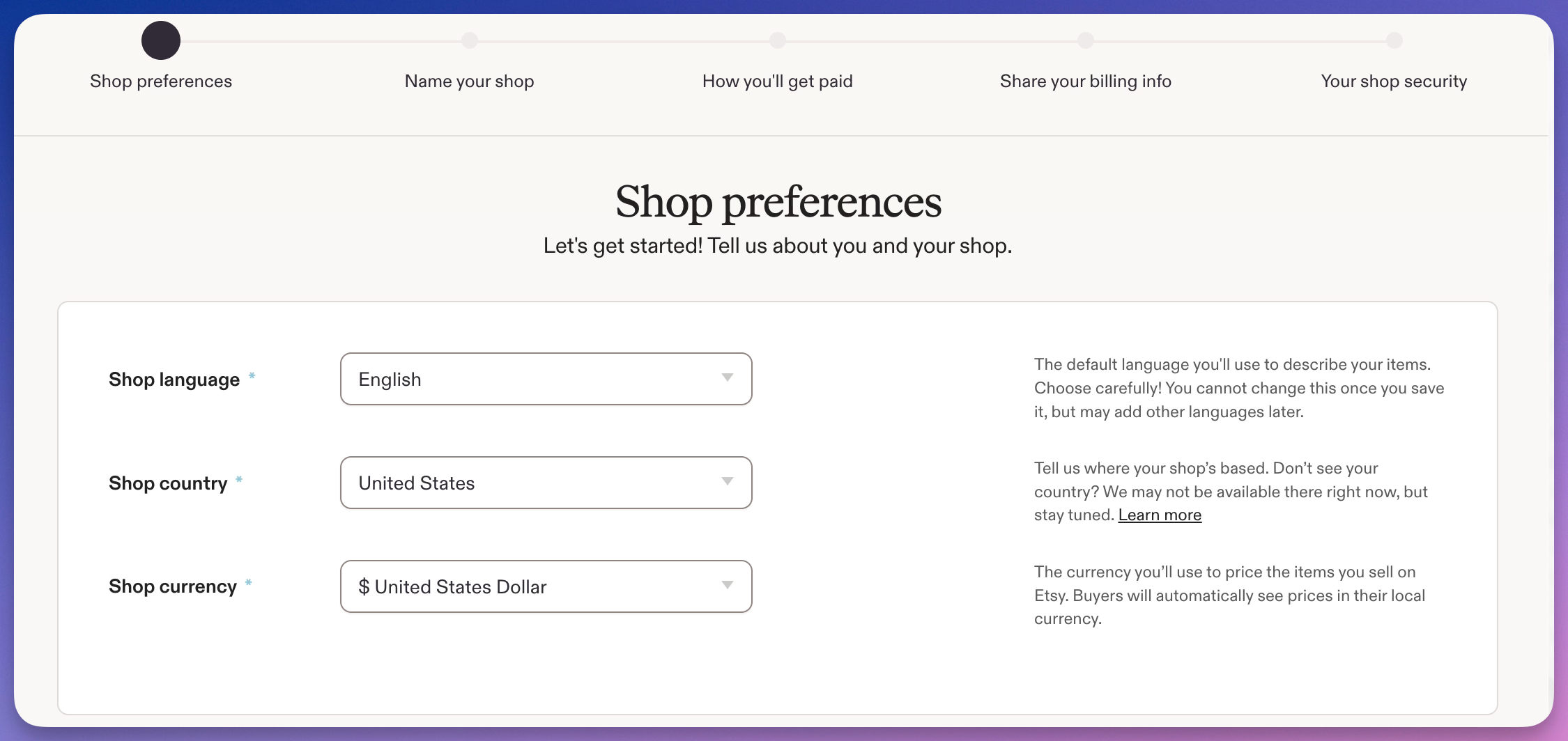
Step 2: Set your shop preferences. Choose your shop language, country, and currency.
- Default shop language matters most. This is the language your titles, tags, and descriptions are written in, and you cannot change it later. Pick the language your buyers actually search in.
- Set your shop country and the currency you will price in. If your listing currency is different from your bank’s currency, Etsy charges a 2.5% currency conversion fee on your sales, so match them if you can.
Step 3: Name your shop. Your shop name is 4 to 20 characters, letters and numbers only, no spaces or special characters. It has to be unique on Etsy, so have a few backups ready.
Pick something you will not outgrow. Not “SarahsChristmasMugs” if you might sell more than mugs, or more than at Christmas. If you are stuck, our free Etsy Shop Name Generator gives you ideas in seconds. You can change your shop name once easily before you have sales, and by request after, so do not let this step stall you for days.
Step 4: Set up payments, verify your identity, and pay the setup fee. Before Etsy lets you list anything, you complete the money and trust steps:
- How you get paid: set up Etsy Payments and add the bank account where your sales land. The name and details must match your account exactly, or deposits stall.
- How you pay Etsy: add a billing method (usually a card) for your fees.
- Identity verification: confirm your identity through Etsy’s partner Persona, usually with a government ID.
- The one-time setup fee: Etsy charges this here, before you can open. You will see the exact amount first (sellers have recently reported around $29, varying by location).
Only after this does Etsy unlock the listing step. That is by design, so budget for the setup fee up front.
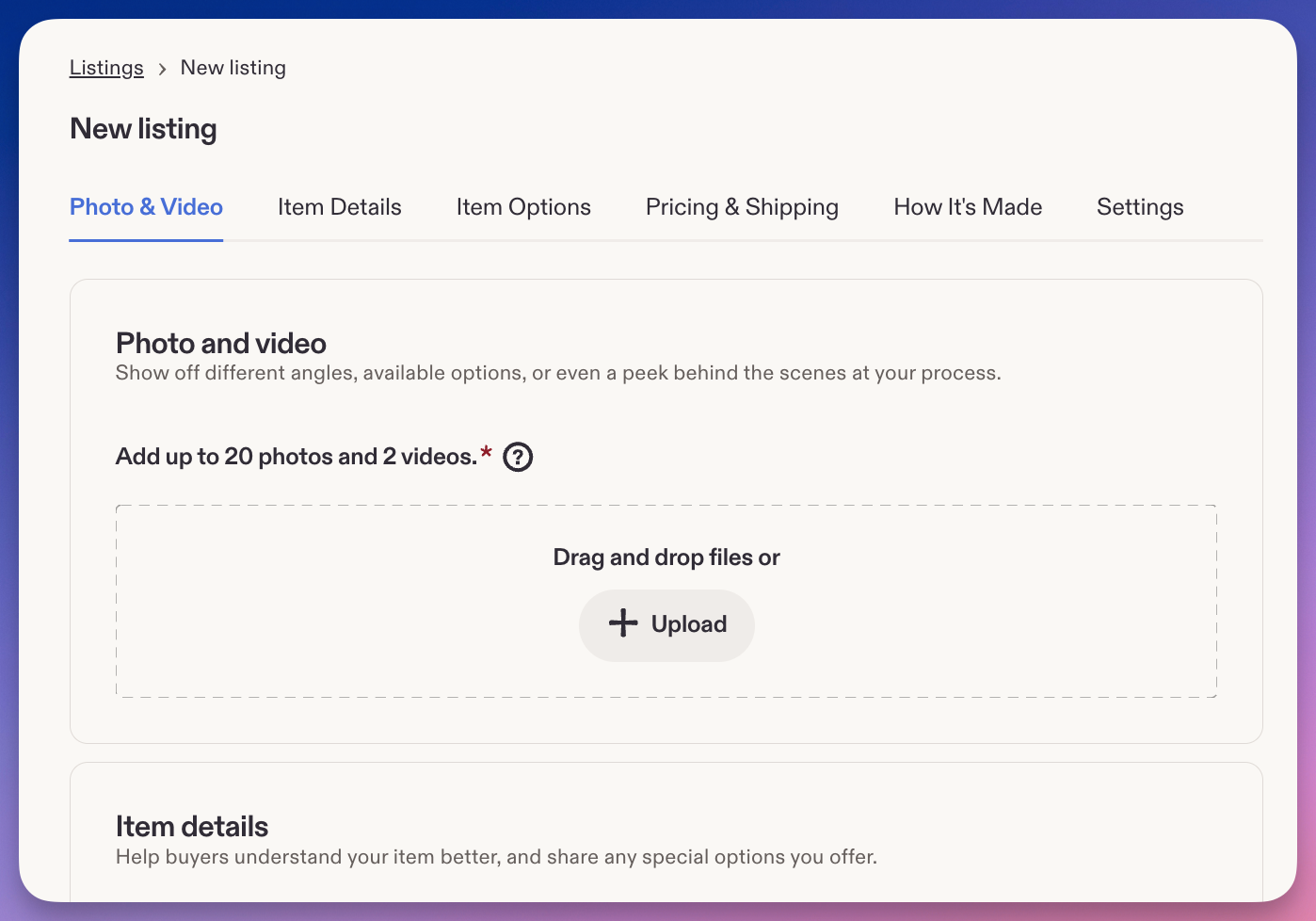
Step 5: Add at least one listing (this is what opens your shop). Etsy will not open an empty shop, so you need at least one live listing to finish. Click Add a listing and fill in:
- Photos and video: up to 10 photos (use them all) plus an optional 5 to 15 second video. Lead with your strongest image.
- Title, description, category: a keyword-rich but readable title, a clear description, and the right category.
- Attributes: color, material, occasion, and so on. Etsy uses these for search and filters.
- Tags: all 13, long-tail, no repeats. (More in the next section.)
- Price, quantity, variations: priced for profit after fees.
- Shipping: prices or a profile, processing time, and regions. Consider free shipping over $35, which Etsy’s search favors.
Each listing costs $0.20 and stays live for four months or until it sells.
Step 6: Open your shop. With payment set, identity verified, the setup fee paid, and at least one listing built, hit Open your shop. You are live.
Then do this: build your real listings in Listadum
Here is the move most new sellers miss. You opened with one listing because Etsy required it. Do not keep building the rest one by one inside Etsy, where it is easy to publish with a weak title and half-empty tags.
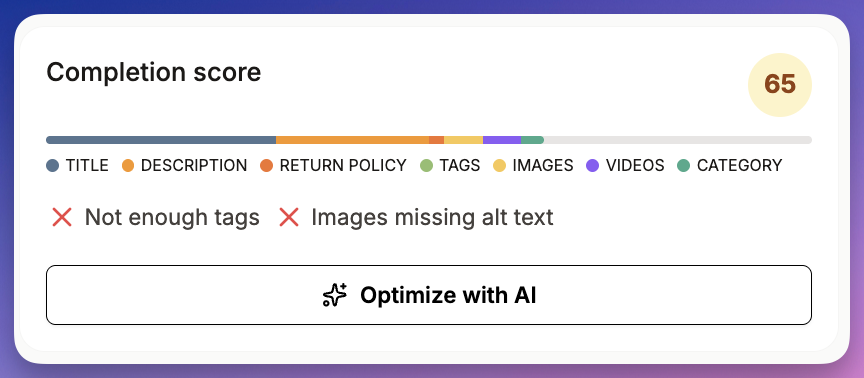
Instead, connect your new shop to Listadum (the free plan connects a real shop) and create your listings from there. You get a completion score, a keyword generator, and issue detection as you build, so every listing launches with strong SEO from day one instead of being fixed months later. Starting right beats cleaning up later, and this is the difference between a shop that gets found and one that stays quiet.
Before you call it done: your new-shop checklist
Opening the shop is not the finish line. A live but half-built shop looks risky to buyers and gives Etsy’s search little to work with. Once you are open, go into your Shop Manager and complete every item below. None of it costs anything, and all of it builds trust and visibility.
Shop identity and trust
- [ ] Shop icon (your logo or a clean product shot)
- [ ] Shop banner or carousel image
- [ ] Shop title (the one-line under your name saying what you sell)
- [ ] Shop announcement (a short, current welcome or offer)
- [ ] About section: your story, why you started, how you make your work, with photos or a video of you and your process (drafted in Section 5)
Policies and settings
- [ ] Shipping policy (timeframes, carriers, regions)
- [ ] Returns and exchanges policy (even “no returns” is better than blank)
- [ ] Privacy policy (required by Etsy; our free Etsy Privacy Policy Generator drafts one)
- [ ] Payment and billing confirmed and verified
- [ ] Identity verification completed if Etsy asked
- [ ] Shop sections created to organize listings once you have a few
Listings (the core of your shop)
- [ ] At least your first batch of 20 to 40 listings published (you needed one to open; keep going)
- [ ] Every listing uses all 10 photo slots and a strong first image
- [ ] A video on your top listings where it helps
- [ ] Titles are keyword-rich but readable, main keyword near the front
- [ ] All 13 tags used per listing, long-tail, no repeats
- [ ] Category and attributes filled in fully (Etsy uses them to surface you in search and filters)
- [ ] Descriptions are clear, benefit-led, and scannable
- [ ] Price, quantity, and variations set with profit-after-fees in mind
- [ ] Shipping set (prices or profiles, processing time, regions); consider free shipping over $35
Get-found basics
- [ ] Run your shop through a free Shop Critique and fix what it flags
- [ ] Turn on any relevant free tools (favorites, sales/coupons) you want to use
- [ ] Decide on Etsy Ads and Offsite Ads settings (you can start with them off)
7. Build listings that actually get found
Your shop is set up and open. Now the part beginners rush and top shops obsess over. Two things get a listing found and clicked: photos and keywords.
Photos we covered. They win the click, so make the first one count.
Then keywords. Here is the mistake almost every beginner makes: using broad, one-word keywords. When you title a listing just “Mug” or “Necklace,” you are competing against millions of listings, and a brand-new shop lands at the very bottom.
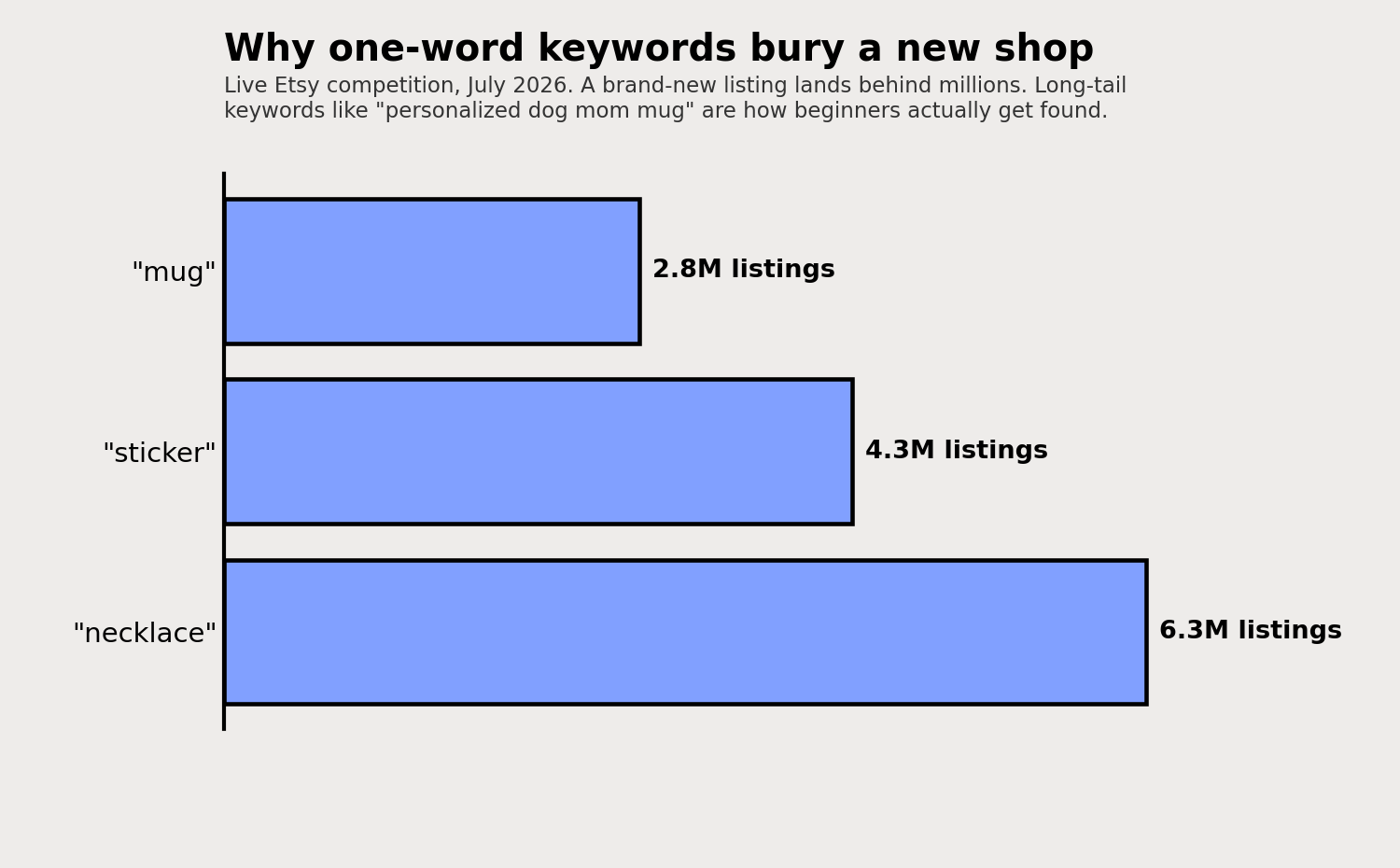
Those are live Etsy numbers. “Mug” has 2.8 million listings. “Necklace” has 6.3 million. You will not out-rank all of them on day one.
The fix is long-tail keywords: specific phrases a real buyer types. Not “mug,” but “personalized dog mom mug.” Not “necklace,” but “dainty gold initial necklace.” Fewer shops compete for those, and the people searching them are closer to buying.
A few rules that put you ahead of most new sellers:
- Use all 13 tags. Every one is a chance to be found. Leaving half empty is leaving searches on the table.
- Do not repeat the same word across every tag. “Gold necklace, gold jewelry, gold pendant” wastes slots. Spread across different phrases buyers actually search.
- Write readable titles. Front-load your main keyword, but keep it something a human wants to click, not a keyword pile-up.
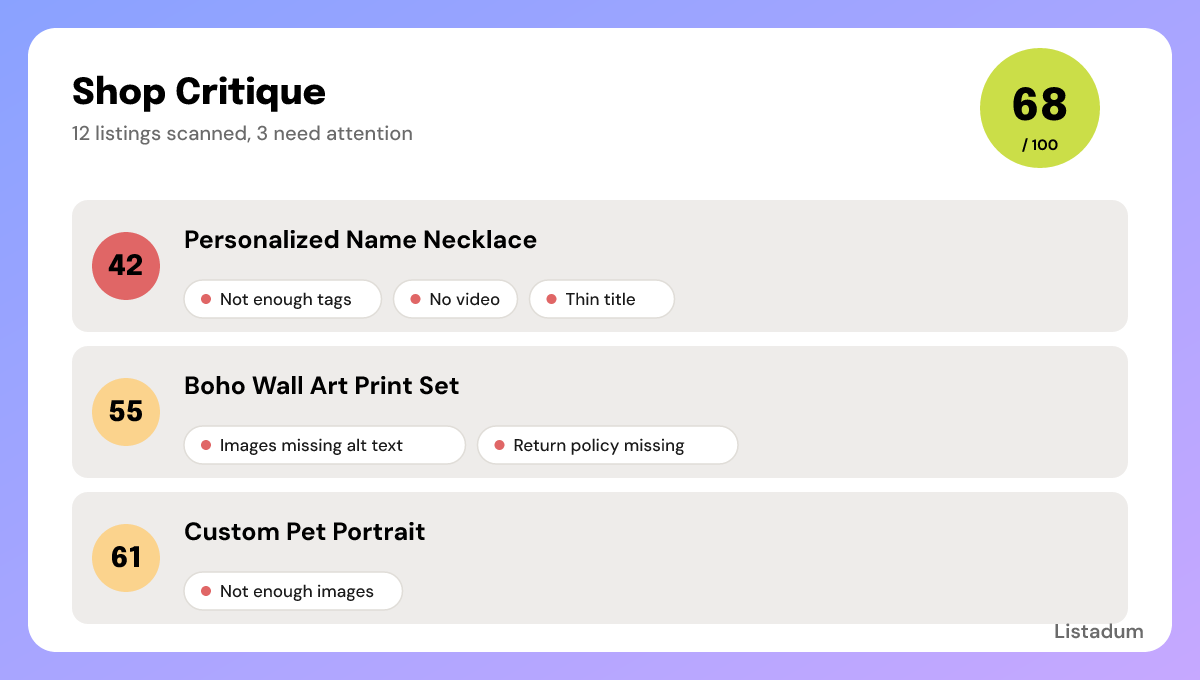
You do not have to guess at any of this. As we covered above, building your listings inside Listadum gives every one a completion score out of 100 that flags exactly what is missing, from short titles to weak tags to missing photos, so you fix it before you publish, not after.
Not sure where your existing listings stand? Run your shop through the free Shop Critique for a plain-English report on what to fix first. No signup needed.
8. After you hit publish: what is normal
This is the section almost no “how to start” guide writes, and it is the one that keeps you from quitting.
You published. The shop is live. And then… quiet. Here is what is actually happening.
A slow first sale is normal. Weeks, sometimes a couple of months, especially in a competitive category. You have no reviews and no sales history yet, so Etsy and buyers are both still deciding whether to trust you. That trust builds with every listing, every day live, and eventually every sale.
Flat views in the first week or two is normal. New listings take time to settle into search. This is not “broken.”
So how do you tell “new and quiet” from “something is actually wrong”? Check, in this order:
- Are you getting any views at all? A trickle means search is starting to show you. Zero after a couple of weeks usually points to a keyword problem, so revisit your titles and tags.
- Views but no sales? That is usually photos, price, or trust (thin About, no policies, no reviews yet), not search.
- Is your shop complete? Full About section, policies, a strong first photo on every listing. Gaps quietly cost you.
For the honest, longer answer on timelines, read when will I see results: the truth about Etsy SEO. The short version: give it real time, keep improving, and do not tear the shop down in week two.
9. The beginner mistakes that keep new shops quiet
The patterns I see most often, and the one-line fix for each:
- Opening with too few listings. Aim for 20 to 40, not one lonely item.
- Uploading before photos are ready. Shoot your whole batch first. The first photo wins the click.
- Chasing a saturated shiny niche. Pick something you can genuinely do better, not just what is trending.
- Broad one-word keywords. Go long-tail so real buyers can find you.
- Repeating the same word in every tag. Spread across different phrases and use all 13.
- Keyword-stuffed, unreadable titles. Write for a human first, front-load the main keyword.
- Thin About section and missing policies. Free trust. Fill them in.
10. Your first 30 days
A simple plan to keep momentum without overwhelm.
- Week 1: Finish and publish your 20 to 40 listings. Get every first photo strong.
- Week 2: Tighten keywords. Long-tail titles, all 13 tags, no repeats. Run a free Shop Critique and fix what it flags.
- Week 3: Add more listings. More quality listings means more ways to be found. Watch which ones get views.
- Week 4: Review. Which listings got views? Lean into what is working, improve what is not, and keep listing.
Then repeat. Consistency beats intensity every time on Etsy.
Ready to start strong?
Opening the shop is an hour. Building one that sells is the fun, patient part, and you do not have to guess your way through it.
Connect your Etsy shop to Listadum for free and get a completion score on every listing, so you can see what to improve from day one. It is a real free plan, not a trial. Analyze your shop free.
You have got this. Start with the foundation, be patient through the quiet, and keep listing.
FAQ
How much does it cost to start an Etsy shop?
Beyond a one-time shop setup fee (shown before you finish setup, recently around $15 to $29 and varying by location) and a $0.20 fee per listing, there is no upfront cost to open. You pay Etsy’s other fees (6.5% transaction, 3% + $0.25 processing) only when you make a sale.
How many listings should I start with?
Aim for 20 to 40. A near-empty shop looks risky to buyers and gives Etsy’s search little to rank. More quality listings means more chances to get found.
How long until my first sale?
It varies, but weeks to a couple of months is normal for a new shop. You start with no reviews or sales history, and both take time to build. Keep listing and improving rather than quitting early.
Do I need a business license to sell on Etsy?
It depends on where you live and what you sell. Etsy does not require one, but your local rules might. Check your local regulations, and treat tax and licensing seriously as you grow.
Can I sell print-on-demand as a beginner?
Yes, and it is a popular low-inventory way to start. Just know the category is competitive, so lean on product research and strong long-tail keywords rather than chasing whatever is trending.
Is it worth starting an Etsy shop in 2026?
If you have a product with real demand, the skills to make it well, and the ability to fulfill it consistently, yes. The sellers who do well treat it as a real business, not a get-rich-quick idea.