
Part of the Listing Optimization Guide
By Neha Chandelier, Co-founder of Listadum · Last updated: June 2026 · 8 min read
Most sellers fill in two or three attributes, pick a roughly-right category, and move on to the next listing. It feels like admin. It is actually one of the highest-return five minutes you can spend on a listing, and almost nobody does it fully.
If your listings are not showing up when buyers filter search by color or by “for him,” this is usually why. Attributes and categories are free relevance you are leaving on the table.
Quick answer: Attributes are the structured fields Etsy gives you for color, material, size, occasion, recipient, and more. They do two jobs: they feed Etsy’s search the same way your tags do, and they place your listing into filtered search and browse pages. Fill every attribute that genuinely applies, and choose the most specific category that fits, not the closest broad one. It costs minutes and carries no risk.
Part of: the Listing Optimization Guide
Up to: The Complete Guide to Etsy Listing Optimization
Across to: How to Write Etsy Tags That Get Found
Across to: Product images that sell on Etsy
What attributes actually do
When you set up a listing, Etsy asks you to pick a category and then fill in a set of fields: color, material, size, occasion, holiday, and others that change depending on what you sell. Those fields are attributes. They are not decoration, and they are not only for Etsy’s records.
Attributes do two specific jobs.
They feed search relevance. Etsy reads your attributes as part of deciding whether your listing matches a buyer’s query, the same engine your title and tags feed. When you set “color: sage green,” Etsy now understands your item is sage green even if those exact words never made it into your 13 tags. That is extra relevance you did not have to spend a tag slot on.
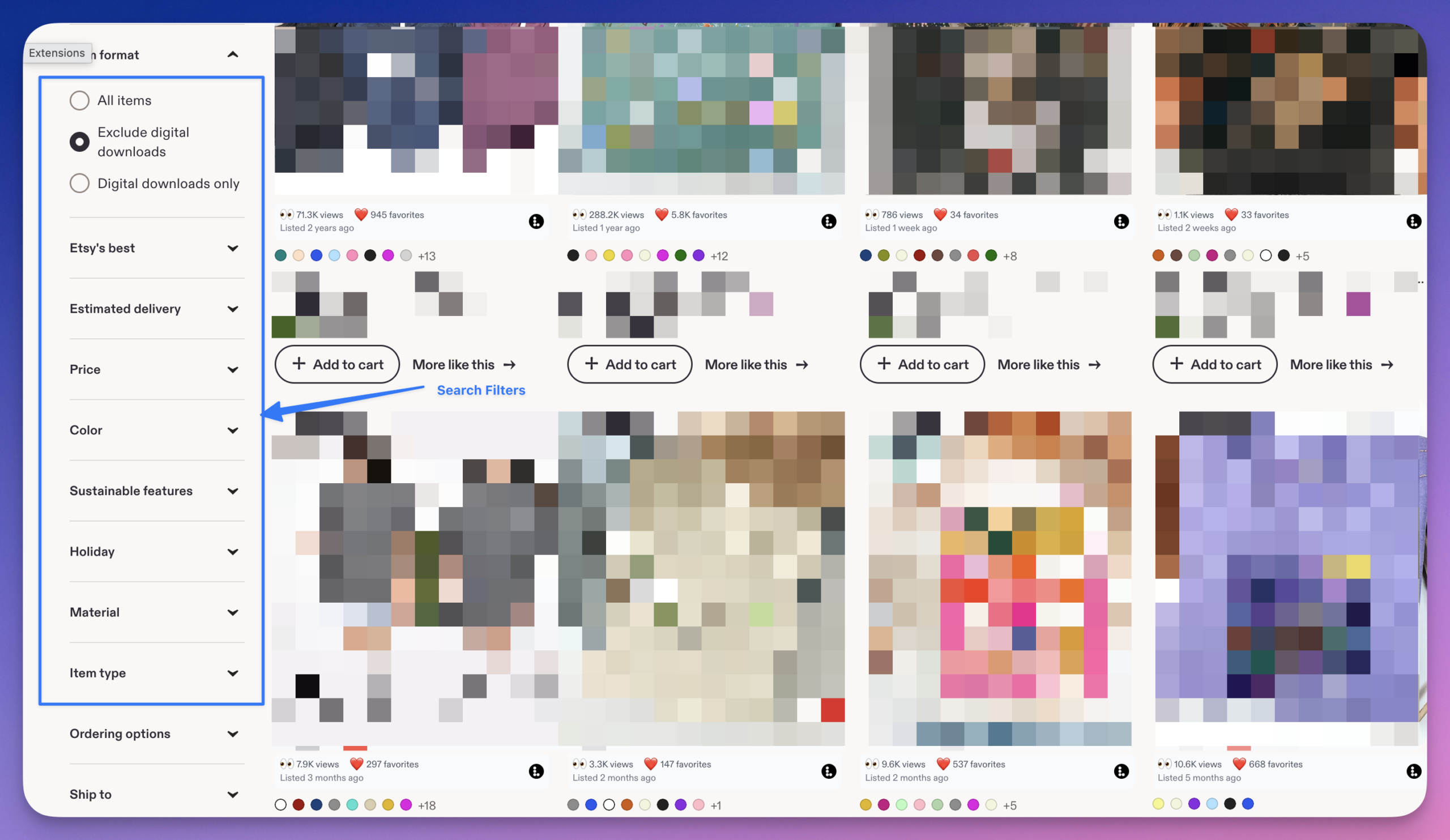
They place you in filtered and browse search. This is the part sellers miss. When a buyer runs a search and then clicks the filters on the left, “Color,” “Material,” “Item type,” Etsy only shows listings that have set that attribute. If a shopper filters to “silver” and you sell a silver ring but never set the metal attribute, you vanish from that result. You were relevant, and you filtered yourself out by leaving a field blank.
So an unset attribute is not neutral. It is a door you closed.
Category: pick the most specific one that fits
Your category is the single most important structured choice on the listing, because it shapes which attributes you even get to fill and which browse paths you appear in.
The mistake is stopping at the first broad category that is close enough. “Jewelry” is close enough for a beaded bracelet. But Etsy lets you go deeper: Jewelry, then Bracelets, then Beaded Bracelets. Each step down does two things. It unlocks more relevant attribute fields, and it places you in a tighter, less crowded browse lane where buyers who want exactly your kind of item are already looking.
A bracelet filed under “Jewelry” is competing with earrings, necklaces, and everything else. The same bracelet filed under “Beaded Bracelets” is competing only with its actual peers, in front of buyers who chose that path on purpose. Always click down to the most specific category that honestly describes the item.
Walk through the attributes worth setting
The exact fields depend on your category, but most physical products see some version of these. Fill every one that genuinely applies.
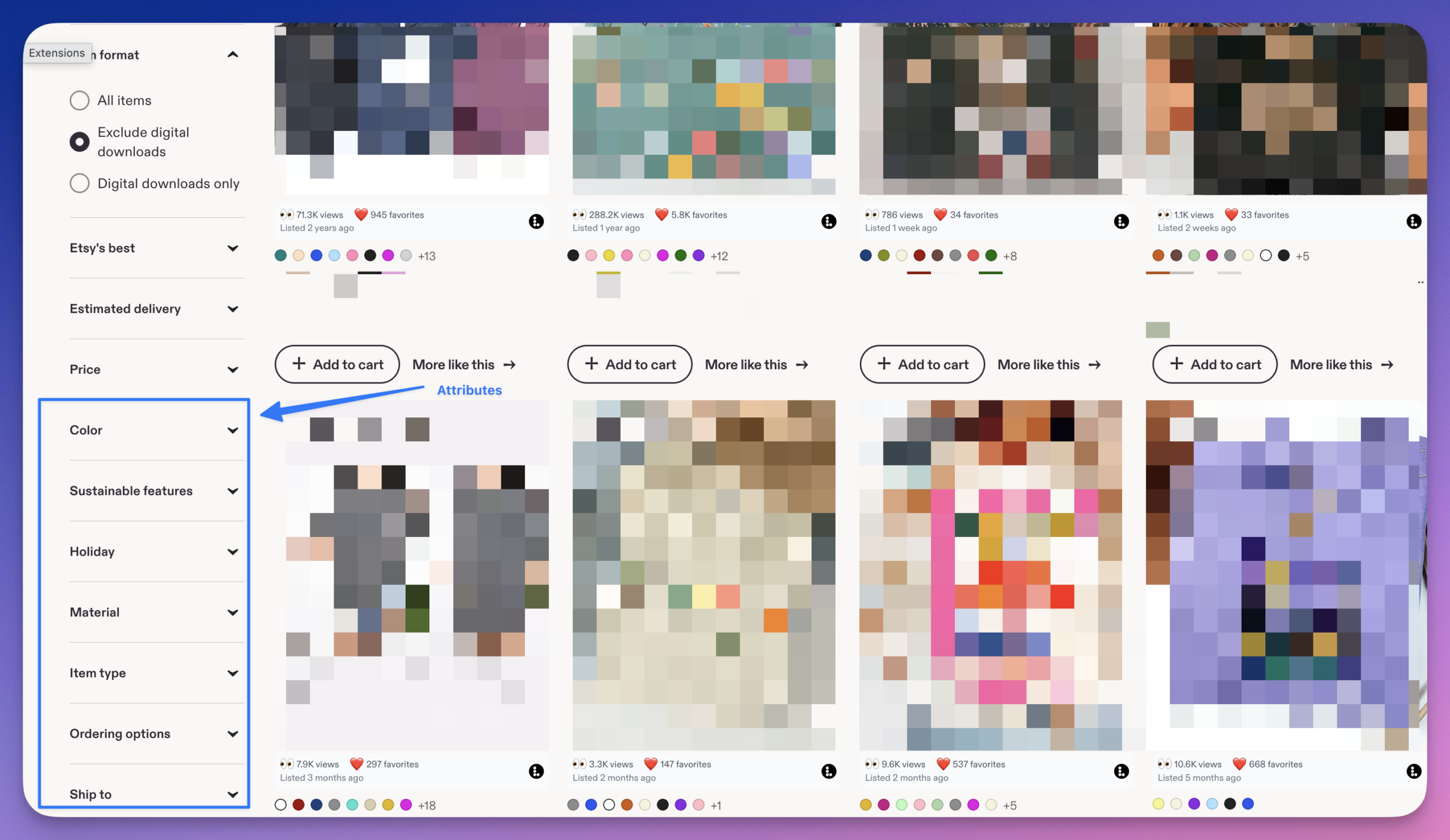
Primary and secondary color. Set both if your item has two clear colors. This is one of the most-used search filters, so it is high value.
Material. What the item is actually made of (sterling silver, linen, walnut, glass). Buyers filter by material constantly, especially for jewelry, furniture, and clothing.
Size and dimensions. Where Etsy offers a size attribute, use it. It powers size filters and reduces the “will this fit” messages that slow you down.
Occasion and holiday. Wedding, birthday, anniversary, Christmas, Valentine’s Day. These connect your item to seasonal and gift-intent searches you would otherwise miss. Set them when they truly apply; do not tag a plain mug as a wedding item just to appear in more places.
Recipient. For him, for her, for kids, for pets. Gift shoppers lean on this filter heavily.
Craft type, room, style, and others. Category-specific fields like room (for home decor), craft type (for supplies), or style. If Etsy offers the field, it is because buyers use it.
The rule across all of them is the same: accurate and complete. Accuracy keeps you out of the wrong searches and protects you from returns and bad reviews. Completeness keeps you in every right one.
Want a quick read on your weakest listings? Run a free Shop Critique. It scans your shop and flags gaps and quick wins, with no signup required.
Doing this across a whole shop
For one listing, this is a five-minute job. For 200 listings, going in one at a time is where good intentions die.
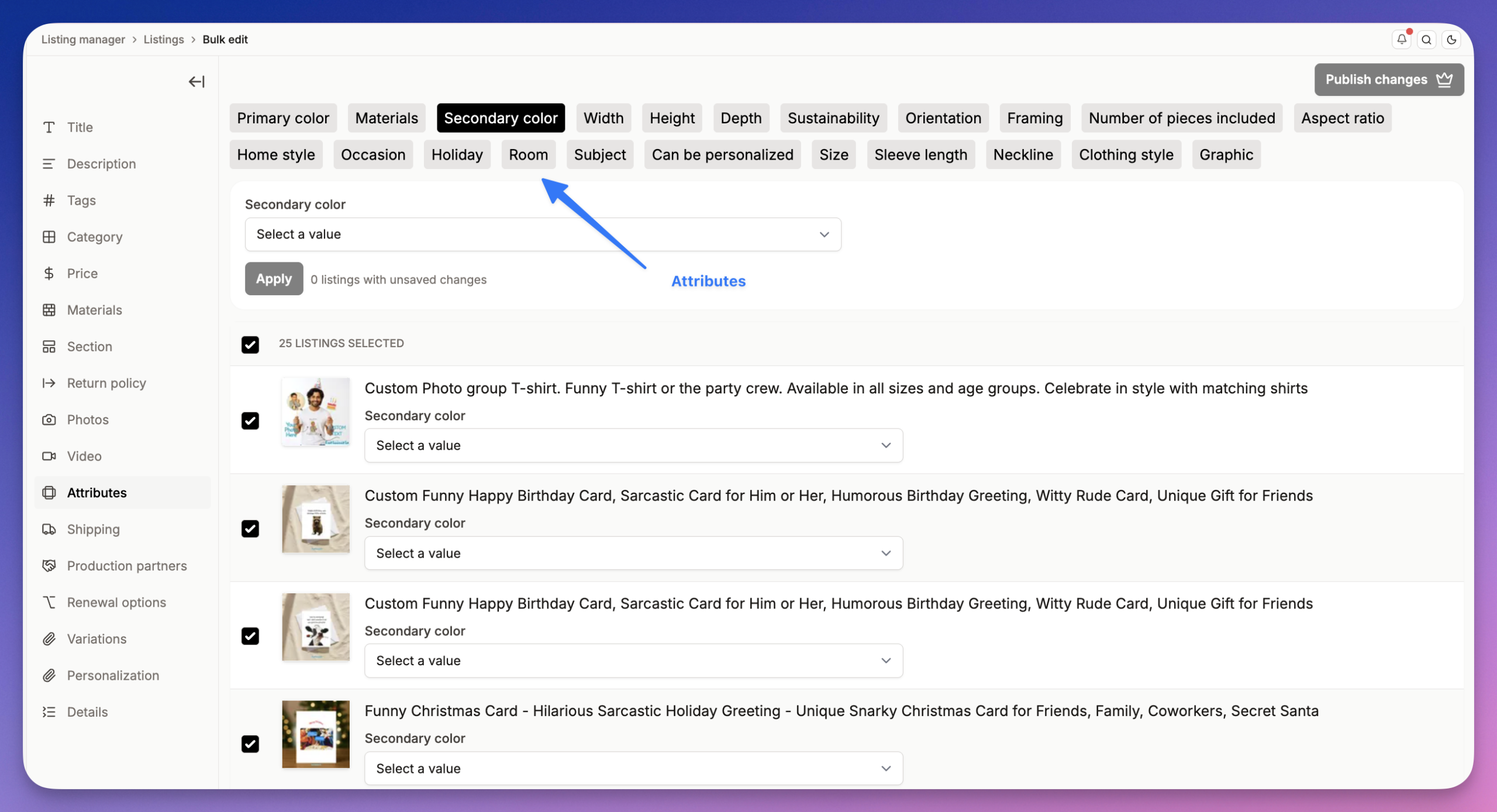
This is the case for handling attributes in bulk. In Listadum, you can review and update attributes across many listings at once instead of opening each listing on Etsy, which turns an afternoon of clicking into a single focused pass. Group your listings by type, set the shared attributes for the group, then fine-tune the few that differ. You see every listing’s attributes side by side, so the blank fields are obvious and you fill them in one pass.
Worked example
Take a sterling silver name necklace currently filed under “Jewelry” with only the primary color set to silver. In search filters, it appears for “silver” but disappears the moment a buyer narrows by material, by recipient, or by occasion.
The fix, in about three minutes:
- Category: move from “Jewelry” to Jewelry, then Necklaces, then Pendant Necklaces.
- Material: sterling silver. Now it survives a “sterling silver” filter.
- Primary and secondary color: silver, plus any accent.
- Recipient: for her. Now it appears for gift shoppers filtering by recipient.
- Occasion: birthday, anniversary. Connects it to gift-intent searches.
- Customization: set the personalization attribute so it shows in “personalized” browse paths.
Same product, same photos, same price. It now appears in five or six filtered searches it was invisible to an hour ago.
Frequently asked questions
Do Etsy attributes affect search ranking?
Yes. Etsy uses attributes as part of matching your listing to a buyer’s query, alongside your title and tags. They also control whether you appear in filtered and browse search, so leaving them blank removes you from searches you would otherwise rank in.
Should I fill in every attribute Etsy offers?
Fill every attribute that genuinely and accurately applies. Do not set an attribute that is not true just to appear in more searches; that brings the wrong buyers, leads to returns, and can hurt your conversion. Accurate and complete is the goal, not maximal.
What is the difference between tags and attributes?
Tags are 13 free-text phrases you write. Attributes are structured fields you select from Etsy’s preset options. They overlap in feeding search relevance, but attributes also power Etsy’s filters and browse pages, which tags do not. Use both; do not treat attributes as a substitute for filling all 13 tags.
How do I choose the right Etsy category?
Pick the most specific category that honestly describes your item, clicking all the way down the path rather than stopping at a broad parent. The more specific the category, the more relevant attribute fields you unlock and the tighter the browse lane you compete in.
Do attributes count toward my listing’s keywords?
They contribute to how Etsy understands and matches your listing, so in practice they add relevance for terms you might not have fit into your title or tags. They are best thought of as relevance you get for free, on top of your tags, not as a replacement for keyword work.
Will changing a listing’s category hurt its ranking?
Moving to a more accurate, more specific category generally helps, because it places you in the right browse paths and unlocks better attributes. As with any edit, give it a few weeks to settle, and only change a category when the new one genuinely fits the item better.
Fill in every field, free
The fastest way to fix your half-finished listings is to let Listadum show you. Connect your Etsy shop on the free plan and review and fill attributes across all your listings in one pass, instead of opening each one on Etsy and hunting for the blanks.
Free plan · no credit card · connect your real Etsy shop in minutes
Neha Chandelier, Co-founder of Listadum, selling on Etsy since 2020. She writes about Etsy tips and tricks, how to sell on Etsy, and growing a handmade shop.
Related guides: The Complete Guide to Etsy Listing Optimization · How to Write Etsy Tags That Get Found · Product images that sell on Etsy