


Editing photos with the AI Photo Editor
Last updated onThe AI Photo Editor handles the photo jobs Etsy sellers repeat most, without a separate design tool: alt text, badges, and targeted AI retouching. You edit in place and save back to the listing, no downloading and re-uploading.
Open the editor
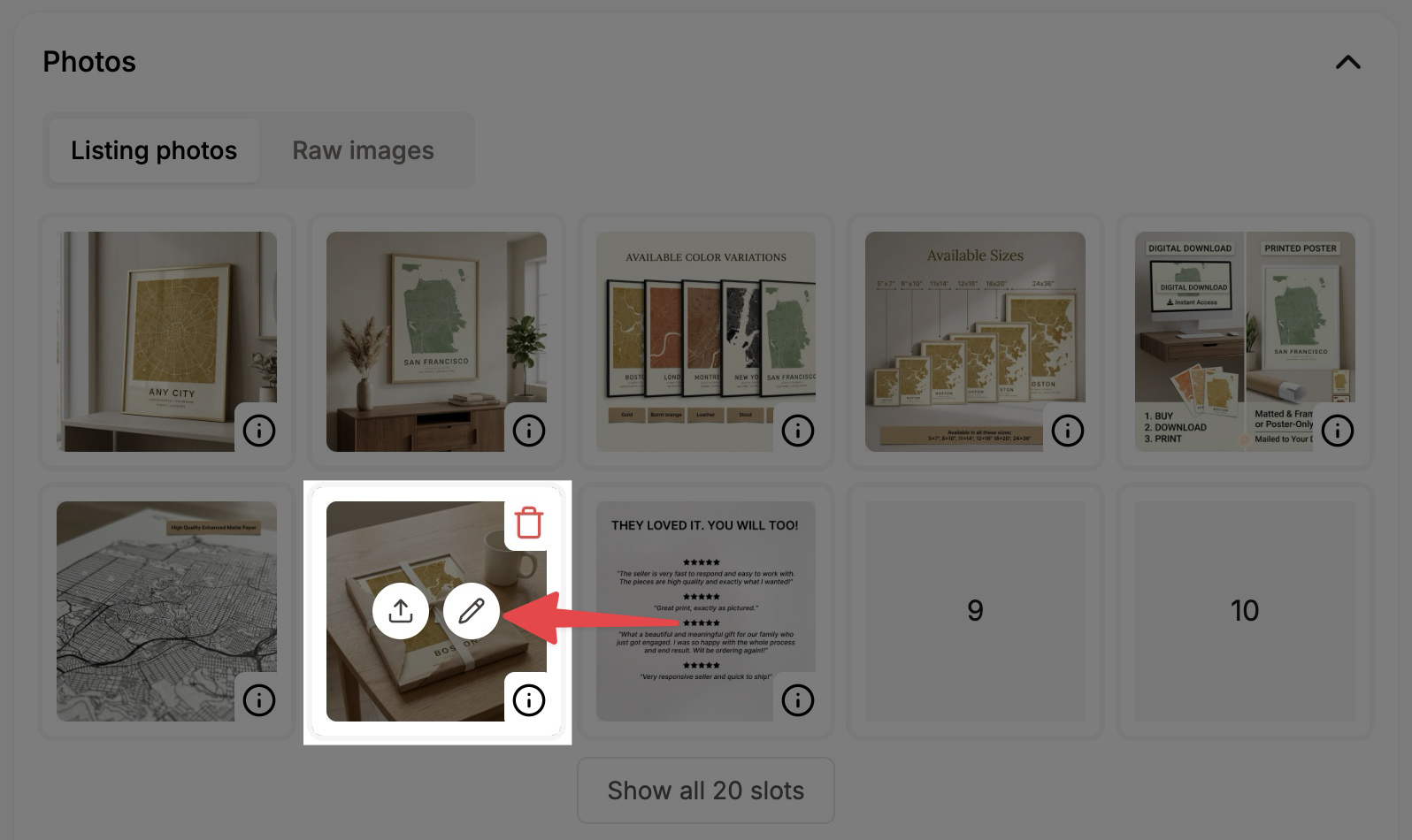
Hover any photo in your listing's image grid and open the editor. You can move between images and save all your edits together when you're done.
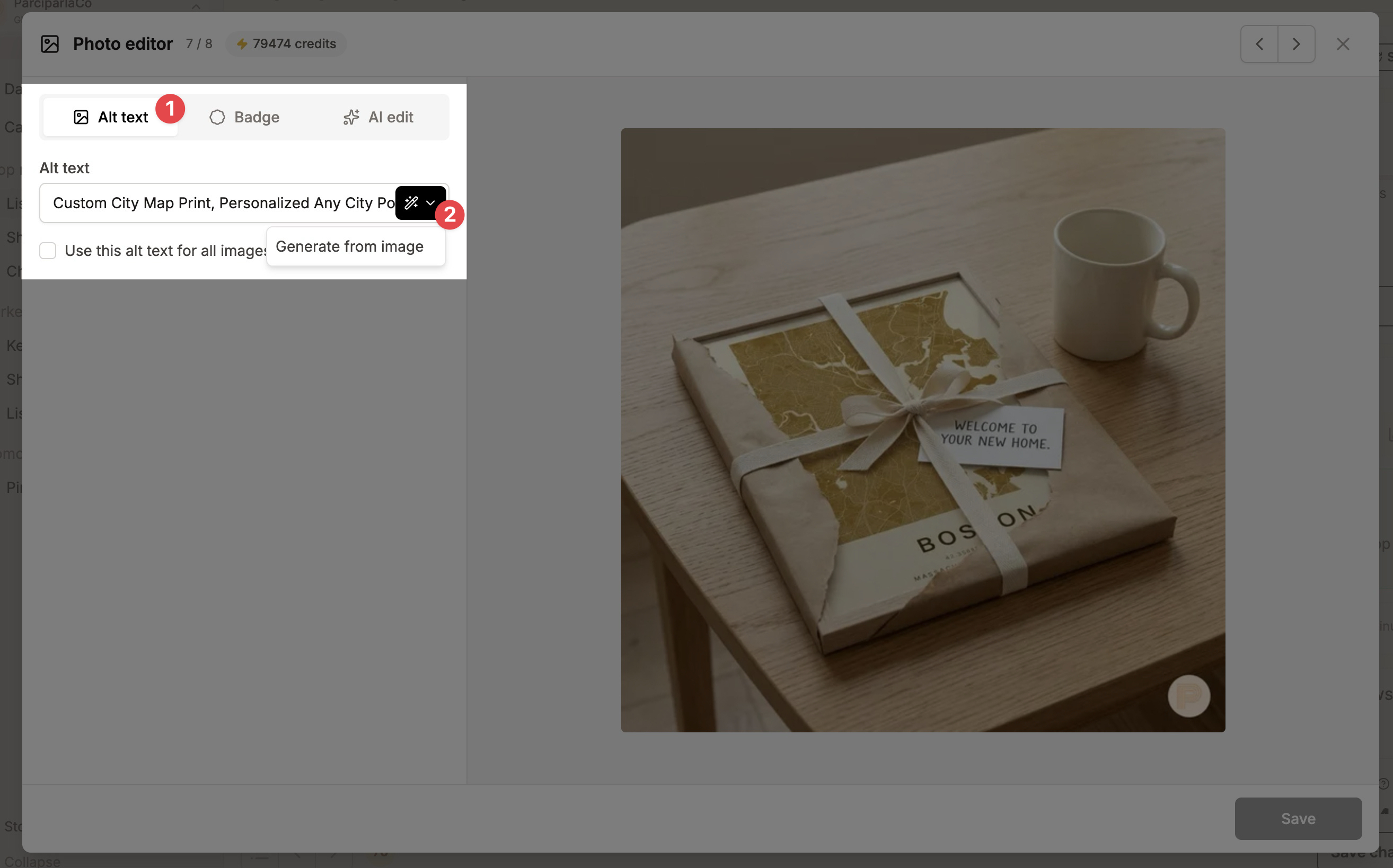
Improve alt text
Write alt text yourself, or ask the AI for a stronger suggestion based on your title, tags, and the image. When it makes sense, apply the same alt text across the listing's images.
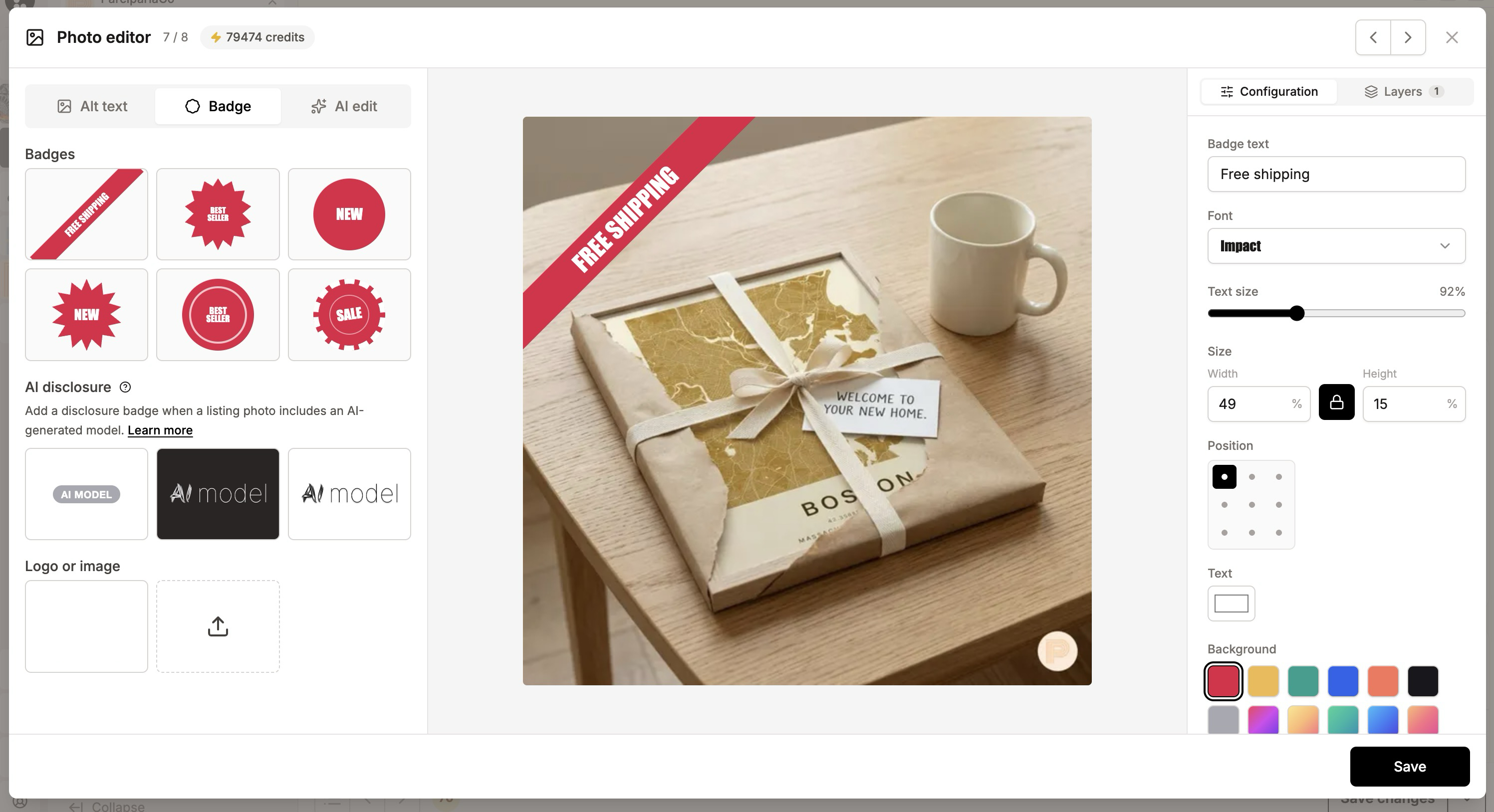
Add badges
Place a ready-made badge on a photo (for example a sale or "best seller" label), customize the text, pick a style, and position it visually before saving.
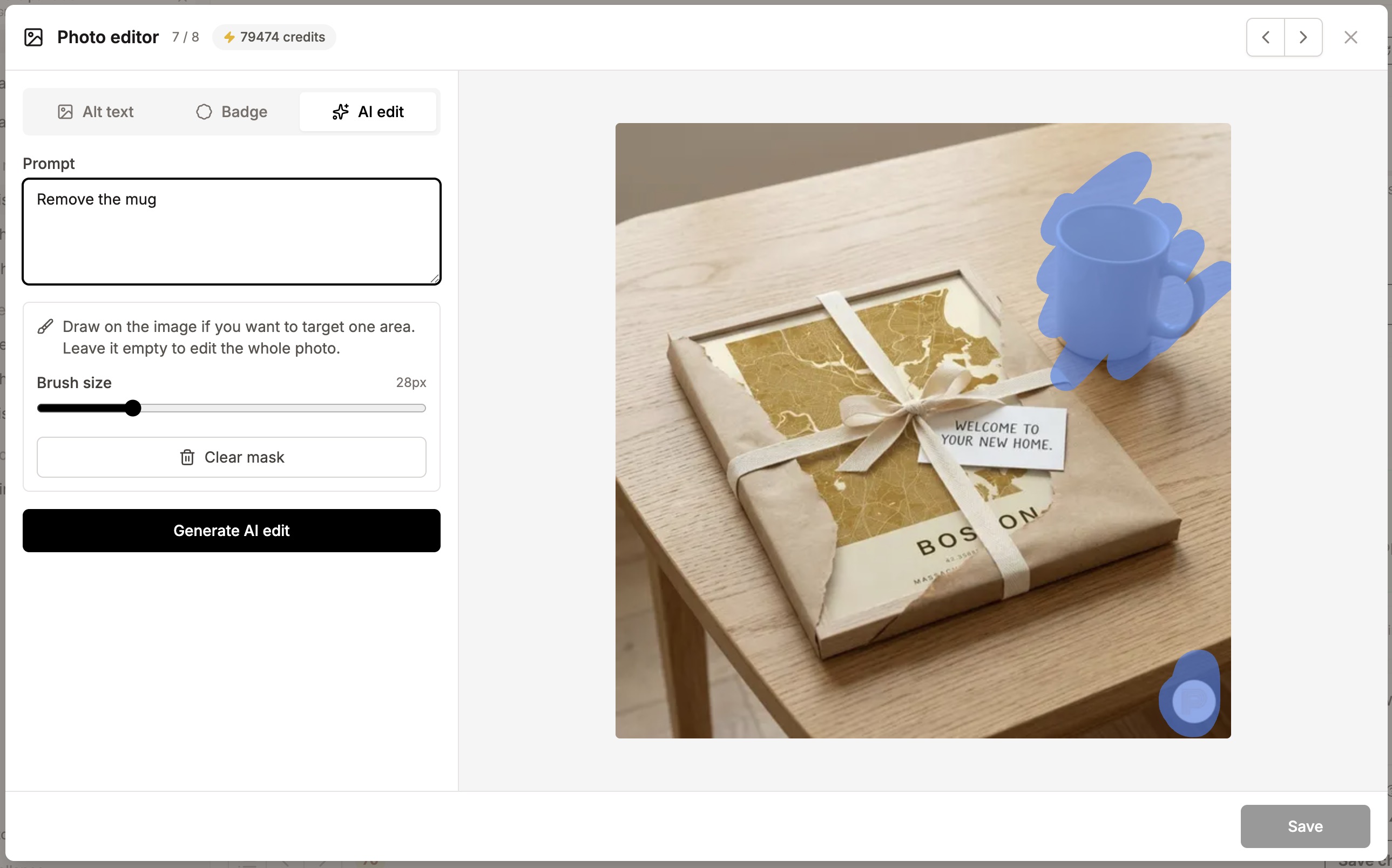
Retouch with AI
Describe the edit you want, paint over the area to change if needed, and generate the edit. Use it to remove distractions, clean up a background, or adjust the product image.
Credits
Alt text written by hand is free. The AI suggestions and AI retouching use AI credits (see "How do AI credits work?").