


Most of us would rather add ten new listings than add our own face to the shop. Sharing your name, your photo, the messy real reason you started, it feels like standing in the middle of the room and asking people to look at you. So we skip it. And it is quietly costing us sales.
Because here is what Etsy just told sellers directly. Etsy’s marketing now reaches 90 million buyers, and about 42% of that buyer marketing already features details about the seller behind the products. This year Etsy wants that number to hit 80%. (Source: Etsy Success, “Etsy Insights: 5 Ways to Share Your Story Across Your Shop.”)
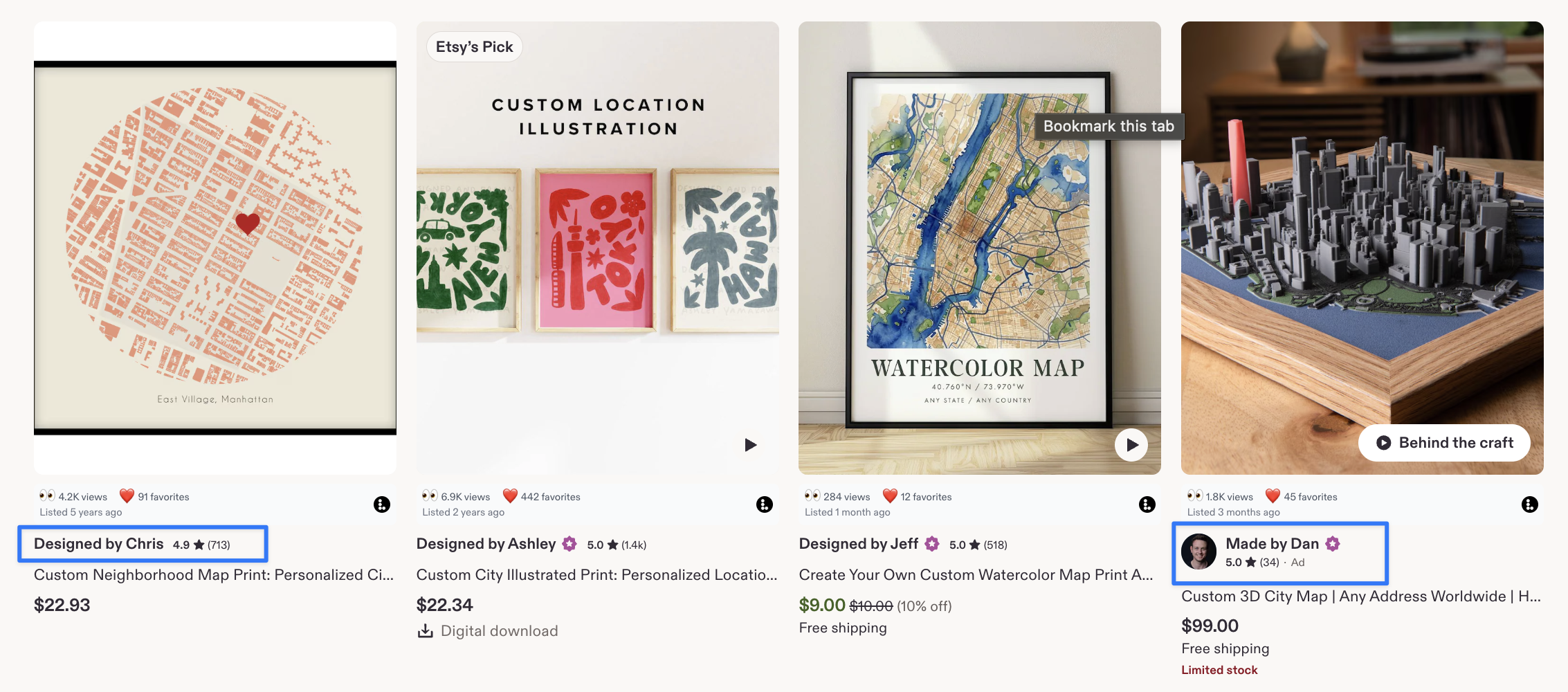
Read that again as a seller. Etsy is telling you, in plain numbers, that it wants to put the humans behind the products in front of shoppers, and it is nearly doubling how often it does that. The shops with a clear, findable story are the ones the merchandising team can actually pick up and feature.
You are already doing the hard part: making the thing. What most sellers skip is the small, five-minute settings work that lets a shopper (and Etsy’s own team) see who made it. That is what this guide fixes. I will walk through the five places your story lives in your shop, exactly where each one goes, and how to write it so it sounds like you and not like a template.
Why your story is a conversion tool, not a nice-to-have
Shoppers do not come to Etsy for the cheapest version of a thing. They come for something personal, made by someone real, with a reason behind it. That is the entire promise of the marketplace, and it is why a shopper will pick your $34 mug over a $9 identical-looking one somewhere else.
Your story does three concrete jobs. It gives a browsing shopper a reason to trust you before they have read a single review. It gives Etsy’s marketing team the raw material to feature you. And it gives a past buyer a reason to remember your name and come back, which is where the real money in a handmade shop actually lives.
None of that requires new photography or a rebrand. It requires filling in fields you already have. Let’s go through them.
1. Show the human behind the product
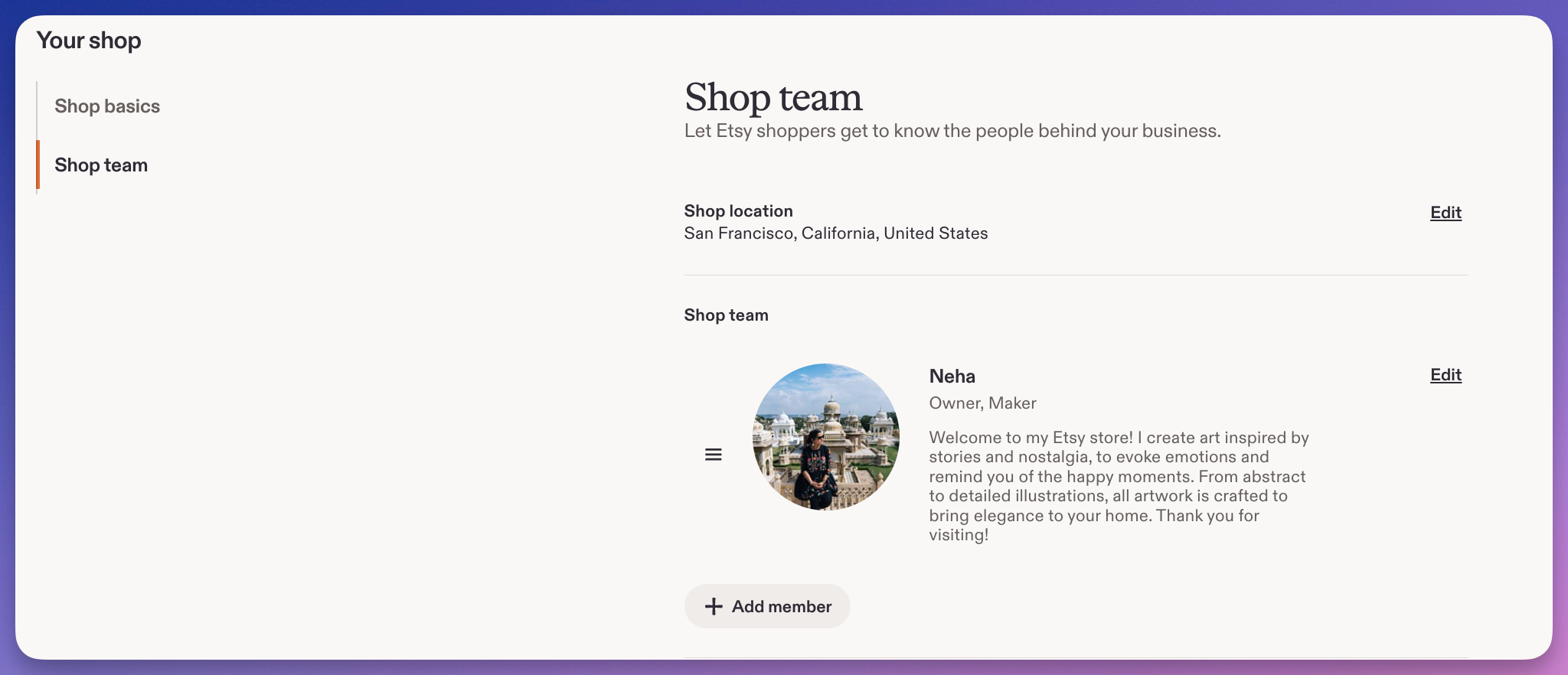
The first thing to fix is the simplest: put a face and a name to the shop. In your Shop Manager, under Settings, your shop’s Shop Team section lets you add your name, your role (“owner,” “maker,” “designer”), and a photo. Most shoppers never think about who runs a shop until they see one, and then they connect instantly.
Use a real photo of you, not your logo. A logo tells a shopper you are a brand; a face tells them you are a person they can message and who will actually reply. If you are camera-shy, a photo of you at your workbench, hands in the work, does the job just as well.
Keep the role honest and specific. “Owner and maker” says more than “Owner.” If you dye every skein of yarn yourself, say that here. This is the single highest-leverage five minutes in this whole list, because a name and role are exactly the kind of seller detail Etsy says it looks for when it picks shops to feature.
2. Introduce your team (even if your team is one person and a cat)
A shopper’s curiosity does not stop at you. If other people touch the work, they want the full picture: who does the embroidery, who packs the parcel, who answers the messages at 11pm. Your Shop Team section is where you introduce everyone.
If you genuinely are a one-person shop, do not invent a team. Say so, warmly. “It’s just me, from sketch to shipping label” is a story in itself, and plenty of buyers seek out exactly that. Solo makers convert well precisely because the buyer knows their money goes straight to the person who made the thing.
If you do have help, name them and their role. A shopper who reads that “Maria hand-finishes every piece and Sam runs the kiln” is buying from a workshop with characters in it, not a faceless storefront. That texture is what makes a shop memorable enough to return to.
3. Share where you’re based
Location is a story detail that quietly does a lot of work. A buyer looking to shop local feels closer to you when they see you are two towns over. A buyer hunting for something they cannot get at home feels the pull of “hand-thrown in a studio in Lisbon.” Either way, “where” makes the work feel rooted in a real place.
Add your location in the same Shop Team area of your settings. You do not have to publish your home address; your city and country are enough to place you.
If your location is part of the craft, lean into it. Welsh wool, Provençal lavender, small-batch anything from a place known for it, these are not just facts, they are reasons to buy. Work the “where” into your About section too, not only the settings field, so it shows up where shoppers are already reading.
Free tool: write your About section in minutes
Staring at a blank About box is the reason most sellers never fill it in. Our free Etsy About Page Generator asks you a few plain questions and drafts a warm, human About section you can paste straight into your shop and edit. No signup required.
4. Take buyers behind the scenes
Photos and video are where a story stops being told and starts being shown. Etsy gives you space in your About section for behind-the-scenes images and a shop video, and this is some of the most under-used real estate on the whole platform.
Show the unglamorous, real stuff: your actual workspace (mess and all), the tools you use, a short process clip of the thing being made, your team mid-work. Buyers do not want a catalog shoot here. They want proof that a real person in a real place made this, the thing they cannot get from a mass-market seller.
You can add these under Settings, in your shop’s basics and About areas. A 15-second phone video of you glazing a bowl or stitching a hem will outperform any stock image, because it is unmistakably yours. If you have never added a shop video, that is the highest-impact thing on this list after your photo.
One more thing on video: Etsy now lets you add up to two videos per listing, not just one (Source: Etsy Help Center, “How to Add Listing Videos”). Etsy does not label them, so the split is your call:
- Brand-story video: you at work, your studio, a quick “hi, I’m the one who makes these.”
- Product video: close-ups, scale, how the item moves or wears.
One sells the maker, the other sells the item. You no longer have to choose.
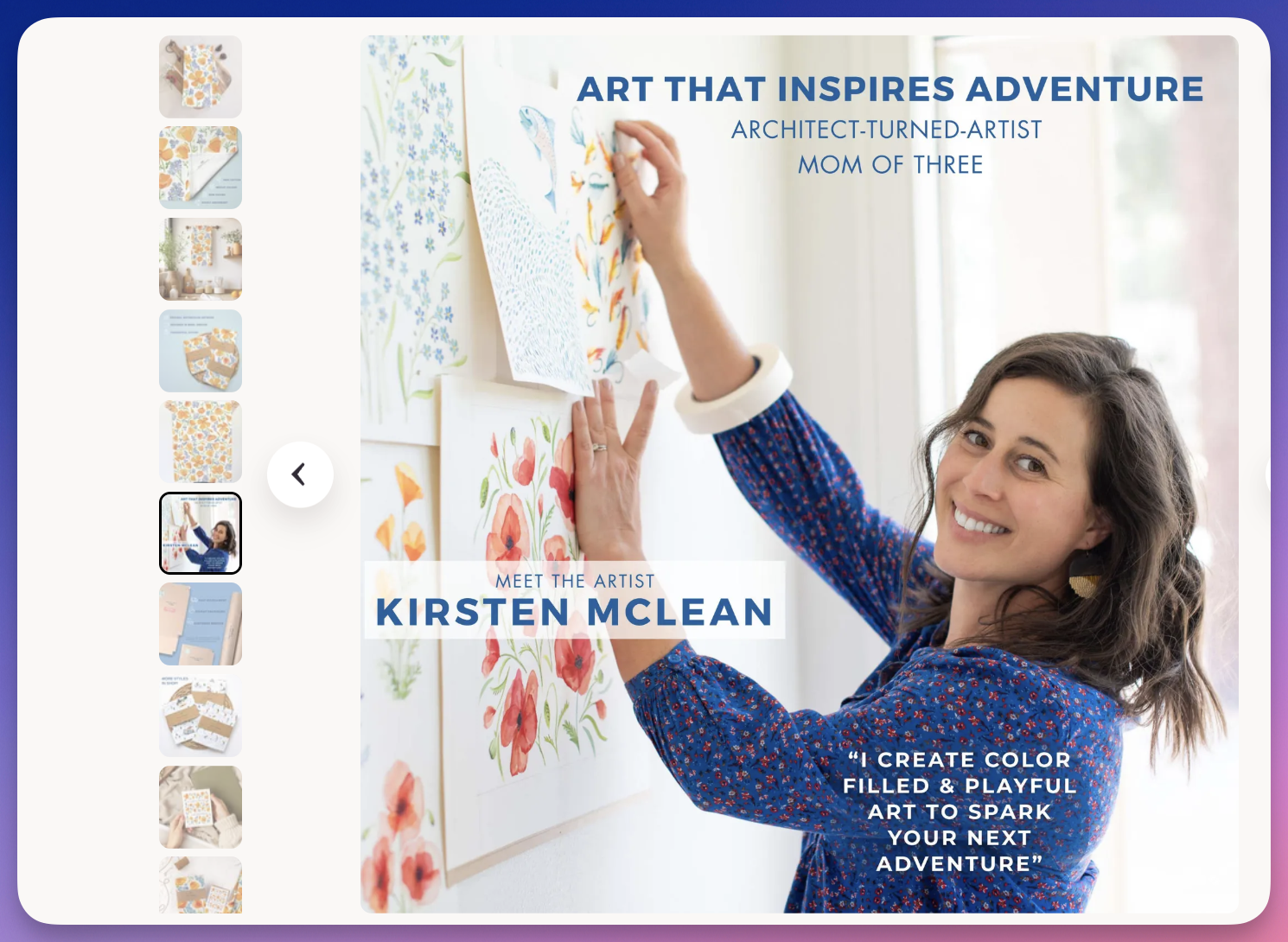
Do not stop at the About section, either. At Listadum we recommend making one of your listing images a brand-story image: your face or workspace, plus a line about who made this and why, slotted in around image four or five.
Why there? A shopper deep in a listing rarely clicks through to your About page. Putting your story in the images answers “who am I buying from?” at the exact moment they are deciding, and in our experience that is where a story image earns its place.
5. Share your inspiration
This is the heart of it: why you started. What made you open the shop, what nearly made you quit, what keeps you at the bench after a long day. Your About section is where that goes, and it is the part shoppers actually read before a big or personal purchase.
Do not write a resume. Write the way you would tell a friend. “I started making these after I couldn’t find a single baby blanket that wasn’t scratchy or covered in cartoon characters” beats three paragraphs of brand-speak every time. Specific, small, and true is what lands.
A simple structure that works:
- The spark: why you began.
- The struggle: an honest bump in the road.
- The why-now: what keeps you creating.
Three short paragraphs is plenty. If you want a deeper walkthrough of exactly what belongs in this section and whether an empty one hurts you, read does not having an About section and policies hurt me in Etsy search.
A worked example: turning a blank shop into a story in one afternoon
Say you run a shop selling hand-poured soy candles. Here is the same shop before and after, using nothing but the five fields above.
Before: Logo as the shop photo. No team info. No location. About section empty. Shopper sees a clean storefront and a nice product photo, and nothing that separates you from the hundred other candle shops in the search results.
After, about 40 minutes of work:
- Shop Team shows a photo of you pouring wax, labeled “Priya, owner and chandler, Bristol UK.”
- The About section opens with: “I started pouring candles after chemo wiped out my sense of smell, and getting it back with scent felt like a small miracle I wanted to share.”
- A 20-second brand-story video shows the pour.
- One line notes that every candle is poured in small batches in your kitchen.
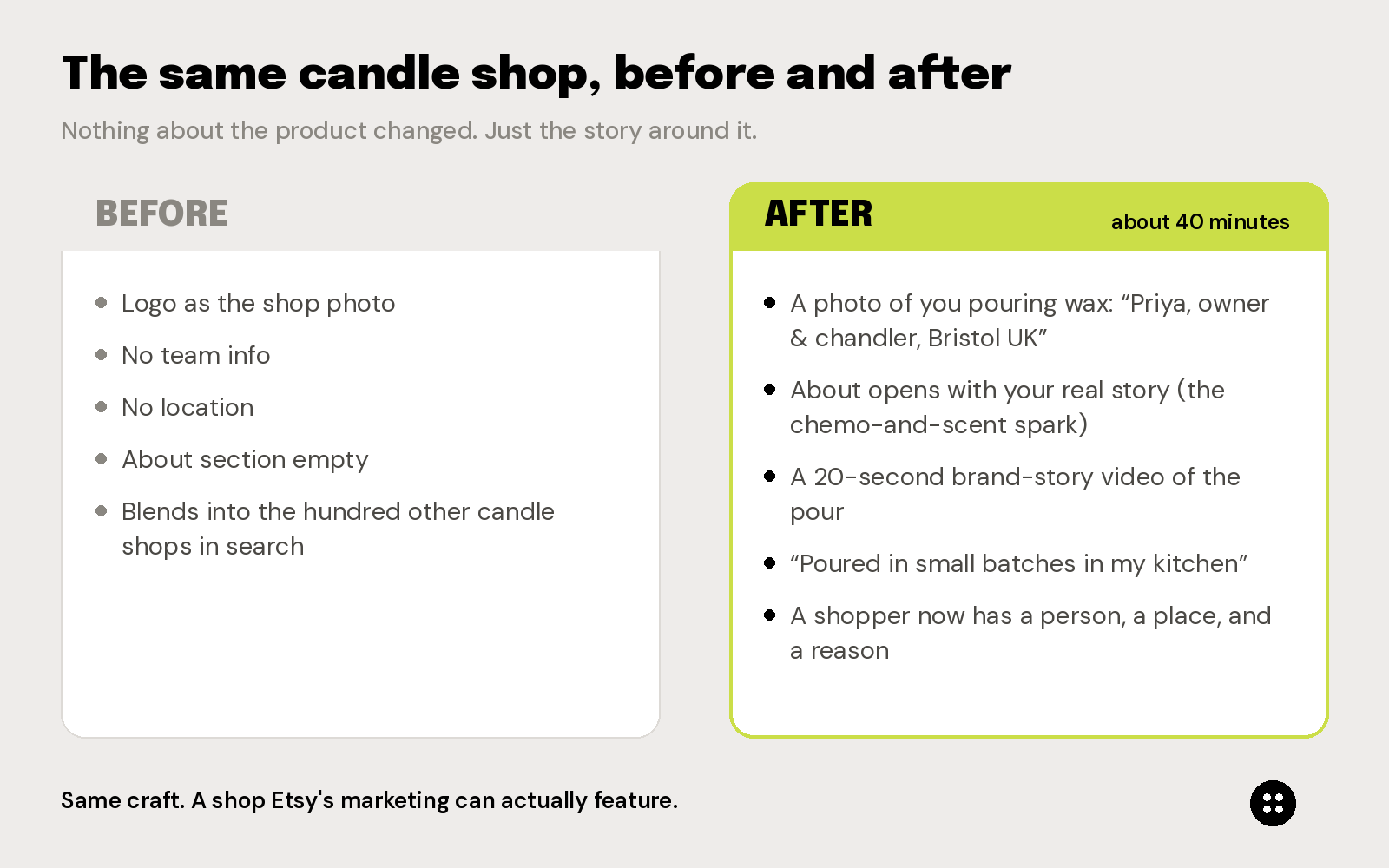
Nothing about the product changed. But now a shopper has a person, a place, and a reason, and Etsy’s marketing team has a story it can actually feature. That is the whole game.
 Credit: Watercolorwednesday
Your story placement checklist
Here is the whole thing on one screen: each story detail, exactly where it goes, and what “done” looks like. Everything below lives in Shop Manager under Settings.
| Story detail | Where it goes | Done when |
|---|---|---|
| Your name, role, and photo | Settings → Shop Team | A real photo of you (not the logo) and a specific role like “owner and maker” are showing |
| Your team members | Settings → Shop Team | Each person who touches the work is named with their role, or you’ve clearly said “it’s just me” |
| Where you’re based | Settings → Shop Team, and echoed in About | Your city and country are set, and worked into the About text if location is part of the craft |
| Behind-the-scenes photos | Settings → About section | At least a few real workspace, tool, or process shots are added |
| Shop / About video | Settings → Shop Basics / About | A short (15 to 30 second) real process or workspace clip is live |
| Two listing videos | Each listing (Etsy allows up to 2) | One brand-story video (you / your studio) and one product video (close-ups, scale, wear) on your key listings |
| Brand-story listing image | Each listing’s images (around image 4 or 5) | A story image with your face or workspace and a one-line “who made this and why” is added to your key listings |
| Your inspiration story | Settings → About section | Three short paragraphs are written: the spark, the struggle, the why-now |
| Written like a person | About section | It reads the way you’d tell a friend, not like a company bio |
If every row has a check, your story is doing its job, and Etsy’s marketing team has everything it needs to feature you.
Make sure the rest of your shop lives up to the story
So you have done the human half of standing out. The other half is quieter but just as important: making sure the listings around that story are actually complete and findable, because a beautiful About section attached to thin, unoptimized listings still struggles to get seen.
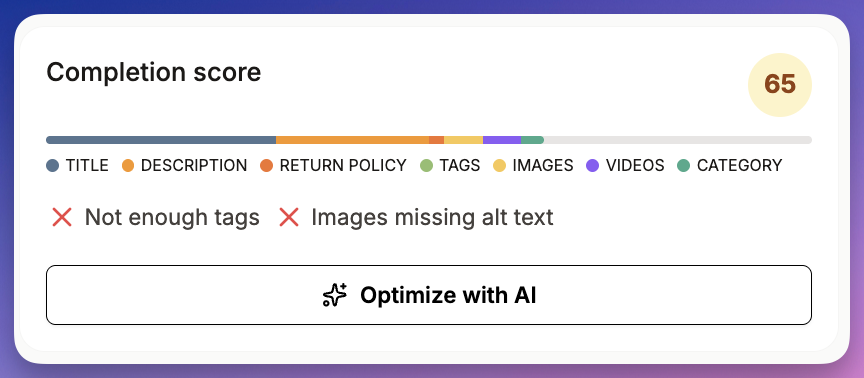
That is what Listadum handles. Connect your shop free and Listadum gives every listing a completion score from 0 to 100 and flags exactly what is missing, from short titles and missing tags to thin policies. You tell the story; Listadum makes sure the rest of the shop is doing its job underneath it.
If you are also thinking about how your story travels beyond your shop page, how to leverage social media to drive sales and grow your Etsy shop is a good next read, since the same details you added here are exactly what performs on Pinterest and Instagram.
FAQ
Where do I add my story on Etsy? Three places, all in Shop Manager under Settings. Your name, role, photo, team, and location go in the Shop Team section. Your written story, behind-the-scenes photos, and shop video go in your About section. Your shop video and basics live under Shop Basics.
Does an empty About section hurt my Etsy ranking? Etsy has not confirmed the About section as a direct ranking factor, but it affects the buyer trust and conversion signals that do influence how your shop performs, and it is one of the details Etsy’s marketing team looks for when choosing shops to feature. Filling it in is low effort and clearly worth doing. See our full breakdown in does not having an About section and policies hurt me in Etsy search.
I’m a one-person shop with no team. What do I put? Say exactly that. “It’s just me, from first sketch to shipping label” is a genuine selling point. Many buyers specifically want to buy from a solo maker, so lean into it rather than hiding it.
How long should my Etsy story be? Short. Three tight paragraphs in the About section is plenty: why you started, an honest bump in the road, and what keeps you making. Write it the way you would tell a friend, not the way you would write a company bio.
Do I need professional photos and video for the behind-the-scenes section? No, and you are better off without them. A real phone video of your actual workspace and process beats a polished studio shoot here, because the whole point is proof that a real person made this.
Your turn
You do not need a new product, a rebrand, or a photographer to do any of this. You need about an hour and the five fields above. Etsy has told you plainly that it wants to feature the makers with a clear story, so give it one to find.
Start with the two that take five minutes each: add your photo and role, then write the first line of your About section. Then, once your story is in place, connect your shop to Listadum for free and let it check that the listings underneath that story are complete, findable, and ready for the shoppers your story brings in.
Neha Chandelier, Co-founder of Listadum, selling on Etsy since 2020. She writes about Etsy tips and tricks, how to sell on Etsy, and growing a handmade shop.