


TL;DR
The Instagram integration is live in Listadum. If you already use our Pinterest integration, this will feel familiar: connect your Instagram account to your Listadum account, and you can post to Instagram without leaving Listadum.
Create an image or a carousel, and use Listadum AI to generate images and to optimize your caption and hashtags. Post it now or schedule it for later. Or turn on auto-post, pick one or two posts a day, and Listadum picks your listings, creates the images and posts them for you.
The goal is simple: a consistent Instagram account that looks alive, without a second job. The Instagram integration is available on the Growth plan and above, same as Pinterest.
The account that went quiet
Most Etsy sellers have an Instagram account. Most of those accounts have the same story: a burst of posts when the shop opened, then a few, then nothing since spring.
It isn’t for lack of things to show. Every listing you make could be a post. But turning it into one means picking the photos, choosing a format, writing a caption, hunting for hashtags, and remembering to do it again tomorrow. So the account goes quiet, and a quiet account looks like a closed shop to anyone who finds it.
Listadum already knows your listings. Same as with Pinterest, it can take most of that work off your plate.
Connect your Instagram account
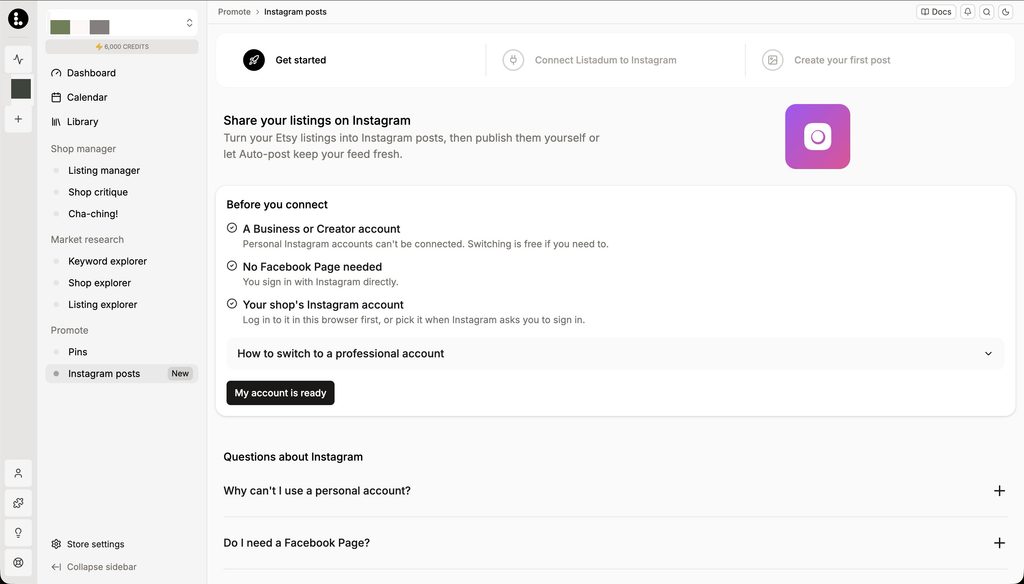
First, connect your Instagram account to your Listadum account and grant access. Click “Instagram posts” in the sidebar, under Promote. You can also manage the integration anytime from Store settings > Integrations.
You will need an Instagram Business or Creator account. Personal accounts cannot be connected.
Post directly from Listadum, as an image or a carousel
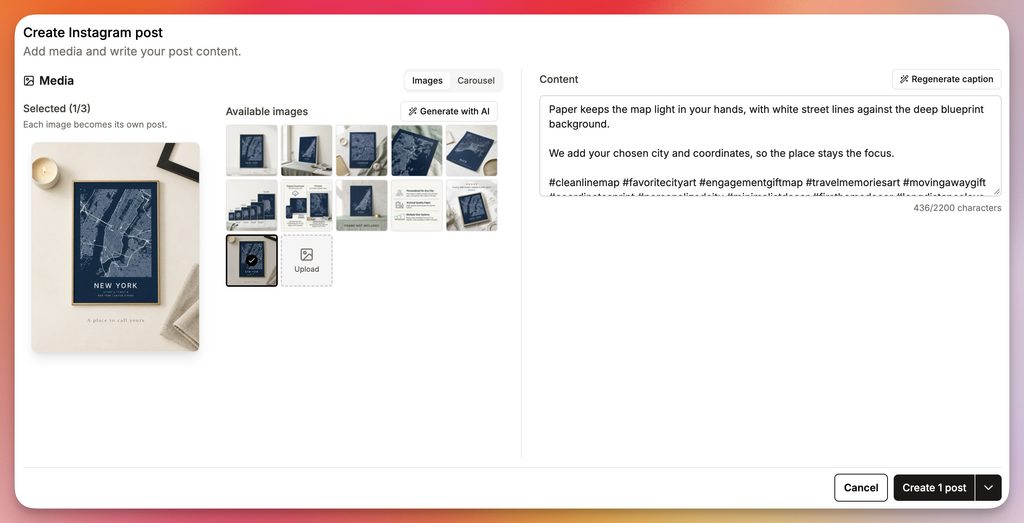
Create a post from Listadum as a single image or a carousel. Each post starts blank, and Listadum AI is there to help: it can generate images for it and optimize your text, from the caption to the hashtags, so you are not stuck staring at an empty box.
Schedule posts for later
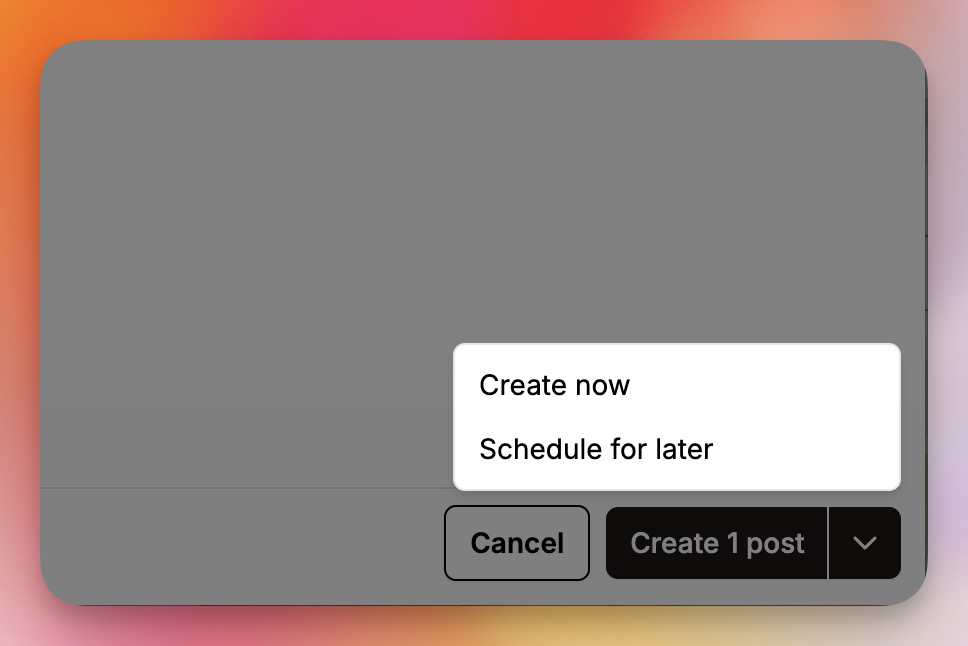
You don’t have to publish now. Build a batch of posts on a quiet afternoon and schedule them to go out over the next few days or weeks. Scheduled posts show up in the Calendar view, right next to your scheduled pins, so you can see everything that is going out at a glance.
Or let auto-post handle it
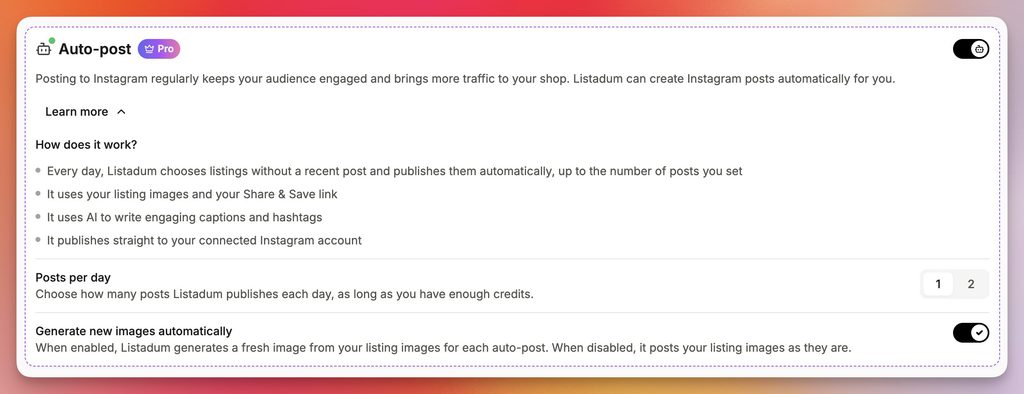
This is the part I’m most excited about. Turn on auto-post, choose one or two posts per day, and Listadum picks listings from your shop, generates the images and posts them to your Instagram automatically. There is nothing to review or approve. You set it up once, and your account keeps moving even in the weeks you’re buried in orders.
A few honest notes
Auto-post on its own probably won’t bring a flood of traffic. Let’s be upfront about that. What it does is make your account livelier. Someone who lands on your profile sees a shop that is active today, not one that stopped posting months ago.
Where it really works is alongside the content you make yourself: behind-the-scenes clips, process shots, the story of a piece. Auto-post keeps the baseline steady, you add the personal posts on top, and together that’s a great way to grow and promote your account.
A few other things worth knowing. For now, you can post images and carousels; Reels and Stories are not supported (yet). Auto-post publishes without a review step, so turn it on when you are comfortable letting Listadum choose. And you will need an Instagram Business or Creator account.
Pricing
The Instagram integration is included on the Growth plan and above, same as Pinterest. Connecting your account, posting and scheduling are part of your plan. AI generations, for images and for captions and hashtags, use your Listadum credits, the same way AI does everywhere else in Listadum.
Bring your Instagram back to life
If you’re already on Listadum, click “Instagram posts” under Promote, connect your account, make one carousel for a listing you love, and then turn on auto-post at one a day to see how it feels.
If you’re new, create an account, connect your Etsy shop and Instagram, and let your listings start working outside Etsy too.
Try it and tell me what works, and what you’d want it to do next.
FAQ
Is this like the Pinterest integration?
Yes, very similar. You connect your account once, then create, publish and schedule posts from Listadum, and scheduled posts show up in the same Calendar view.
What can I post?
A single image or a carousel. Reels and Stories are not supported yet.
What kind of Instagram account do I need?
An Instagram Business or Creator account.
Does Listadum write the captions?
Posts start blank, and Listadum AI can generate images and optimize your text, including hashtags. You can edit everything before posting. AI generations use credits.
What is auto-post?
Pick one or two posts per day, and Listadum picks listings from your shop, generates the images and posts them to your Instagram automatically, with no review step.
Will auto-post bring me lots of traffic?
On its own, probably not much. It makes your account look alive and active, and combined with content you create yourself, it’s a great way to promote your account.
Which plans include it?
The Growth plan and above.
Where do I manage the integration?
Click “Instagram posts” in the sidebar under Promote, or go to Store settings > Integrations.