
Product Description Examples That Sell (+ Free Template)
By Neha Chandelier, Co-founder of Listadum · Last updated: June 2026 · 9 min read
Your product is brilliant. Your photos are sharp. And then the cursor blinks in the description box and the words will not come. If that is you, you are in good company, because the description is the part of the listing most sellers rush, and it is quietly costing them sales and search visibility at the same time.
Here is the good news: a description that ranks and sells is not about being a great writer. It is about structure. Once you know what the first two lines have to do, and what the rest has to do, the blank box stops being scary.
Quick answer: Write the first two lines for search and skimmers (what the product is and who it is for, in the buyer’s own words), then write the rest to sell (the details a photo cannot show). Etsy reads the opening of your description as a ranking signal, and so do Google and AI shopping assistants, so those first lines do double duty. Keep it scannable for mobile, where most of your buyers are.
Part of: the Listing Optimization Guide
Across to: The Etsy title formula that actually ranks
Across to: How to write Etsy tags that get found
Why your description matters more than it used to
For years, the advice was that descriptions did not affect Etsy search. That is no longer safe to assume.
Etsy confirms it in the Seller Handbook: the keywords across your title, description, tags, categories, and attributes all feed query matching, the first phase of search ranking. The opening of your description is part of that. On top of that, Google and AI shopping assistants now read your description to understand and recommend your product, so a clear description earns you visibility well beyond Etsy’s own search bar.
And of course the description still has its original job: convincing a real human to buy. So it carries two loads at once. The structure below handles both without making you choose.
The two-job structure
Think of your description as two parts with two different jobs.
The first two lines do the ranking. Etsy shows roughly the first 160 characters on the listing page before a buyer taps to expand, so the opening has to earn the click and carry your relevance. Lead with what the product is and who it is for, in the same buyer language you used in your title. Do not copy your title word for word, which Etsy specifically advises against. Write a natural sentence or two that works your top phrases in.
The rest does the selling. Once the hook has done its job, switch to the details that close the sale: size and dimensions, materials, care, customization options, packaging, and the answer to the question buyers keep messaging you about. This is where you remove doubt.
Get those two jobs in the right order and you have a description that ranks and converts. Get them backwards, opening with “Made with love in my studio,” and you have buried both the keywords and the buyer’s answer below the fold.
A good description vs a bad one
The fastest way to feel the difference is to see it. Same product, two descriptions.
Weak:
Beautiful handmade mug. Perfect for coffee or tea. Made with love. Each one is unique! Microwave safe. Great gift idea.
Strong:
Handmade 16oz speckled stoneware coffee mug, made for slow mornings and tea lovers alike. Each mug is hand-thrown in our Portland studio with a unique speckled glaze in desert-sand tones.
- Holds 16oz (473ml): room for a full pour-over, latte, or afternoon chai
- Wide mouth fits coffee makers and tea infusers
- Microwave safe, dishwasher safe, lead-free
- Fired at high temperature for everyday durability
- Arrives in plastic-free packaging, ready to gift
The weak one says nothing a photo did not already show. The strong one opens with the buyer’s search language (“handmade stoneware coffee mug”), then answers every practical question in scannable lines. That is the whole game.
What separates good from bad
| Bad descriptions | Good descriptions |
|---|---|
| One-word filler (“Beautiful!”, “Handmade!”) | Sensory, specific detail the buyer can picture |
| ALL CAPS that read like shouting | Clear, scannable formatting in a natural voice |
| Missing measurements or materials | Full specs: size, materials, care |
| Generic “perfect gift”, “must-have” | Specific use cases (“fits a standard coffee maker”) |
| Keyword stuffing (“mug cup tea coffee drinkware”) | Natural keywords that read like a human wrote them |
| Features only (“6 pockets”) | Features tied to benefits (“6 reinforced pockets keep cards secure”) |
| Pushy “Buy now!!!” | Helpful detail that guides the decision |
Three habits that make descriptions work
Start with the buyer, not the product. Before you write, picture who buys this. Gift shopper or treating themselves? Do they need materials and care, or a quick “will this fit my coffee maker”? Write the answers to their real questions, in that order.
Turn features into benefits. Buyers do not want “100% organic cotton,” they want “soft, breathable fabric that is gentle on sensitive skin.” State the feature, then say what it does for them. It helps the buyer picture using the thing, which is what moves them to buy.
Write for the phone. The majority of Etsy purchases happen on mobile, where a wall of text gets skipped. Use short paragraphs, put the important details near the top, and break specs into bullet points. A quick check: open your own listing in the Etsy app and see how it actually reads on a small screen.
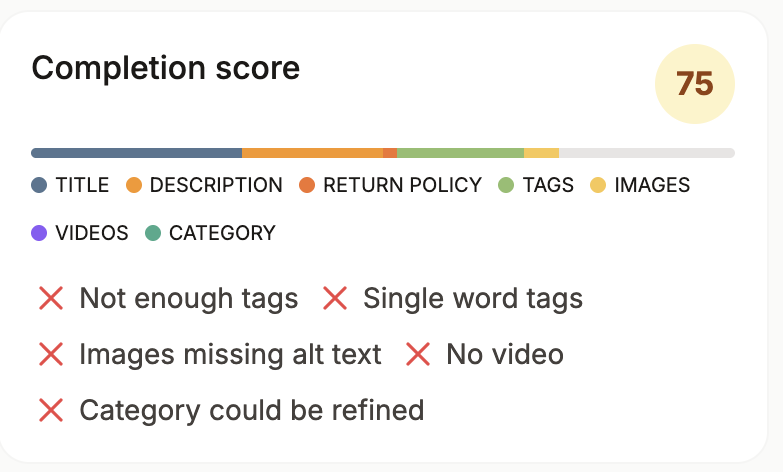
See which of your descriptions are dragging you down. Run a free Shop Critique. It flags listings with thin descriptions, missing keywords, and unused tags, with a fix for each and no signup required.
Free Etsy description templates
If you want a starting frame, fill in the brackets. Keep the first two lines doing the ranking job, then work down the list.
Handmade item
[Opening: what it is + who it is for, in buyer language]
- Materials used
- Dimensions and size options
- Color variations
- Customization or personalization options
- Care instructions (cleaning, storage)
- Processing and shipping time
- Packaging and gift options
- Returns and contact info
Digital download
[Opening: what the file is + who it helps]
- File formats included (JPG, PNG, PDF, SVG)
- Dimensions and resolution (for example 300 DPI for print)
- What is editable vs fixed
- Instant-download steps and how to open the files
- Printing recommendations
- License and usage rights
- Support and contact info
Apparel
[Opening: what it is + how it is worn]
- Available sizes (link a size chart)
- Colors and fabric (for example 100% cotton)
- Fit (slim, oversized, unisex)
- Print or embroidery technique
- Wash and care
- Shipping and processing time
- Returns and contact info
Writing descriptions faster with Listadum
Knowing the structure is one thing. Writing it 200 times is another. A few Listadum features take the repetitive part off your plate.
Templates save a full listing frame, not just the description, so a POD shop selling mugs and tees can load the whole listing in one click and tweak the color or size.
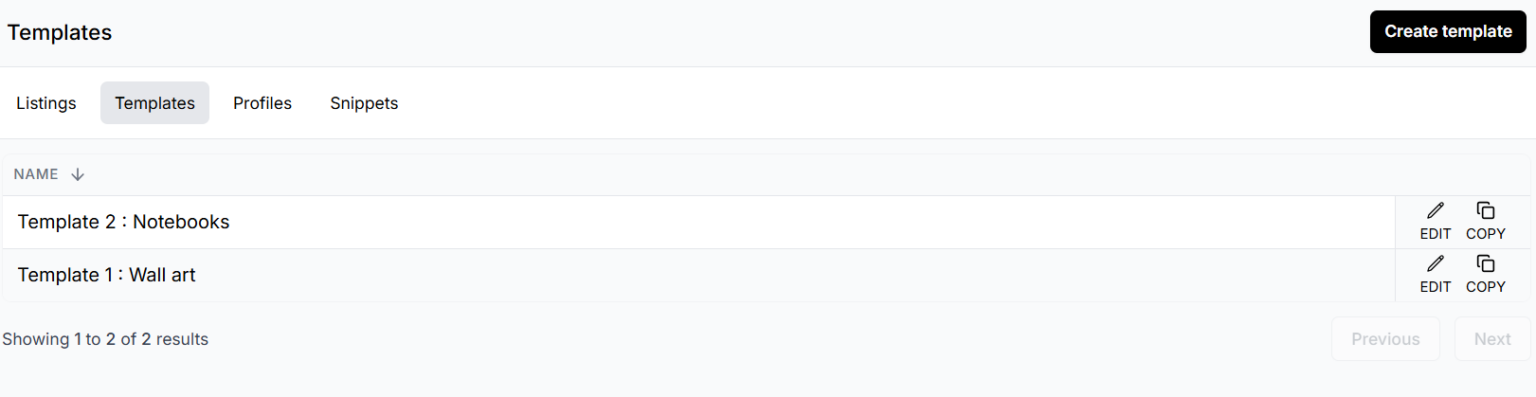
Listadum listing templates screen for reusing Etsy product listings and descriptions
Snippets are plug-and-play blocks for the parts that repeat across listings, like your shipping or care section, so you drop them in instead of retyping.
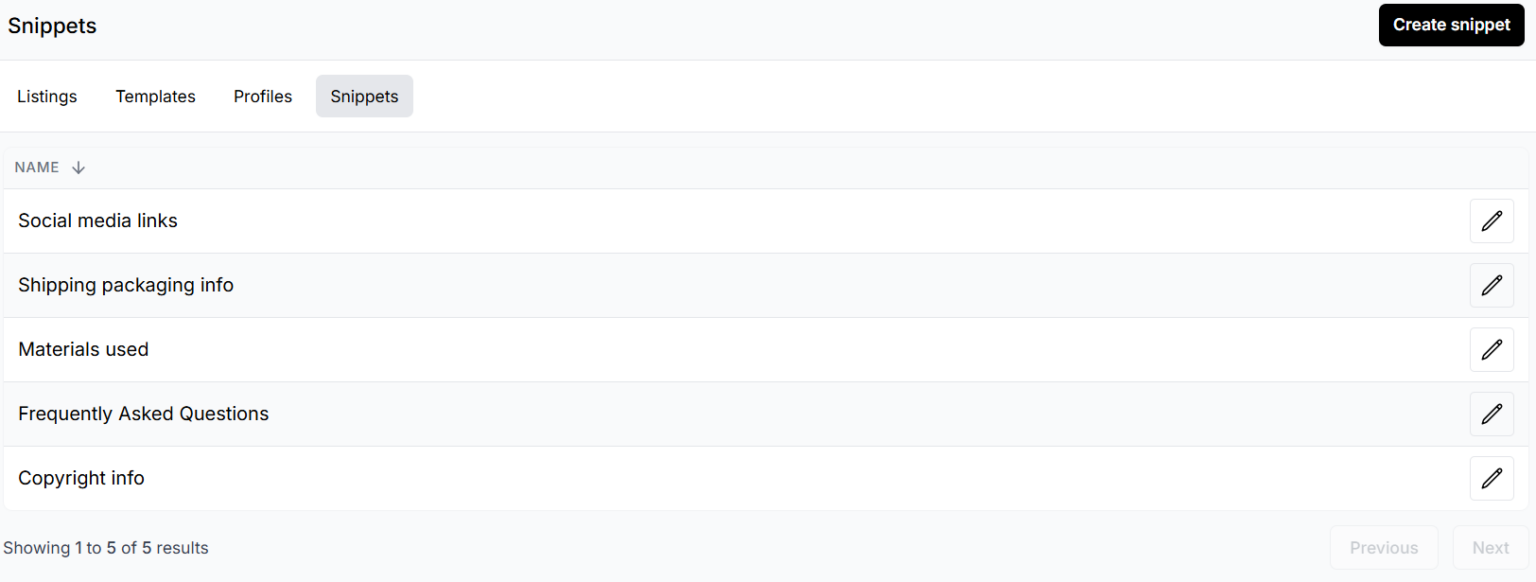
Listadum snippets feature for inserting reusable description blocks into Etsy listings
And the AI Helper edits what you have written: make a description longer or shorter, tighten the writing, or shift the tone, from one icon.
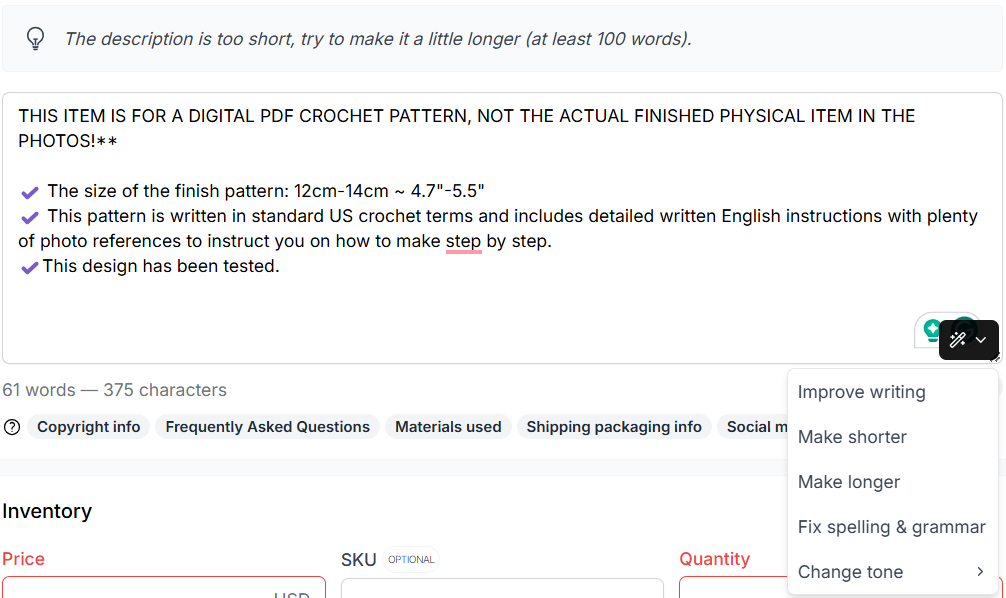
Listadum AI Helper editing an Etsy product description with longer, shorter, and retone options
The point is not to automate your voice away. It is to spend your time on the opening hook that matters and let the boilerplate take care of itself.
Frequently asked questions
Do Etsy product descriptions affect SEO?
Yes. Etsy’s own Seller Handbook lists descriptions among the fields that feed query matching, the first phase of search ranking. The opening of your description carries the most weight, and Google and AI assistants also read your description, so a clear, keyword-aware description helps you get found in more than one place.
How long should an Etsy description be?
Longer than the line or two Etsy minimally suggests. Lead with a strong opening in the first 160 characters, then be genuinely thorough: materials, size, care, customization, and packaging. Aim to answer every question a buyer might message you about, without padding it with filler.
Should I repeat my title in the description?
No. Etsy advises against copying your title verbatim. Instead, write a natural opening sentence or two that works a few of your top keywords in, in your own voice. Repeating the title word for word reads poorly and wastes the strongest part of the description.
Where do the keywords in my description come from?
The same place your tags do: real demand data. Use a keyword tool to find phrases buyers actually search, then place them naturally in your opening and body. See how to write Etsy tags that get found for the research workflow.
How do I format an Etsy description for mobile?
Short paragraphs, key details near the top, and bullet points for specs. Most buyers are on a phone, so a single dense block gets skipped. Preview your listing in the Etsy app to see how it really reads.
Can I use AI to write my Etsy descriptions?
You can, as a drafting and editing aid, as long as the result stays accurate and sounds like you. Listadum’s AI Helper can lengthen, shorten, retone, or polish a description you have started. Write the honest details yourself, then use AI to tidy them, rather than letting it invent claims about your product.
Check your real descriptions, not just examples
Examples help, but your own listings are what sell. Connect your shop to Listadum free and see which descriptions are too short, missing keywords, or leaving tags unused, with a specific fix suggested for each.
Free plan · no credit card · connect your real Etsy shop in minutes
Neha Chandelier, Co-founder of Listadum, selling on Etsy since 2020. She writes about Etsy tips and tricks, how to sell on Etsy, and growing a handmade shop.
Related guides: The Complete Guide to Etsy Listing Optimization · The Etsy title formula that actually ranks · How to write Etsy tags that get found