
There’s a setting buried in Etsy that most sellers don’t know about. It won’t show up in your dashboard. Etsy doesn’t remind you it exists. But turning it on can help keep copycats away from your best-selling products.
The Setting: Hide Your Sold Listings
By default, Etsy shows your sold listings to everyone. That means anyone can visit your shop and see exactly what’s been selling. Competitors love this. It tells them what works without doing any research.
Here’s where to find it:
- Go to your Shop Manager
- Click Settings, then Options
- Scroll to Sold Listings
- It asks “Want shoppers to be able to see these?” Select No, hide them
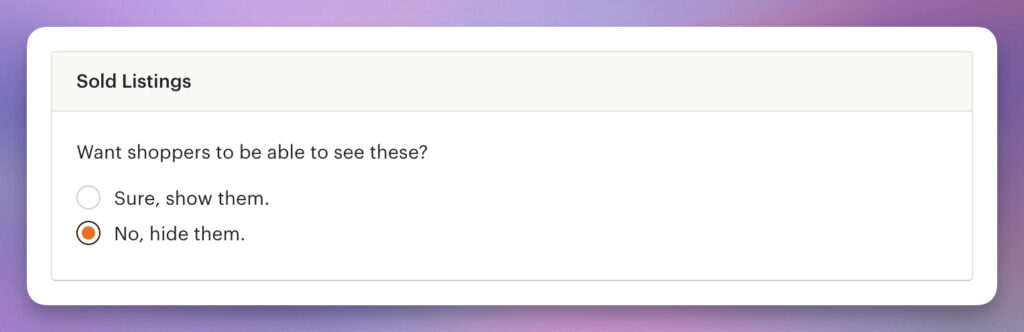
Done. It takes 30 seconds.
Will This Stop All Copycats?
No. Some sellers use research tools that track sales data across Etsy. They can still get estimates of what’s selling.
But hiding your sold listings makes that data less accurate. It also stops lazy competitors who just browse shops looking for ideas to copy.
It’s not a perfect fix. But it adds a layer of protection that most sellers skip.
Check Your Settings Today
This is one of the easiest things you can do to protect your shop. Most sellers never change it because they don’t know it’s there. Now you do.
Protecting your shop starts with knowing it inside out.
Listadum keeps a full picture of your listings and how they change over time, so you always know what’s yours and when it moved.
See your listing history free →
Free plan · no credit card · connect your real Etsy shop in minutes