


If you have been on Etsy for a while, you know that Etsy is always performing experiments all over the website in order to optimize all sorts of things, with a focus on the buyer experience, and of course, sales since the more sales sellers make, the more money Etsy makes.
In the last year, Etsy has been experimenting a lot with the listing thumbnail aspect ratio, and it got many sellers confused. When historically using a square image was covering most cases, we now see a variety of aspect ratios all over the website: square, portrait, landscape? They are all used in different parts of the website and mobile apps.
Etsy’s preview tool
In a nice gesture, Etsy finally added a bit of a preview when you adjust the thumbnail of your listing. We now have a very basic “What buyers will see” preview that looks like:
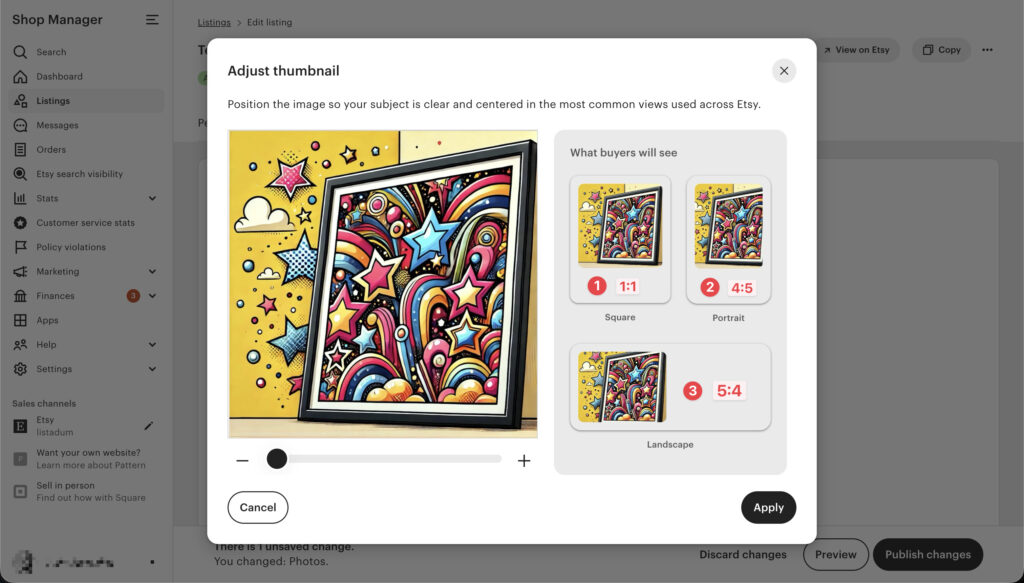
What we see here are three possible aspect ratio:
- square (1:1)
- portrait (4:5)
- landscape (5:4)
Where and how thumbnails are used
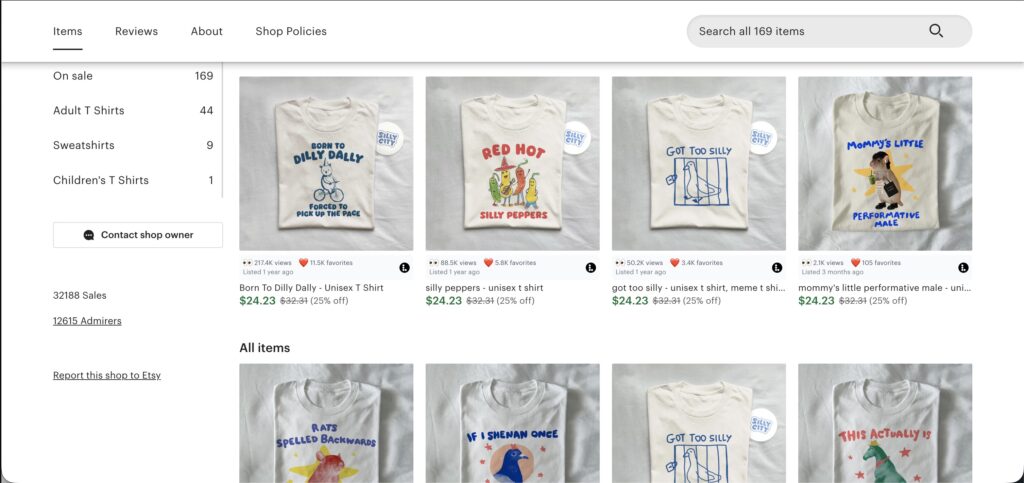
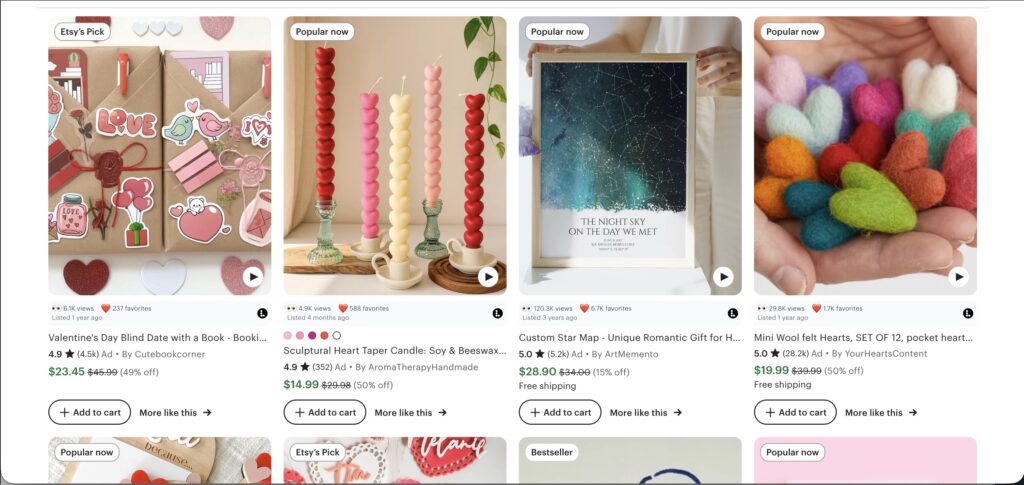
I did a bit of research to find where these different aspect ratios are used in the wild (and I’m sure this is still fluid as Etsy keeps experimenting more), here are some example:
Desktop:
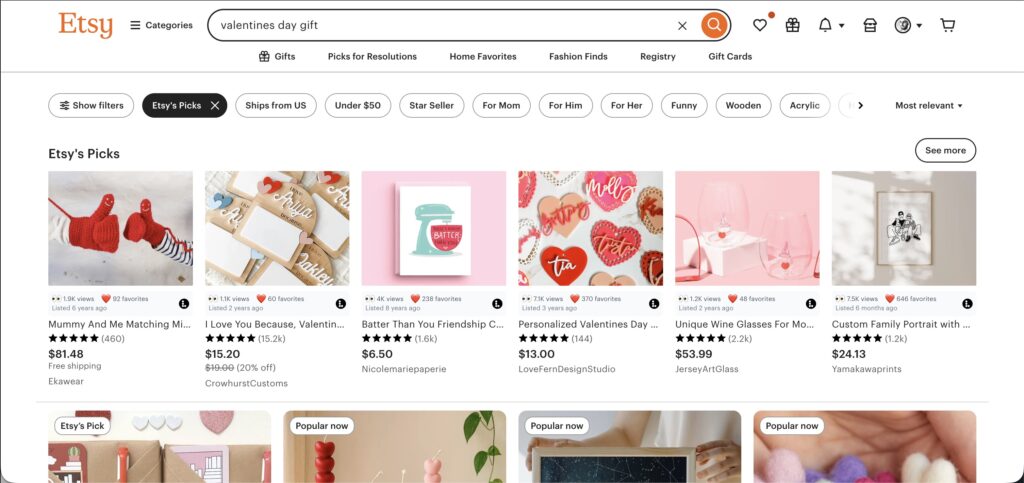
Screenshot of the featured categories showcasing landscape thumbnails
Mobile:
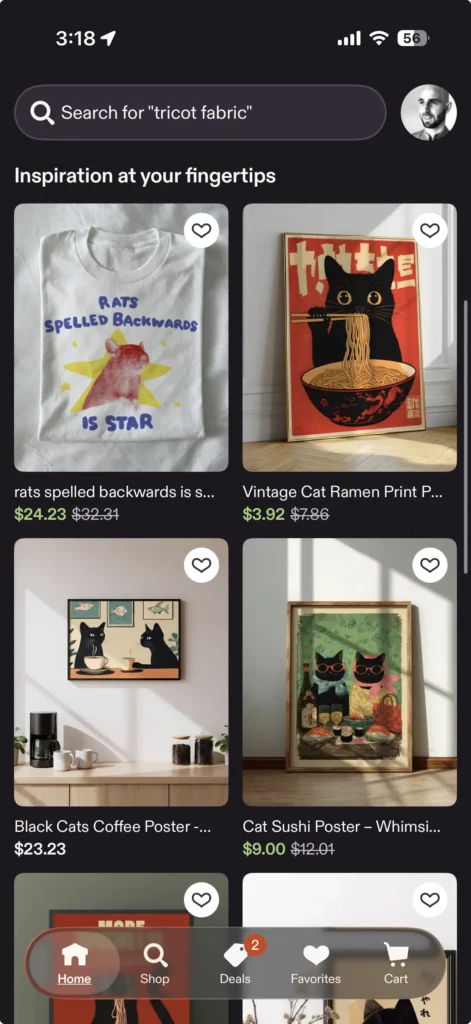
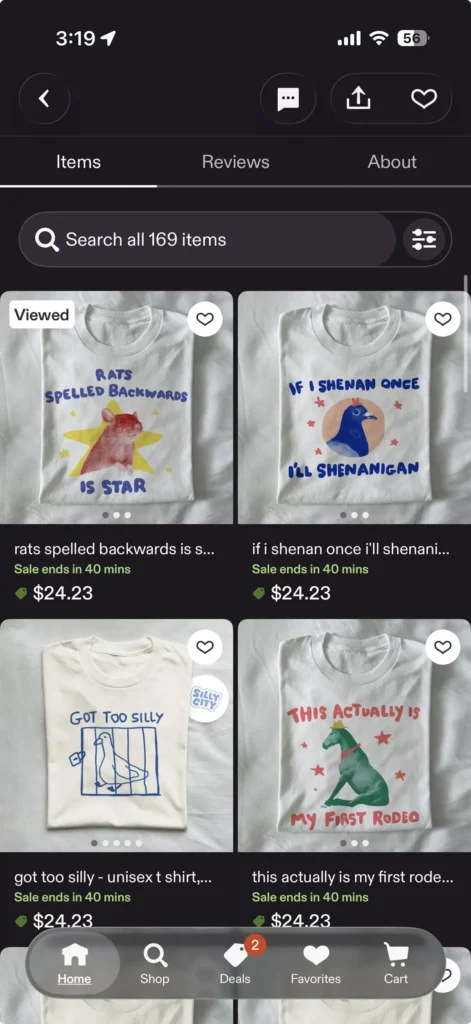
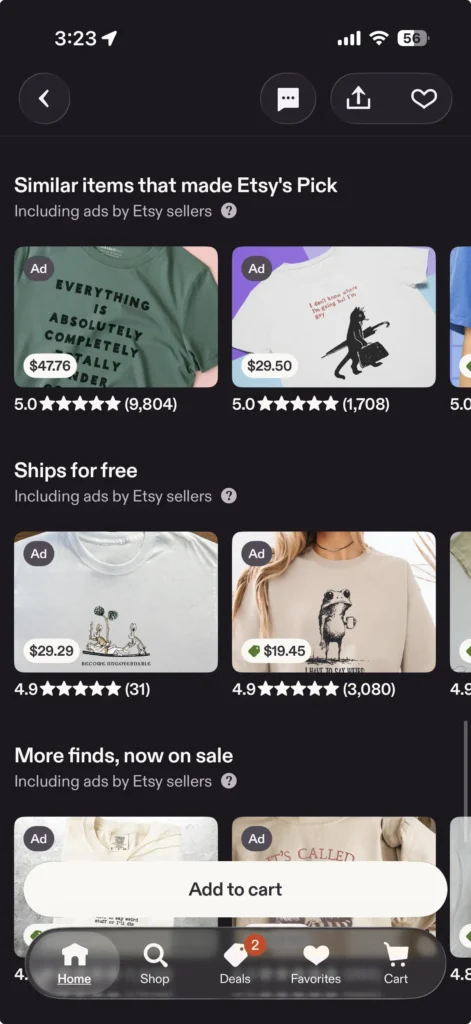
And these are only example, there are plenty of other screens showing listings, but it is always one of the 3 aspect ratios.
How should I design my thumbnail?
Even though we can currently see each aspect ratio used in various place, it is clear that is something that will continuously change from now on while Etsy is experimenting.
So the best strategy? Design one image that works in all placements.
And since the guideline from Etsy recommends images to be at least 2000px on their shorter side, here is a solution that can work in most cases:
- start with a 2000x2000px canvas
- place your image so that the product appears in the middle
- make sure the important parts of the product image are not cropped using safe area margins
- bonus: if using stickers, make sure that there are located in a place that will not be cropped
When it comes to margins:
- Avoid putting anything that matters in the 200px from the left/top/right/bottom.
- And avoid putting stickers in the 250px from the left/top/right/bottom of the image.
For example, if we were to leave things in the unsafe bleeding area (red, and to some extent yellow) like this:
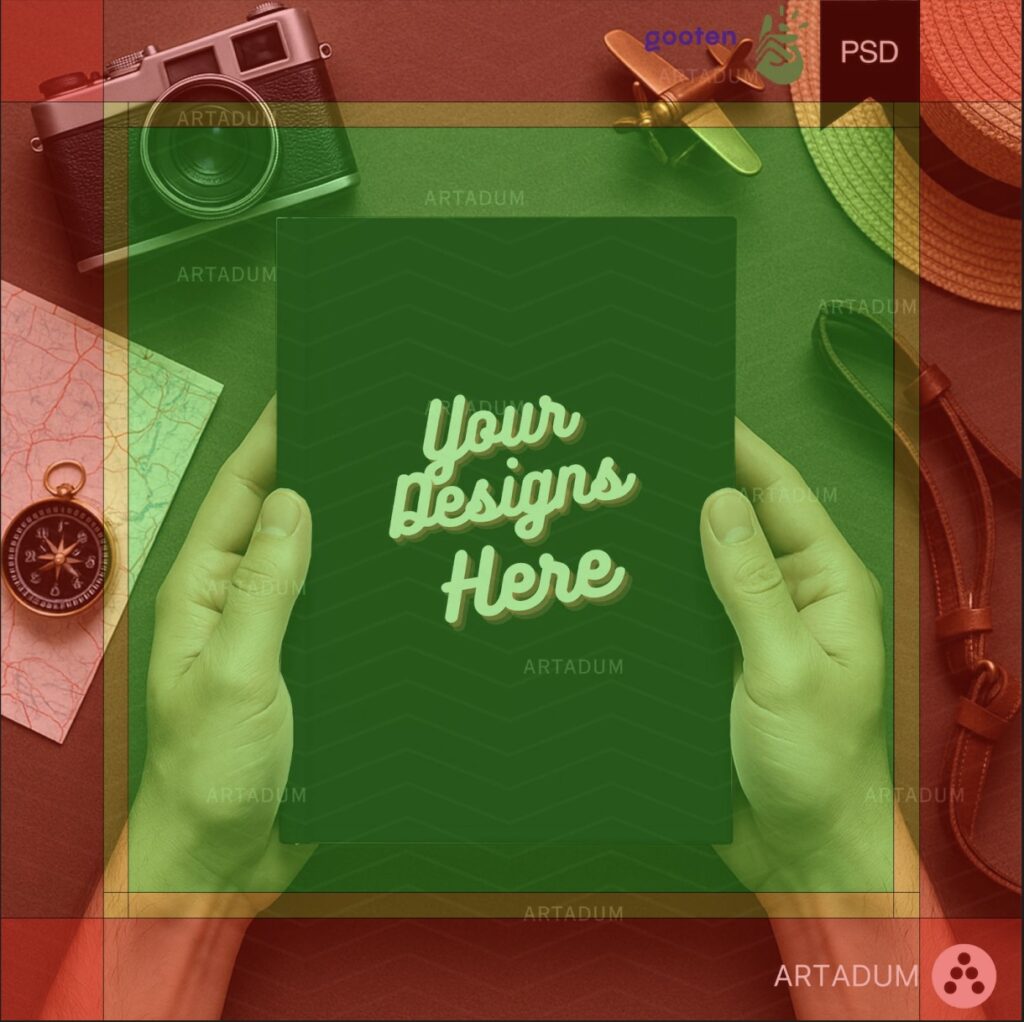
It is guarantee that it will not always look good.
This thumbnail looks good on the shop page which feature a square image:
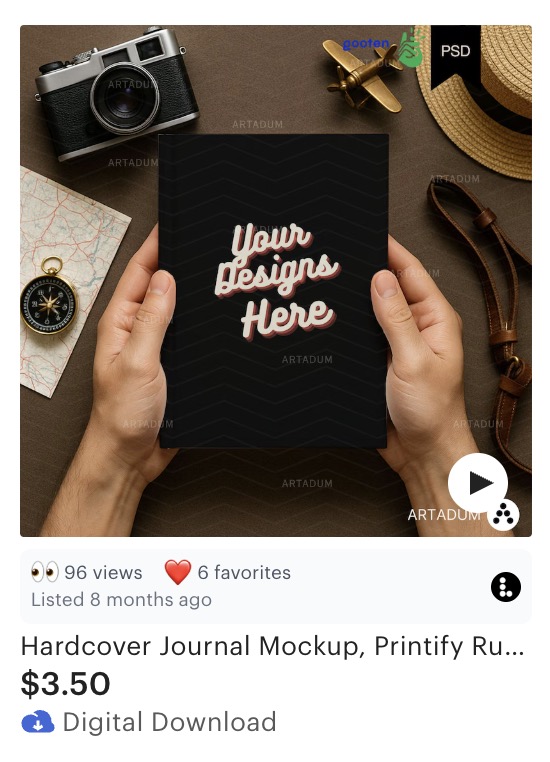
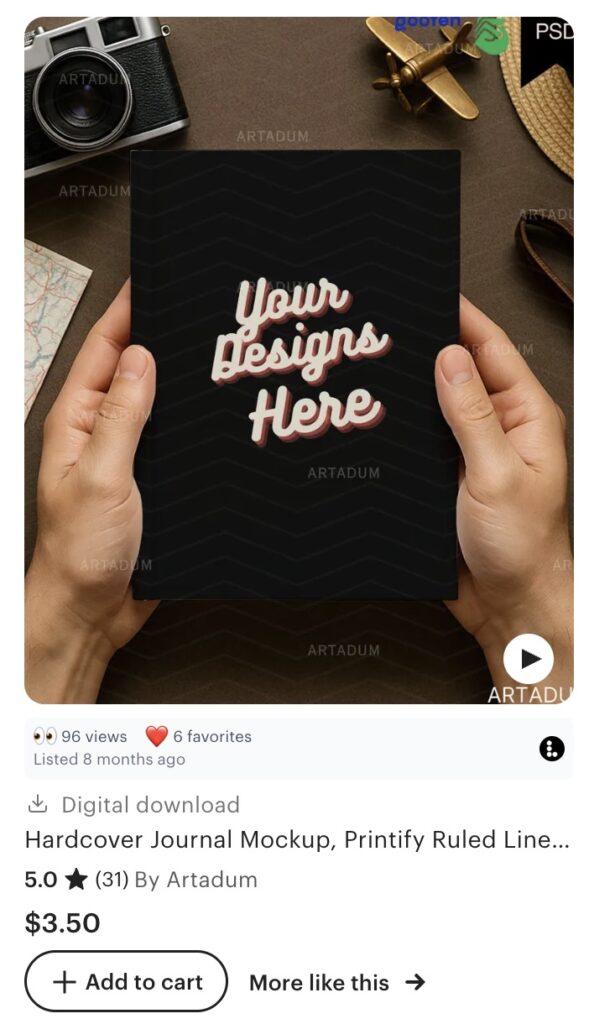
But important details may be cropped in other renditions, like in the search results (which is the most important!!!), where the badges/stickers in the top right and the brand in bottom right are cropped.
Free download
Feel free to download and overlay this transparent image on top of your thumbnail image in Canva, Photoshop or any tool you may use to create your images.
With that you’ll quickly see if things may be cropped out or not.

(right click and download the image above, it’s easy and free)
See which thumbnails actually get clicks
A great thumbnail only helps if the listing behind it is found. Listadum scores each listing and tracks its views and clicks, so you can tell which images are pulling their weight.
Free plan · no credit card · connect your real Etsy shop in minutes