


I keep meeting this painter. Not literally the same person, but the same story, over and over. She has dozens of finished pieces. Sometimes hundreds. Some she wants to sell as originals, some she wants to digitize as prints. The art is done. The photos are taken. The shop is open.
And the listings? Not live. Never live. Because sitting down to create each one, one by one, filling every field, hunting for the right tags, writing descriptions, picking categories, is just too much. So the backlog grows. And the art never makes it to the shop.
This post is for her. And for you, if that hits a little too close.
Where to find it
Listing manager. Click the arrow next to the “Create listing” button. Bulk Create is right there.
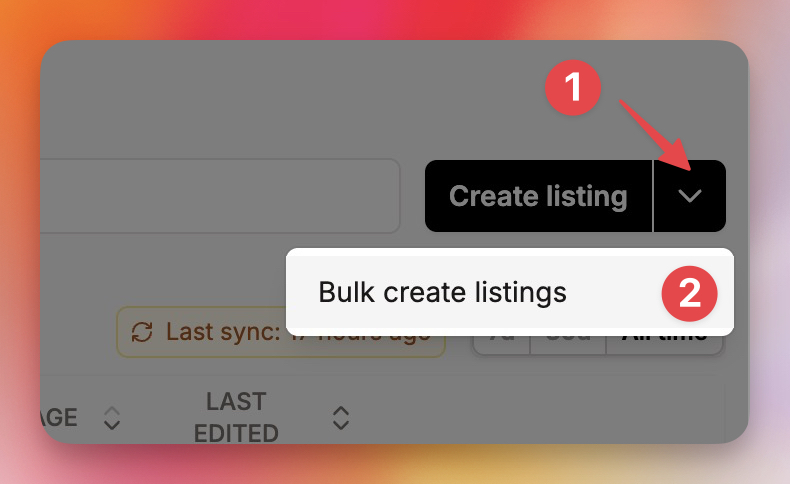
Drag. Drop. Done.
You already organize your work in folders on your computer. One folder per piece. Photos inside, maybe a video, named however you name it.
Drag those folders into Bulk Create. That is it. Each folder becomes a listing. The images and videos get attached automatically. The folder name becomes the title.
Not ready with folders? Start empty and build your batch from scratch, adding listings as you go.
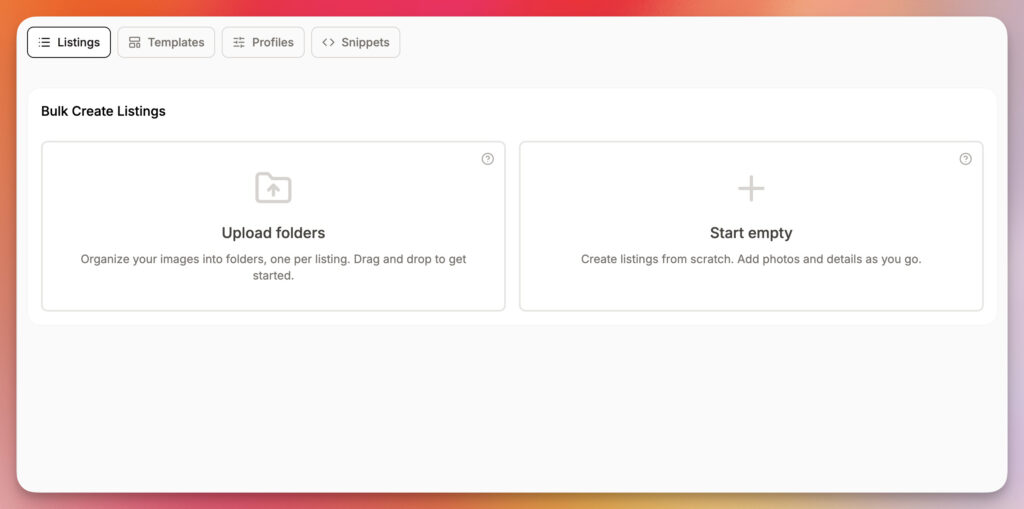
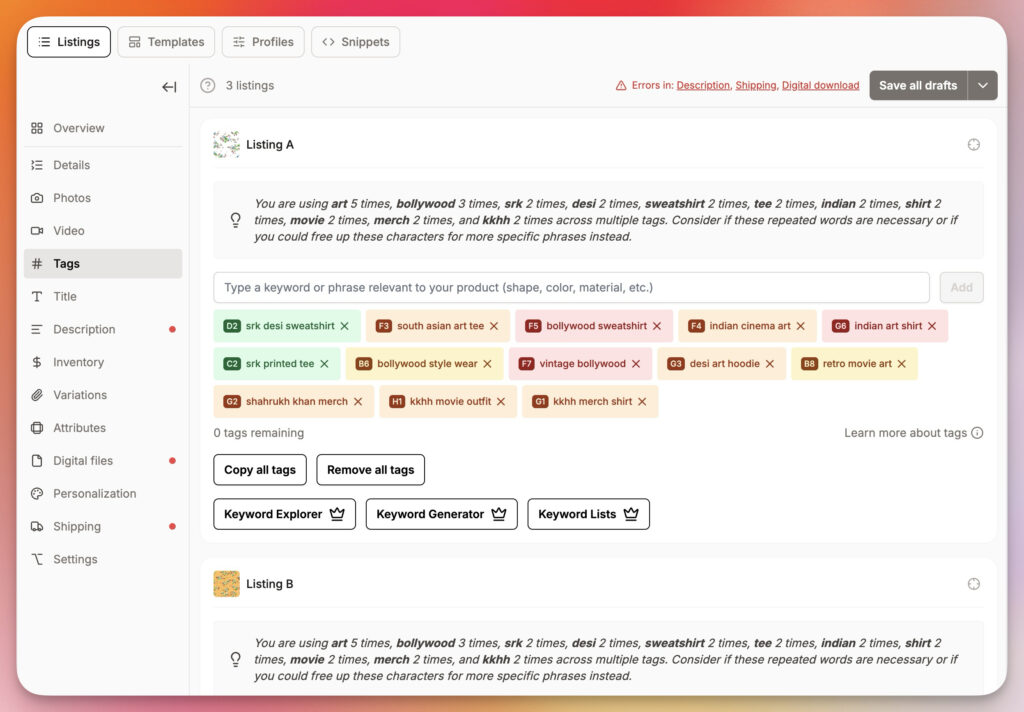
One view, all your new listings
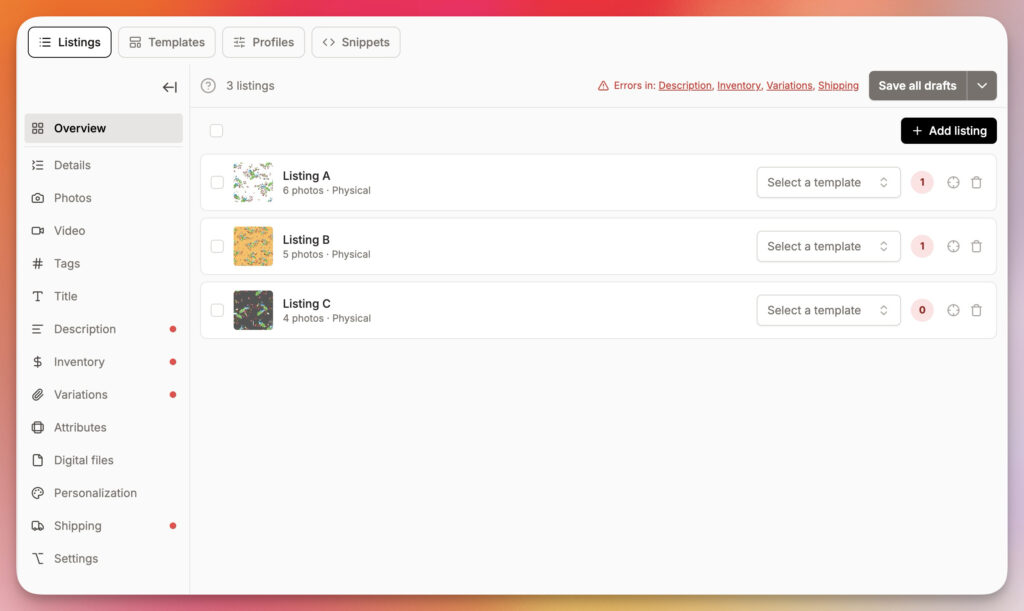
This is where it gets good. Every listing you are creating sits side by side in a single overview. You see what is done, what needs attention, and where the errors are. No more tab purgatory.
Templates do the heavy lifting
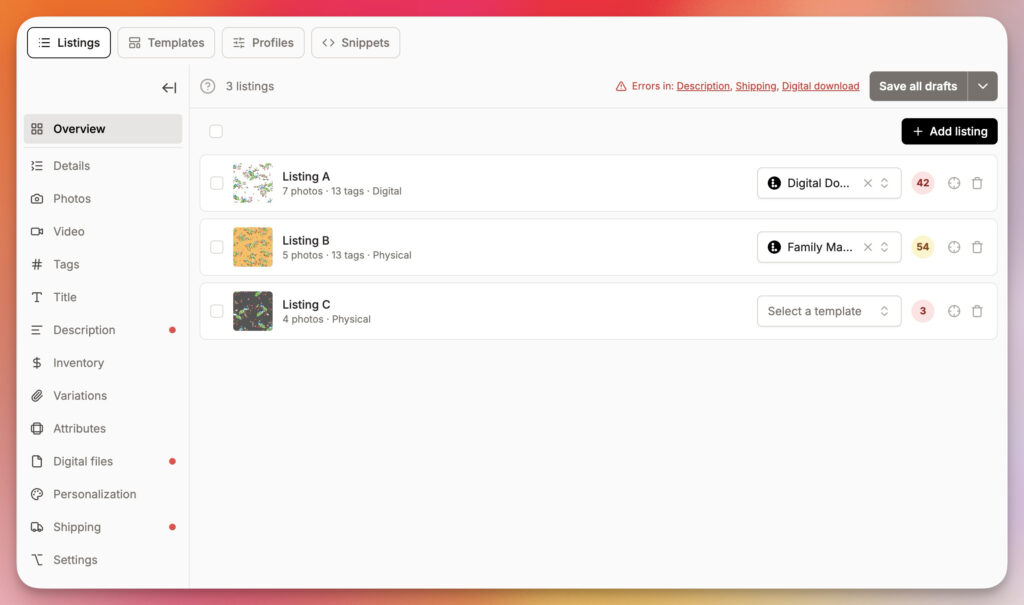
Pick a template per listing and watch the fields fill themselves. Description, tags, shipping profile, the whole package. The quality score on the right updates instantly so you know where each listing stands.
All your Listadum tools, right there
Tags, titles, descriptions. Every Listadum tool you already use is available on each listing in the batch. Keyword Explorer, Keyword Generator, Keyword Lists, quality checks, tag analysis. Work through one listing, move to the next, keep going.
Ship the whole batch at once
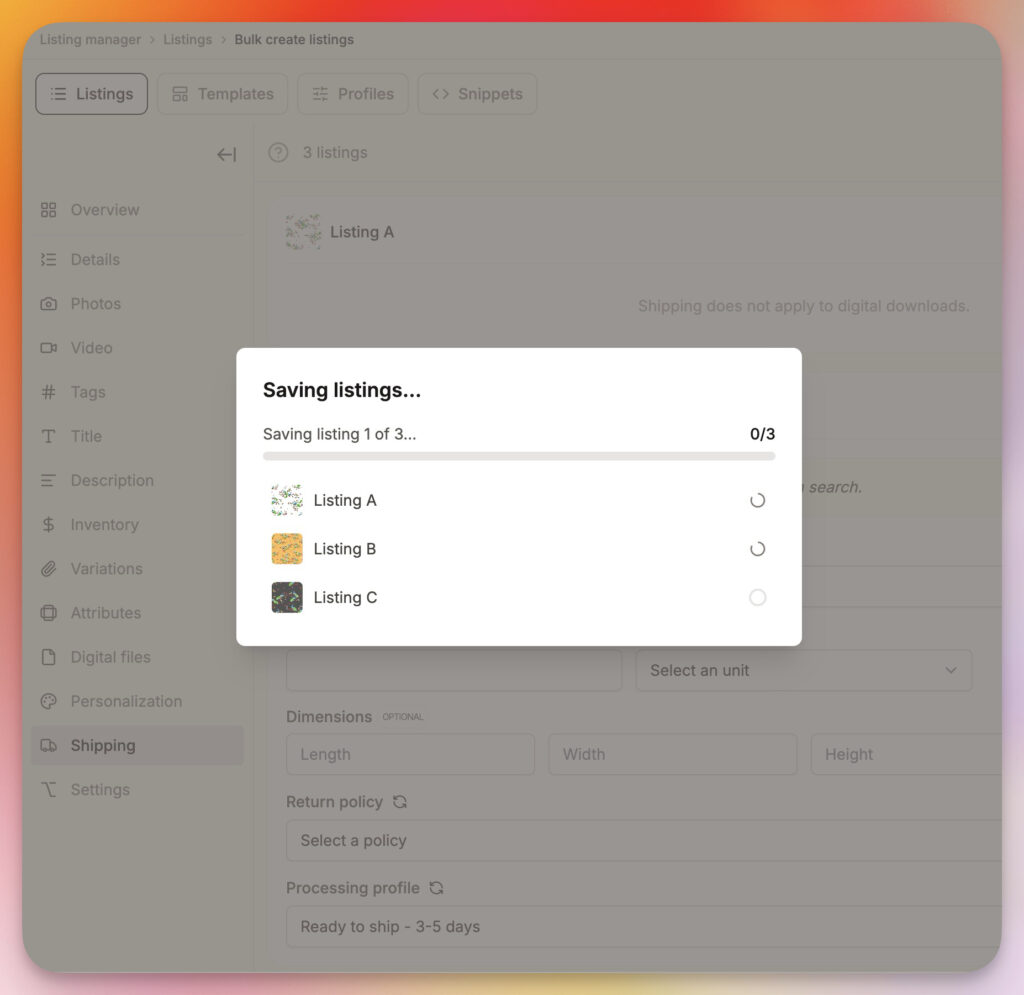
When the batch is ready, one click sends every listing to Etsy as a draft. Watch them save one by one and you are done. You can also choose to immediately publish the listings (the 20 cents per listing applies) or schedule them for a later date.
A few honest notes
The editing step is still per listing. Bulk Create handles the setup and the batching, not bulk field edits. So you are not changing a tag across 50 listings in one click (yet). What you are doing is collapsing the “open, create, upload, name, save, repeat” loop into one smooth flow.
Publishing and scheduling directly from Bulk Create is coming. For now, Etsy drafts is the finish line. From there you hit publish or schedule on Etsy’s side.
Pricing
Like most features that help you do things across many listings at once, Bulk Create will live on the Growth plan once it leaves beta. But while it is in beta, it is free. For everyone. Every plan.
Go break it. Upload weird folders. Try 200 at once. Tell me what works and what makes you want to throw your laptop. That is the feedback that shapes the real version.
And if you have been sitting on a pile of work that never quite makes it to your shop, seriously, open Listadum right now. Drag those folders in. Watch the backlog disappear.
Clear your listing backlog this week
Bulk Create turns a folder of product images into ready-to-publish Etsy listings, in one pass. It is built into Listadum and ready the moment you connect your shop.
Free plan · no credit card · connect your real Etsy shop in minutes